

Online practice and self-studyExams assess, practice teaches: untimed, topic by topic, with solutions.
Practice sessions are independent of exams: the teacher chooses categories and participants, students solve as many questions as they like without a timer, see the correct answer and the solution with Check for every question, and retry their mistakes. Practice is not graded; teachers follow progress.
01EXAMS AND PRACTICE
One question bank, two purposes.
An exam session assesses and grades with an approved test; a practice session teaches with questions from the chosen categories.
Questions
Exams use a fixed approved test; practice draws mixed questions from the chosen categories (subcategories and topics included), including questions added later.
Time and attempts
Exams have a duration, a window and attempts; practice has no timer, as many questions as wanted, on any topic.
Feedback
Exams give feedback when results are published; practice gives the correct answer and solution instantly for every question.
Retrying
Exams use retakes; practice has Unsolved and My mistakes modes.
Outcome
Exams produce scores, reports, gradebook entries and certificates; practice is not graded and gives teachers a progress table.
02PRACTICE SESSIONS
Like exam sessions: several practice sessions, each with its own topics.
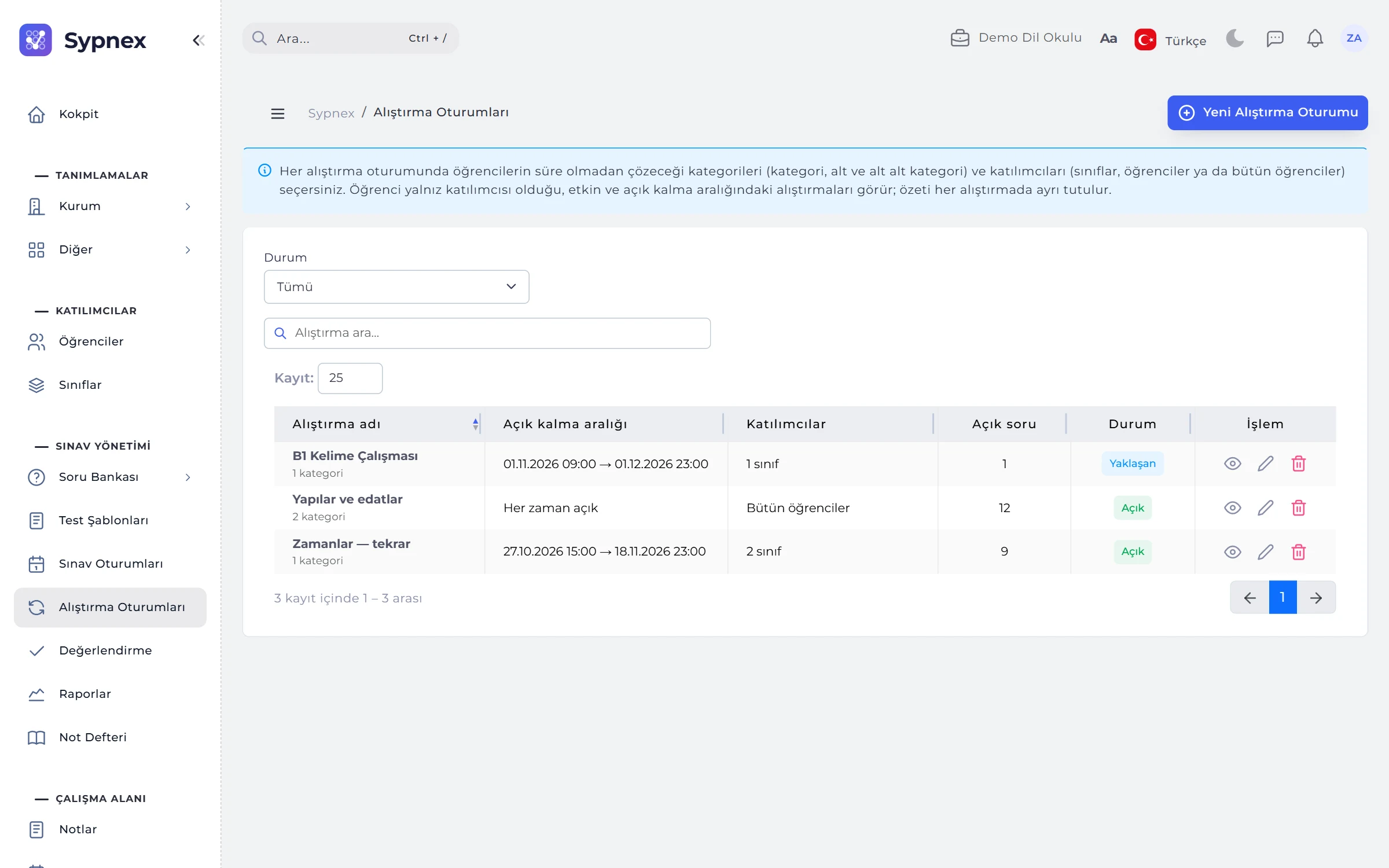
The list shows the name, number of categories, open period, participants (all students or “2 classes · 5 students”), questions open to students and status (Open, Upcoming, Finished, Inactive), with a status filter.
- Opening and closing: optional; with no opening date it opens at once, with no closing date it stays open.
- Active / inactive: an inactive practice session is hidden from students, and summaries are kept.
- Upcoming: students see it with its opening date and can solve it once it opens.

03PARTICIPANTS AND CATEGORIES
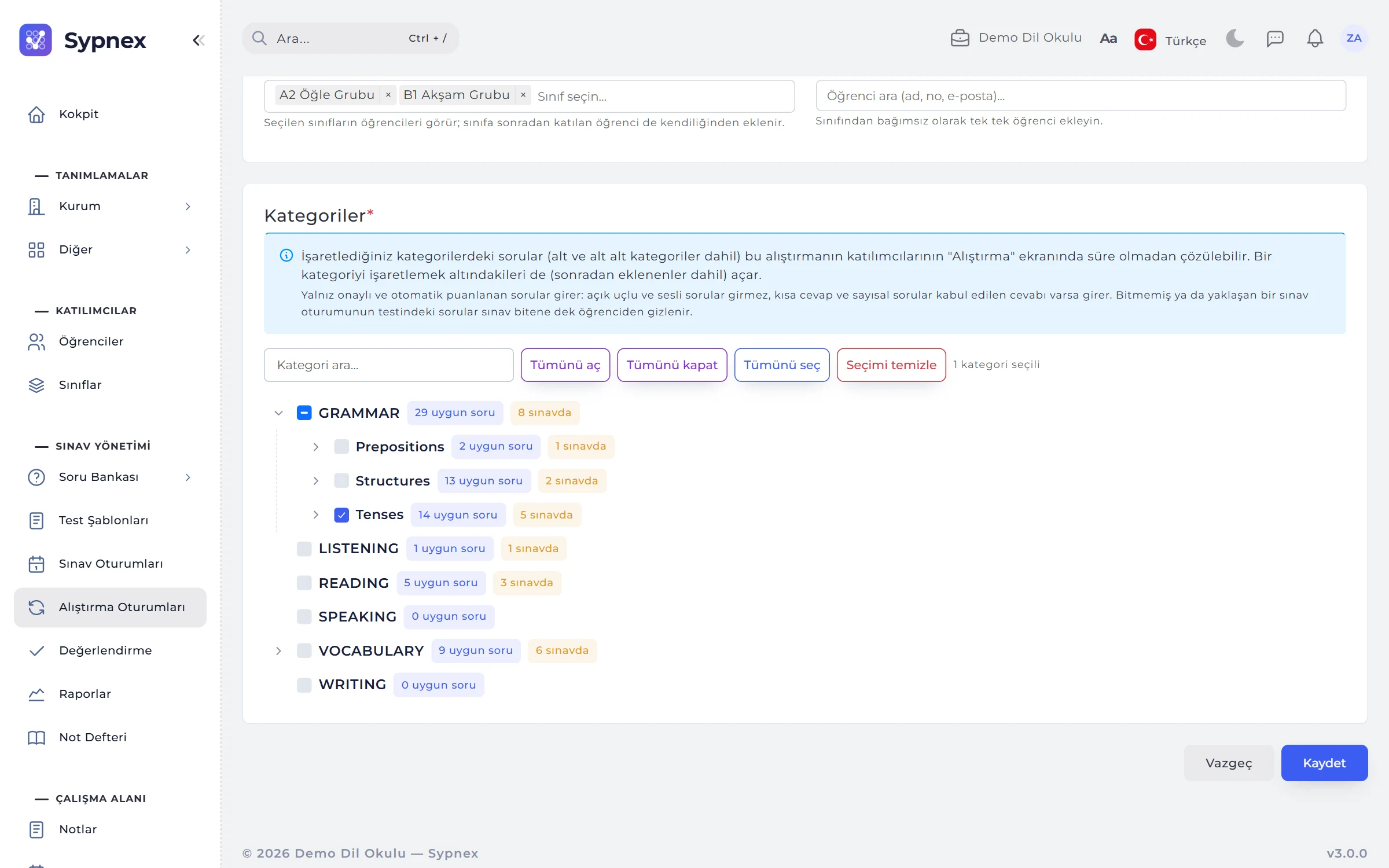
Who solves which topics, on one form.
Participants are all students (including those added later), classes or individual students. When a category is ticked in the category tree, its subcategories and topics join the practice too, including ones added later.
- Joining by class: a student who joins a class later sees it automatically; a student who leaves does not.
- Eligible questions: each row shows the questions eligible for practice and those hidden because they are in exams.
- Which questions count: approved, active, auto-scored questions; short-answer and numeric questions if they have accepted answers. Open-ended and spoken questions are excluded.
04STUDENT: MY PRACTICE
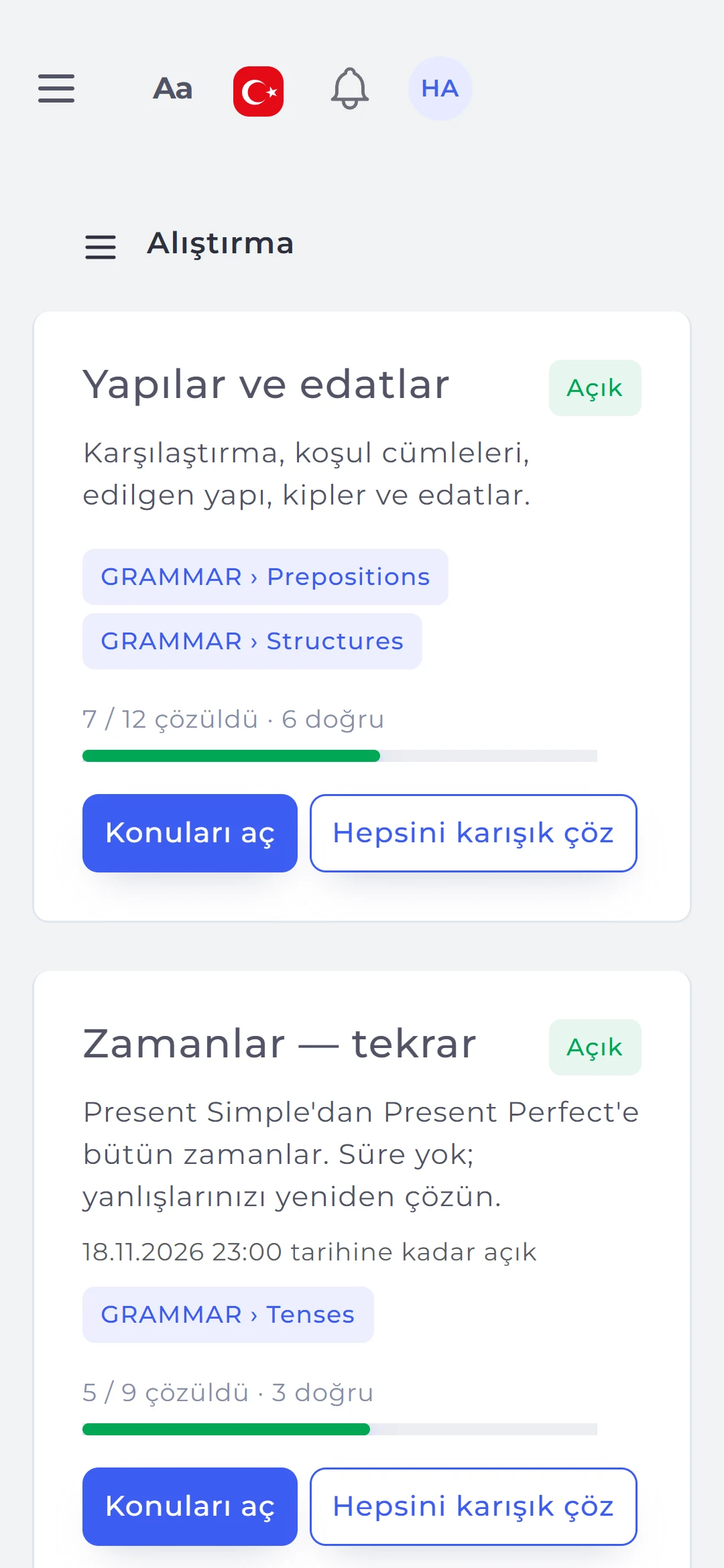
One card per practice session, one progress bar per topic.
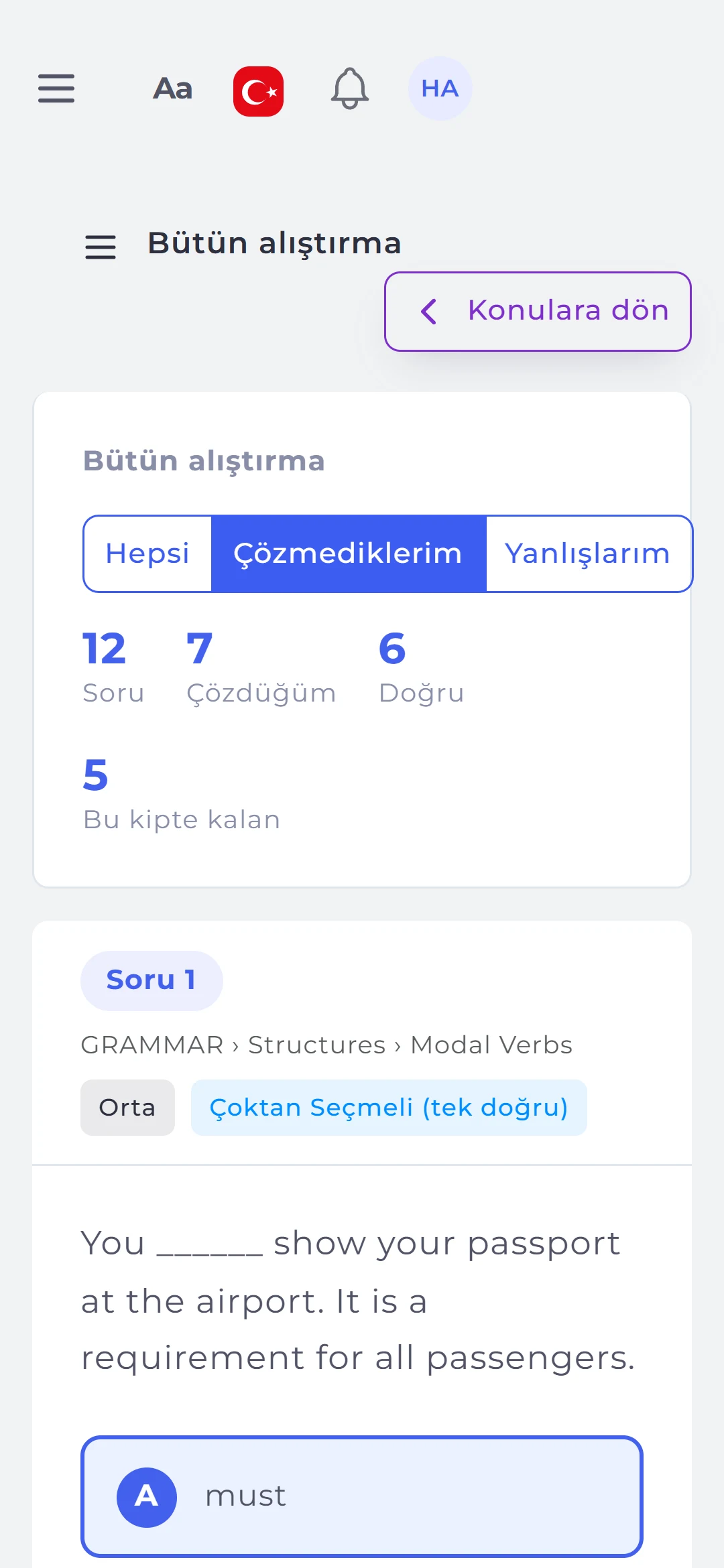
The Practice menu lists the practice sessions a student takes part in, with name, description, closing date, topics and progress. Opening one shows the chosen categories as a tree with subcategories and topics; if a practice session is open, a card also appears on the home page.
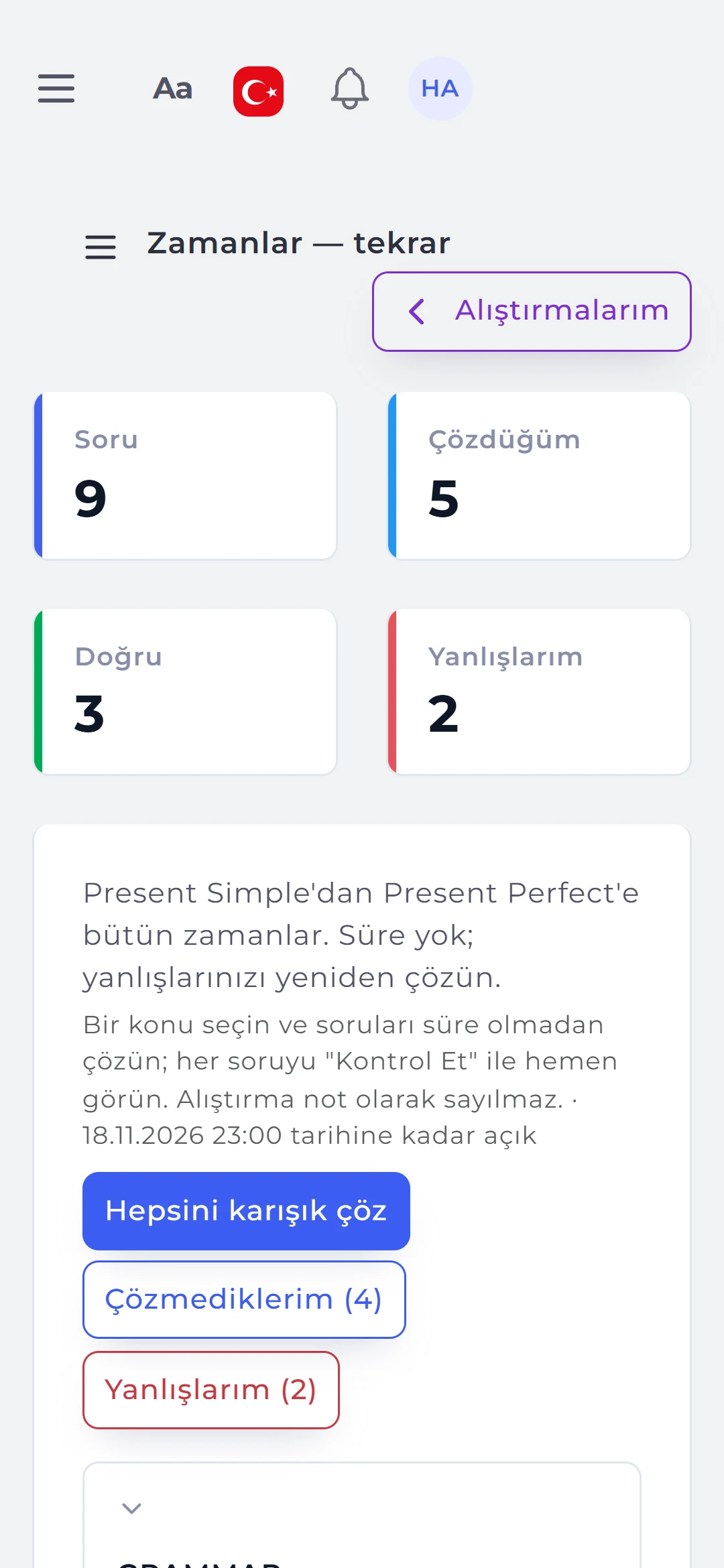
- Counters: open questions, solved, last answer correct and my mistakes.
- Three modes: Solve (all, mixed), Unsolved, My mistakes (last answer wrong).
- Solve all mixed: every question in the practice session in one mixed round.
05CHECK
The answer, the correct answer and the solution, together.
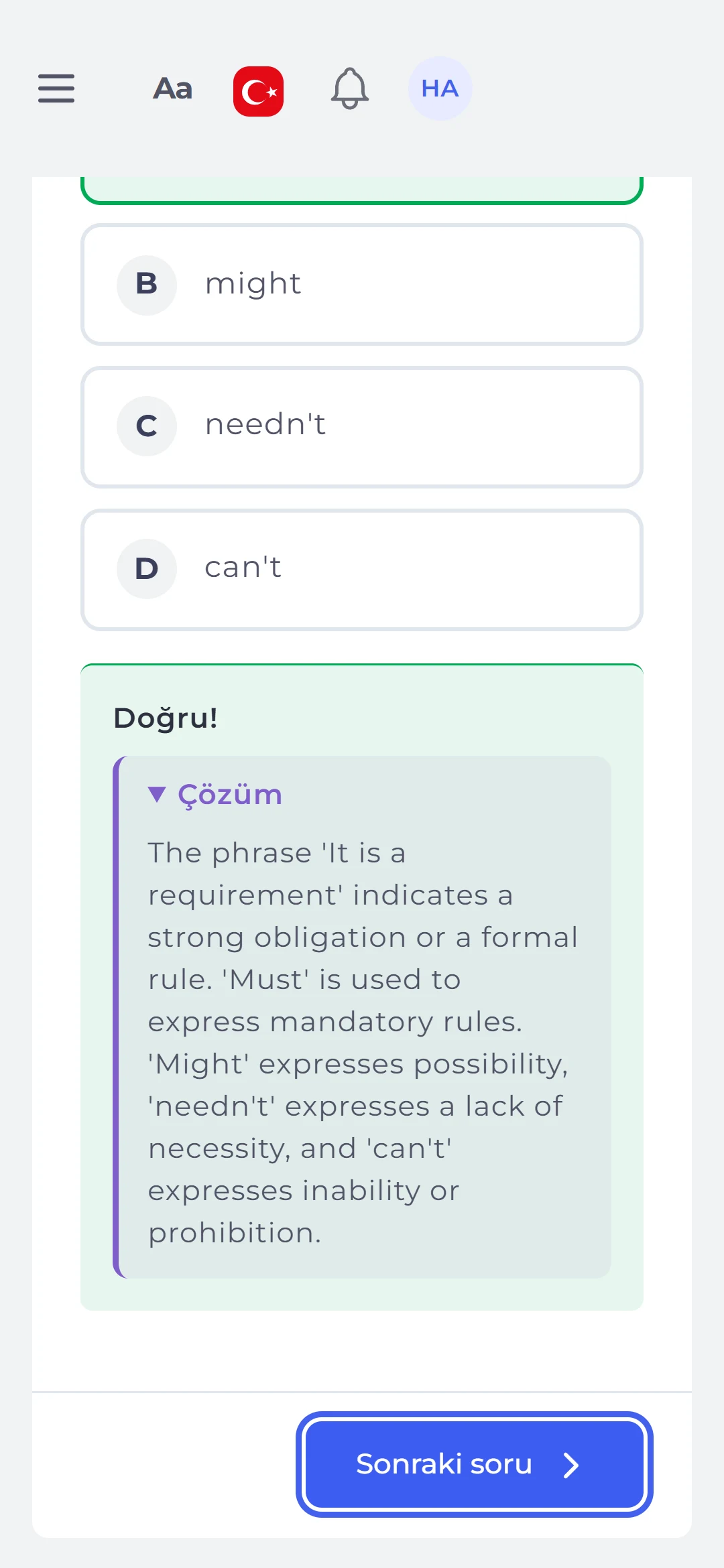
After answering, the student taps Check and sees whether the answer was right (with a partial score for matching, ordering and blanks); the correct option is marked green and a wrong choice red, with the question’s solution below if it has one.
- Checked questions: cannot be changed; Next question moves on and Skip leaves the question for this round.
- Round summary: when the mode runs out of questions, how many were solved and correct, with other modes to choose.
- Web and mobile: in the mobile app questions are solved in an in-app browser, and the summary refreshes on closing.
06PROGRESS
Teachers see who practised and how much.
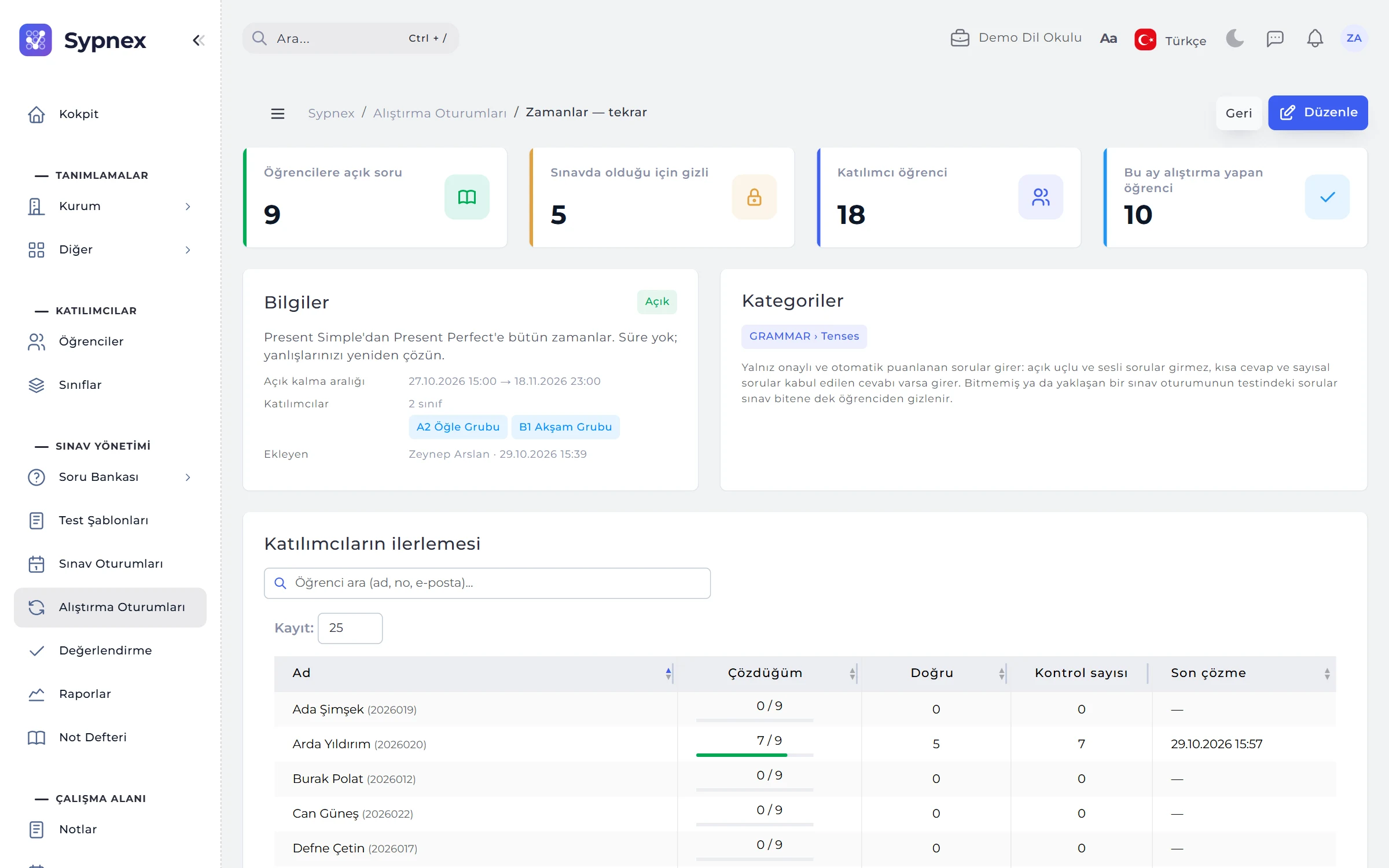
The practice details show counters for questions open to students, questions hidden because they are in exams, participants and students who practised this month, with the participants’ progress below.
- Progress table: solved / total, correct, check count and last activity.
- Open questions only: questions from removed categories or hidden because they are in exams do not count.
- Separate summaries: if a question is in two practice sessions, the student’s summary is kept separately in each.
RULES
Practice rules
Practice gives students room to study freely; some rules are fixed to protect exam security and the meaning of grades.
Exam questions stay hidden
Questions in the test of an unfinished or upcoming exam session are not shown in practice until the session ends or is cancelled.
Not graded
Practice does not go into the gradebook, reports or norm calculations; teachers see progress.
Approved questions only
Draft and inactive questions, questions in inactive categories, and open-ended and spoken questions are excluded.
At least one choice
A practice session is saved with at least one participant and one active category; the closing date must come after the opening date.
No AI involved
The student’s answer is checked instantly against the correct answer in the bank.
Run your next exam and practice with Sypnex.
Leave a demo request and try Sypnex with your own questions, classes and scoring rules, and with AI if you like.