

Exam reports, item analysis and gradebookBoth the exam result and the exam’s quality, in the report.
Session results report and norm status, item analysis, voiding questions and item bias (DIF), learning outcome analysis, the student card and progress chart, result documents and QR-verified certificates, and a gradebook that combines several exams by weight.
01SESSION RESULTS REPORT
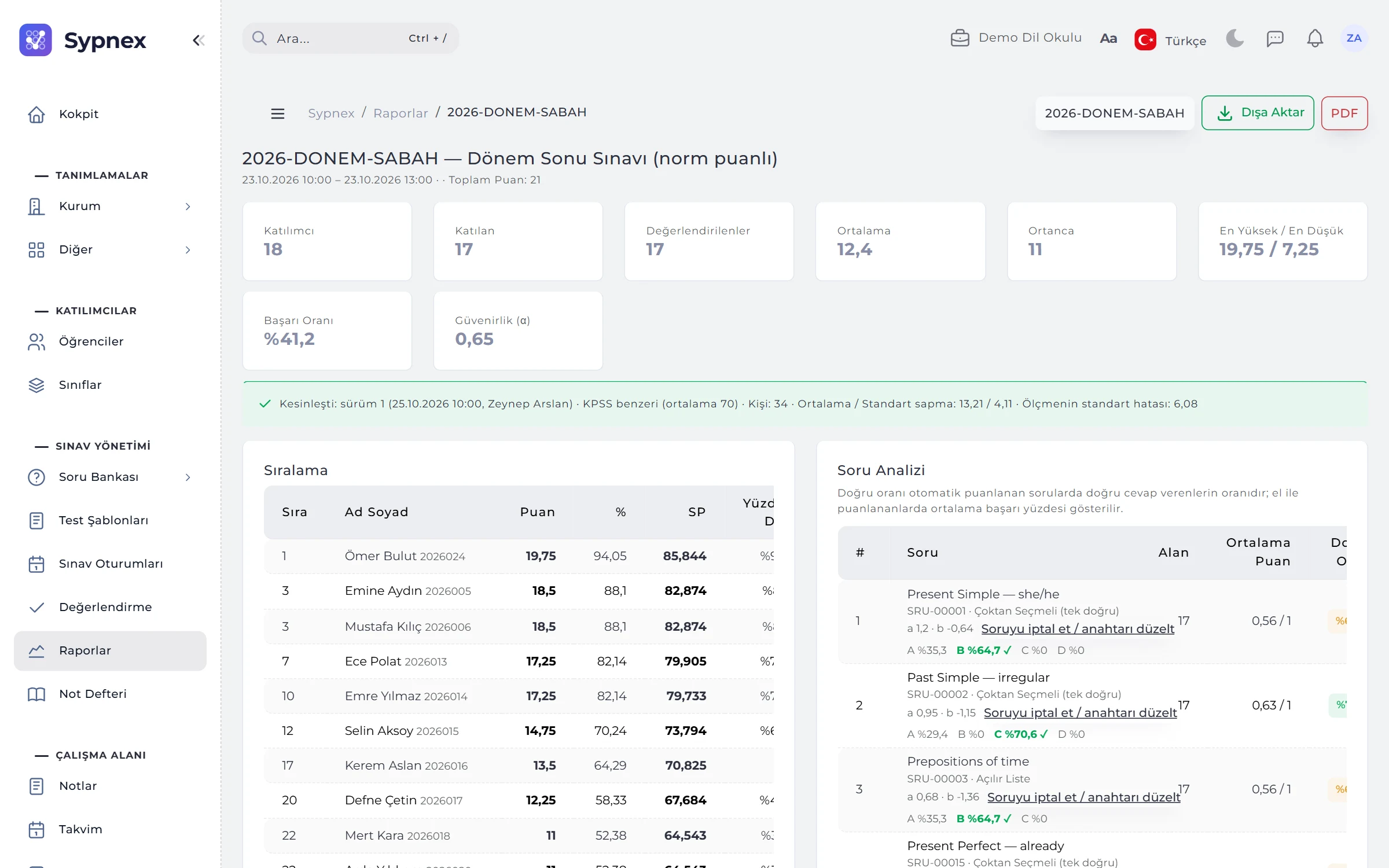
Mean, pass rate and reliability in the first row.
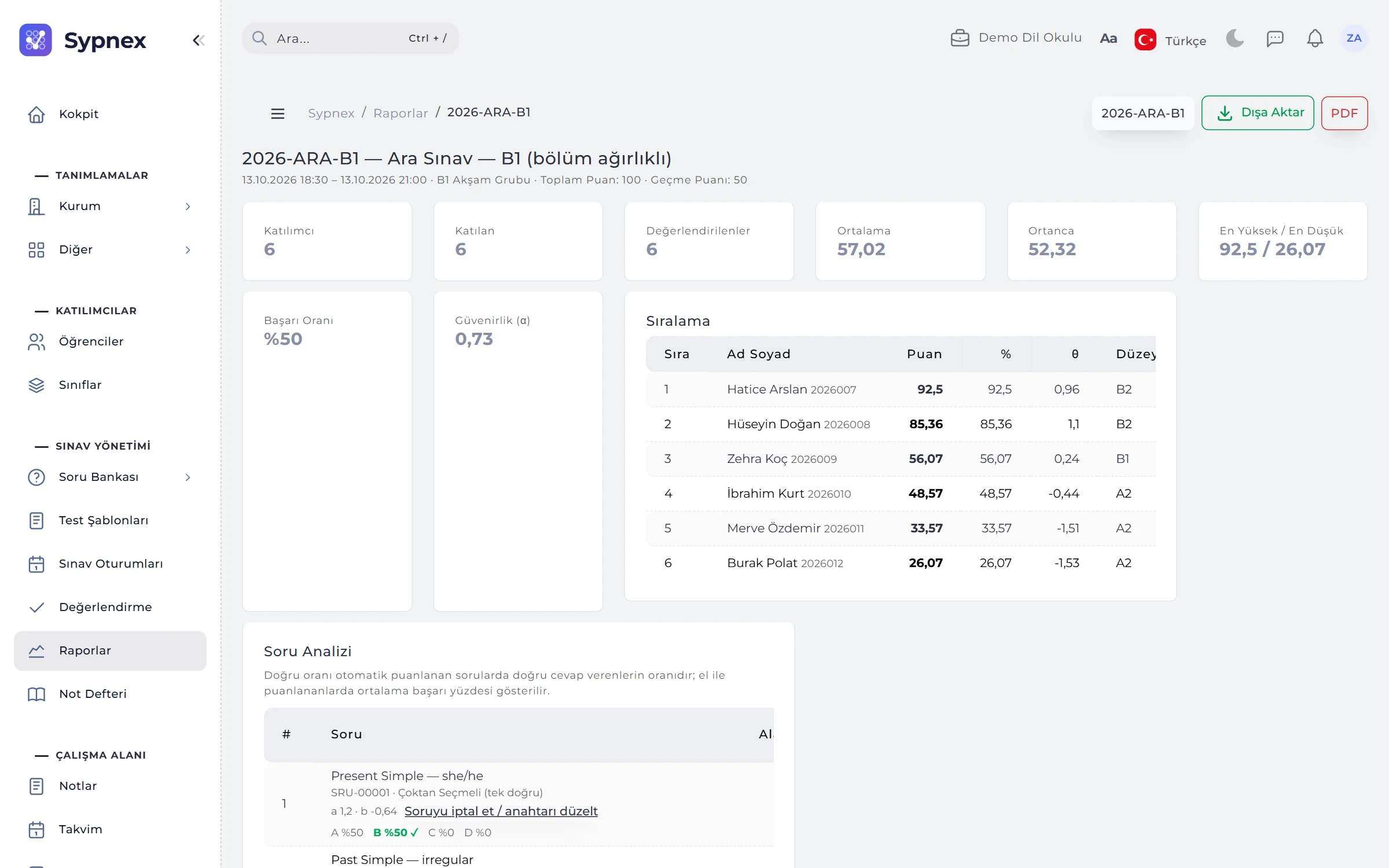
The report opens with the session’s summary cards: participants, attendees, graded, mean, median, highest and lowest score, pass rate and reliability (α). Ranking, score distribution and outcome analysis are on the same page.
- Ranking: score, percentage, level, ability (θ), pass / fail; hover to see why a student failed.
- Norm status: preview or finalised, version, scale, mean, SD and the standard error of measurement.
- Outcome analysis: success rate of the questions linked to each learning outcome.
- Excel and PDF: with section percentages, level, standard score, percentile and rank columns.
02ITEM ANALYSIS
Which question is too easy, and which works in reverse?
The Item Analysis table gives each question’s correct rate, response rate, discrimination and the percentage choosing each option; problem questions are flagged. Calibrated questions show their a and b values.
- Flags: “Too easy”, “Too hard”, “Low discrimination”, “Works in reverse”.
- Voiding questions: count as correct for everyone, exclude from scoring or correct the key; students see the new score in published results.
- Item bias (DIF): in norm-group sessions, a question that works differently for two groups of equal ability is flagged DIF B or DIF C.

03STUDENT CARD
All of a student’s exams and progress on one page.
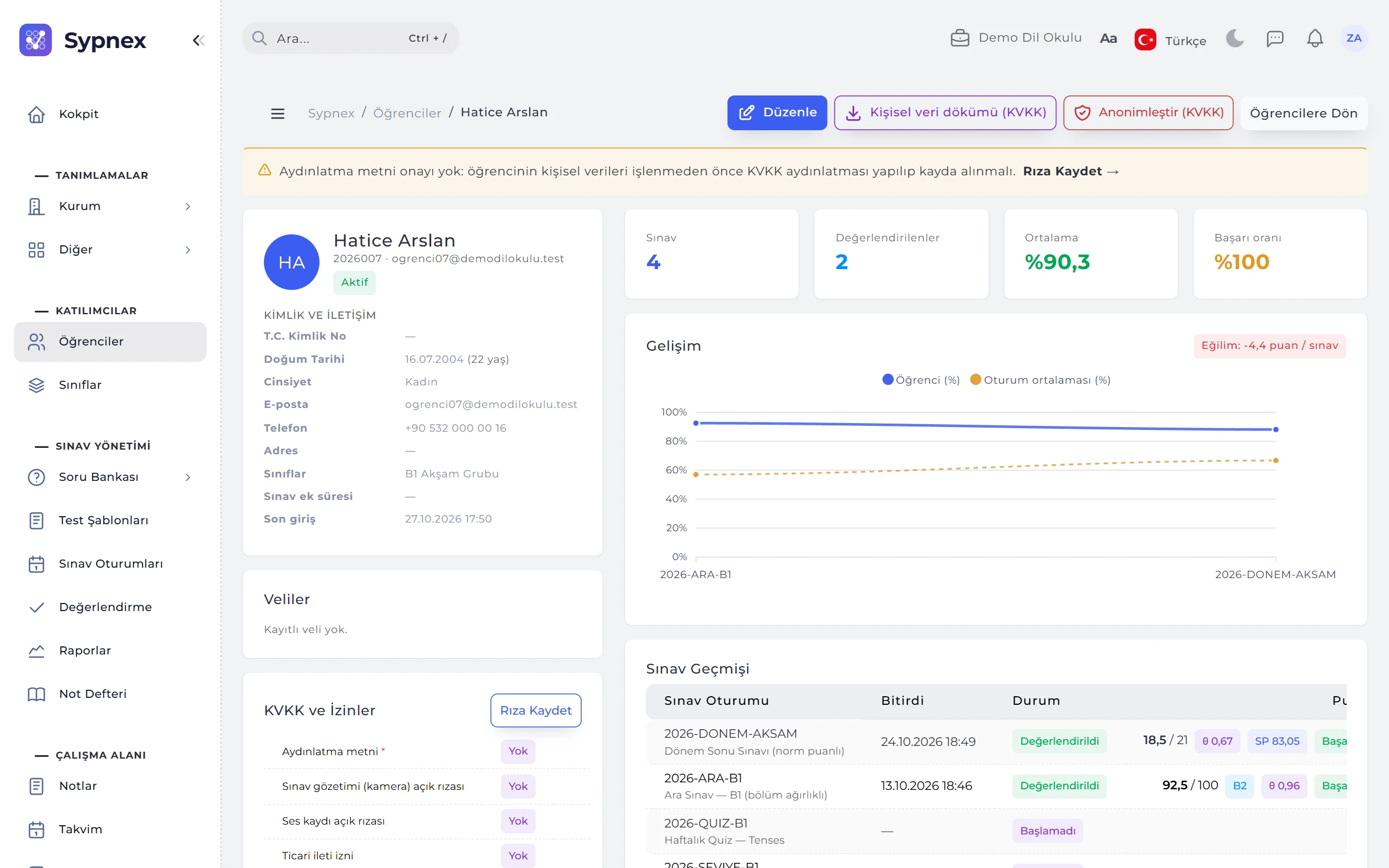
The student card shows identity and contact details, classes, parents and data protection consents together with an exam summary and progress chart; the exam history lists each exam’s score, level, pass / fail decision and ability (θ).
- Exam summary: exams taken, average success and pass rate, with the progress chart below.
- Norm details: the standard score in norm-referenced sessions.
- Personal data export: all of the student’s personal data and exam results in a single file.
04RESULT DOCUMENTS AND CERTIFICATES
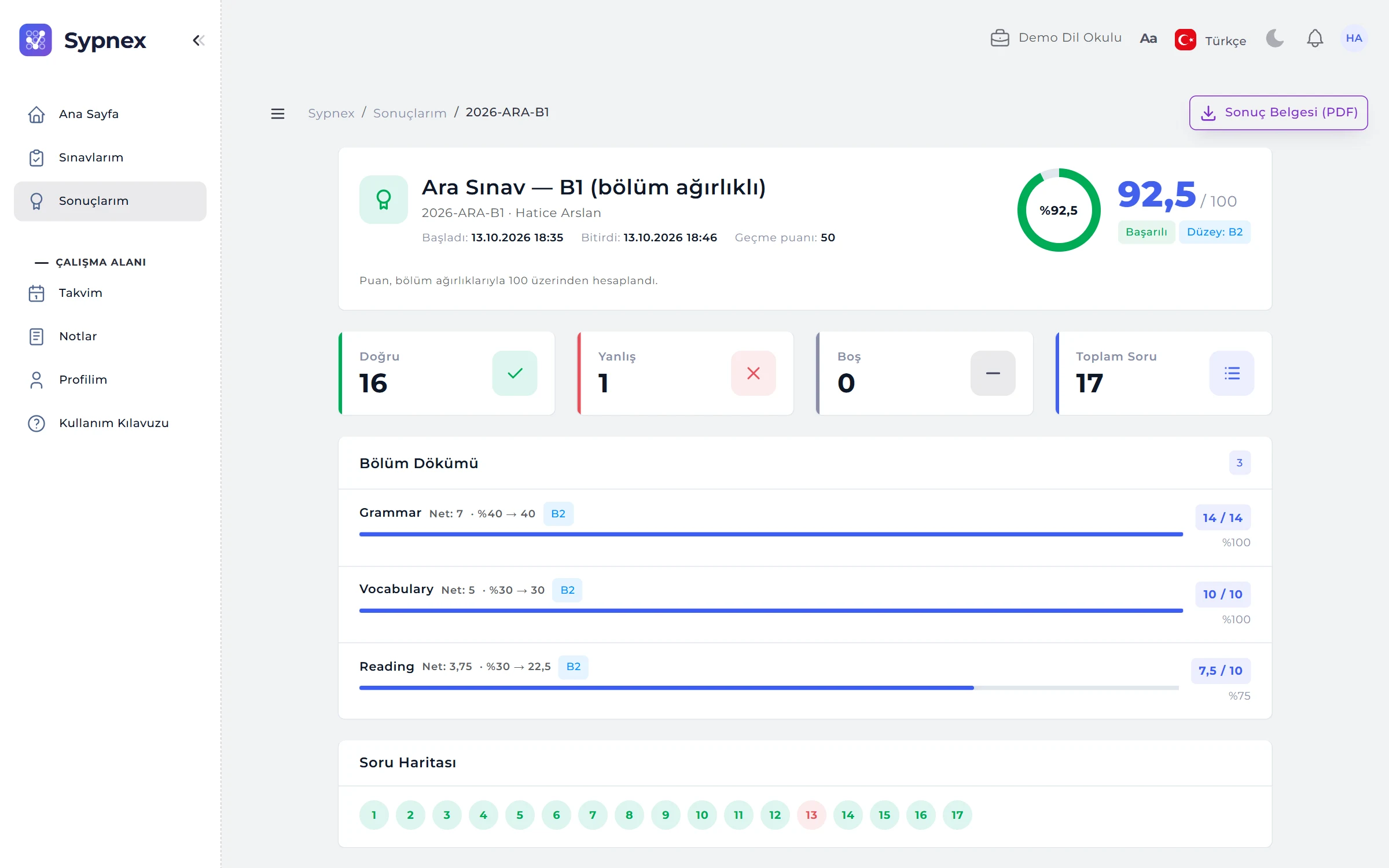
Score, level and section breakdown; a QR-verified certificate for those who pass.
The result document (PDF) contains the student’s score, level, pass / fail decision and section table; staff download any attempt’s document from the report ranking. If the test has certificates enabled, students whose results are published and who pass receive a PDF certificate with a QR code.
- Verification: the QR code and verification address show anyone that the certificate is valid.
- Revocation: the certificate is revoked if the result is unpublished or the student fails.
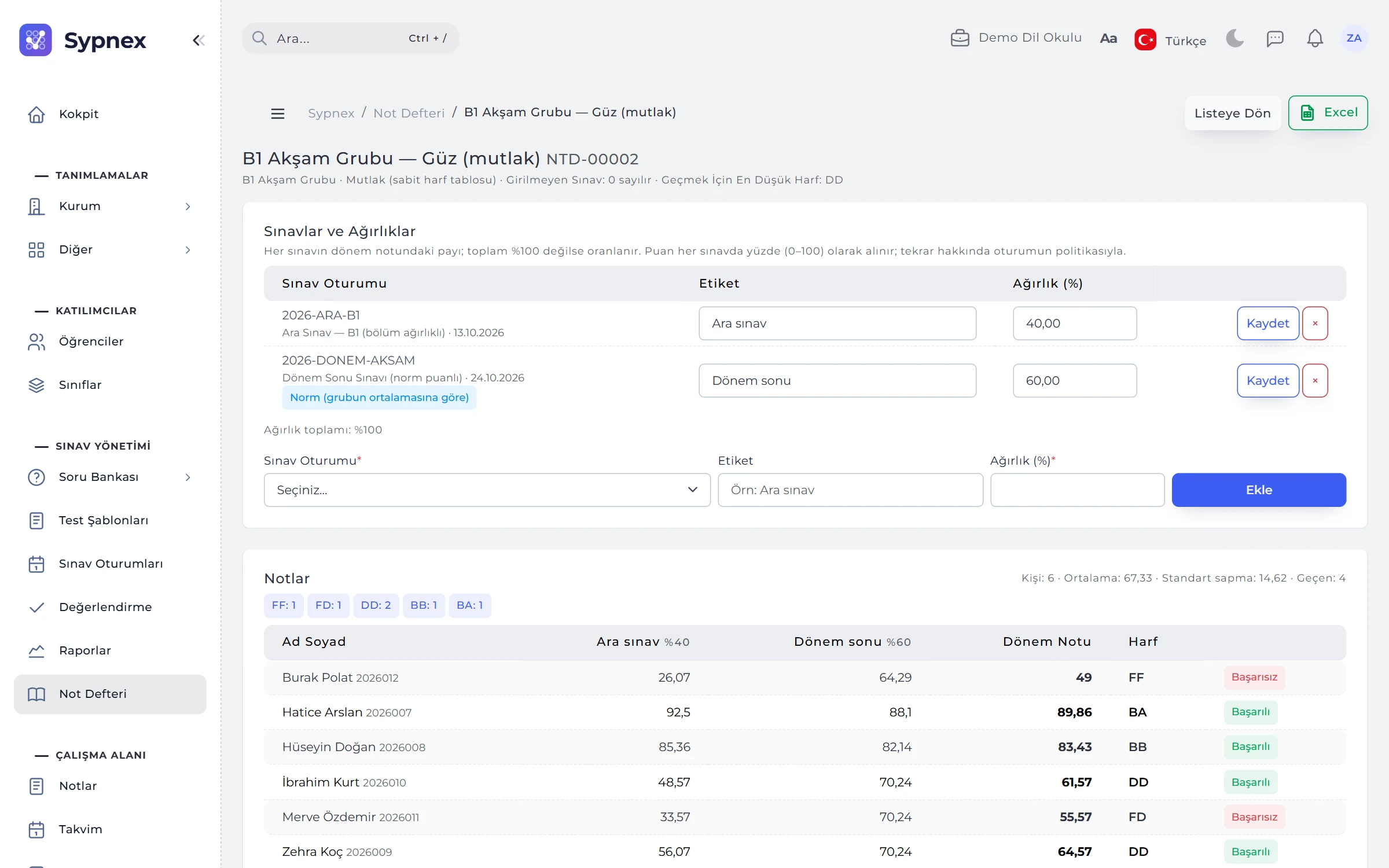
05GRADEBOOK
Quiz 20%, midterm 30%, final 50%: term grade and letter grade.
The gradebook combines several exams by weight into a course or term grade and a letter grade. The grades table shows each exam’s percentage, the term grade, letter and pass / fail; head count, mean, SD and letter distribution are shown above it.
- Absolute or relative: term grade → letter table (72 → CC), or letters from T-scores based on the class distribution.
- Missed exams: counted as 0 or left out, with the weight spread across the others.
- Provisional grades: marked with an asterisk while an exam still awaits grading.
- Excel: the grades table is exported.
Run your next exam with Sypnex.
Leave a demo request and try Sypnex with your own questions, classes and scoring rules.