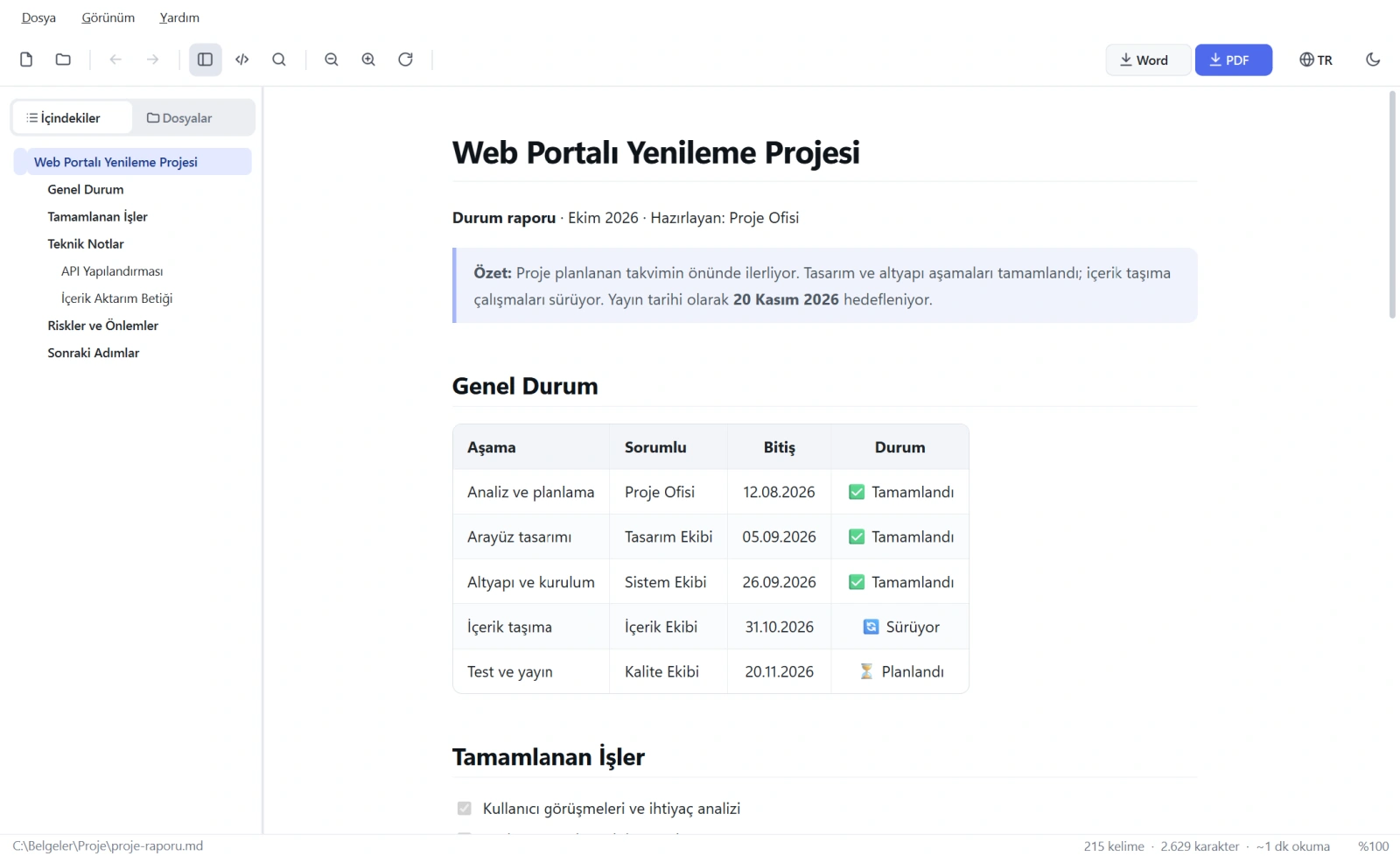
Rich, readable preview
Headings, tables, nested and task lists, quotes, footnotes, definition lists and images in a modern page layout. Code blocks are highlighted for more than 500 languages, and each block has a language label and a one-click Copy button.
One-click PDF
A print-ready A4 PDF with proper margins. Text stays selectable and searchable, links stay clickable, and headings are never left alone at the bottom of a page. Even in the dark theme the PDF is created with a white, light theme.
Editable Word document
A real .docx, not a screenshot: headings use Word’s Heading 1–6 styles, lists are real Word lists, tables repeat their header row on every page, and code blocks are highlighted and framed. Microsoft Word does not need to be installed.
Portable HTML
Save the document as a single .html file with local images embedded. The page opens in any browser or can be emailed without an extra folder.
Contents and file browser
The Contents tab lists headings as a tree and marks the section you are reading. The Files tab shows the Markdown files in the folder you choose, including subfolders.
Navigate between documents
Links to other .md files open inside the app, and heading links jump straight to that heading. Back and Forward buttons work just like in a browser.
Live reload
When the file is saved in another program, the preview refreshes on its own and keeps your reading position. Write in your favourite editor and watch the result as you go.
Source view and search
Switch to highlighted raw Markdown with one key. The Find bar works in both the preview and the source; the status bar shows word and character counts and reading time.
Türkçe and English
Switch the interface language instantly from the button at the top right; your choice is remembered. Turkish characters display correctly in the preview and in PDF and Word output.
Light, dark and system theme
An easy-on-the-eyes dark theme, a light theme for bright rooms, or a system theme that follows your Windows setting. On Windows 11 the window title bar follows the theme too.
Comfortable reading
Zoom from 50% to 300% (Ctrl + mouse wheel works too), full screen, a collapsible sidebar, a right-click menu and a remembered window layout.
No installation
A single .exe file (or the folder edition if you prefer): download it and run it, it even runs from a USB stick. Recent files are listed on the welcome screen, and .md files open by drag and drop.
New version notice
At startup the app checks whether a new version exists; if so, the toolbar shows “Update available” and opens the download page with one click. Nothing is downloaded automatically; with no internet, the check is silently skipped.
Command line
Advanced users can convert without opening the interface, and turn every Markdown file in a folder into a PDF with a single command.