


Write a question once
An approved question is reused in every test; if it needs to change, it is copied and a new version is prepared. Which question is in which test and who approved it is always visible.

Sypnex is online exam software and a question bank for institutions: it prepares and approves questions, builds sectioned tests with scoring rules, runs online or paper exams with optical answer sheets, grades open-ended and spoken answers, and reports results with norm-referenced scoring, item analysis, certificates and a gradebook. Students and parents follow exams and results in the web panel or the mobile app.
WHY SYPNEX
The question bank feeds the test, the test feeds the session, and the session feeds grading and reports; every score shows the rule it was calculated with.
An approved question is reused in every test; if it needs to change, it is copied and a new version is prepared. Which question is in which test and who approved it is always visible.
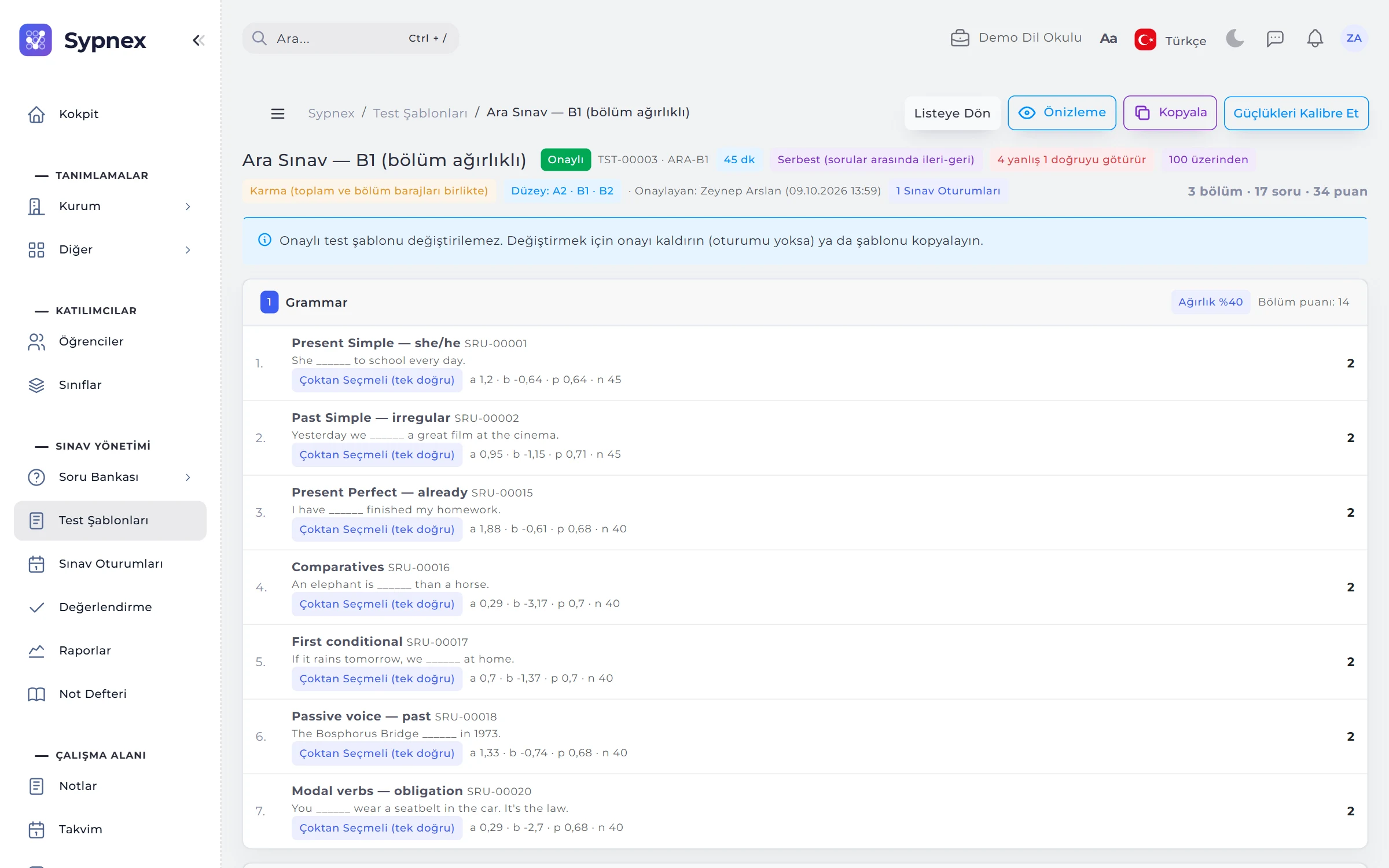
Wrong-answer penalty, section weights, cut-off scores, level table and pass mark are set once in the test template; every student is scored by the same rule, with an explanation.
Reliability (α), discrimination and distractor analysis are reported for every exam, and item bias is flagged within norm groups; a faulty question can be voided after the exam, with a stated reason.
Question writers see questions, graders only the answers of the classes they are assigned to, and parents only their own child’s published results. Everyone sees only the screens their permissions allow.
WHO IT’S FOR
The same workflow from a weekly quiz to a final exam, from a placement test to a certified exam. The interface is available in Turkish and English.
CEFR (A1–C2) level tables, adaptive placement tests, listening passages, spoken answers and rubric-based grading.
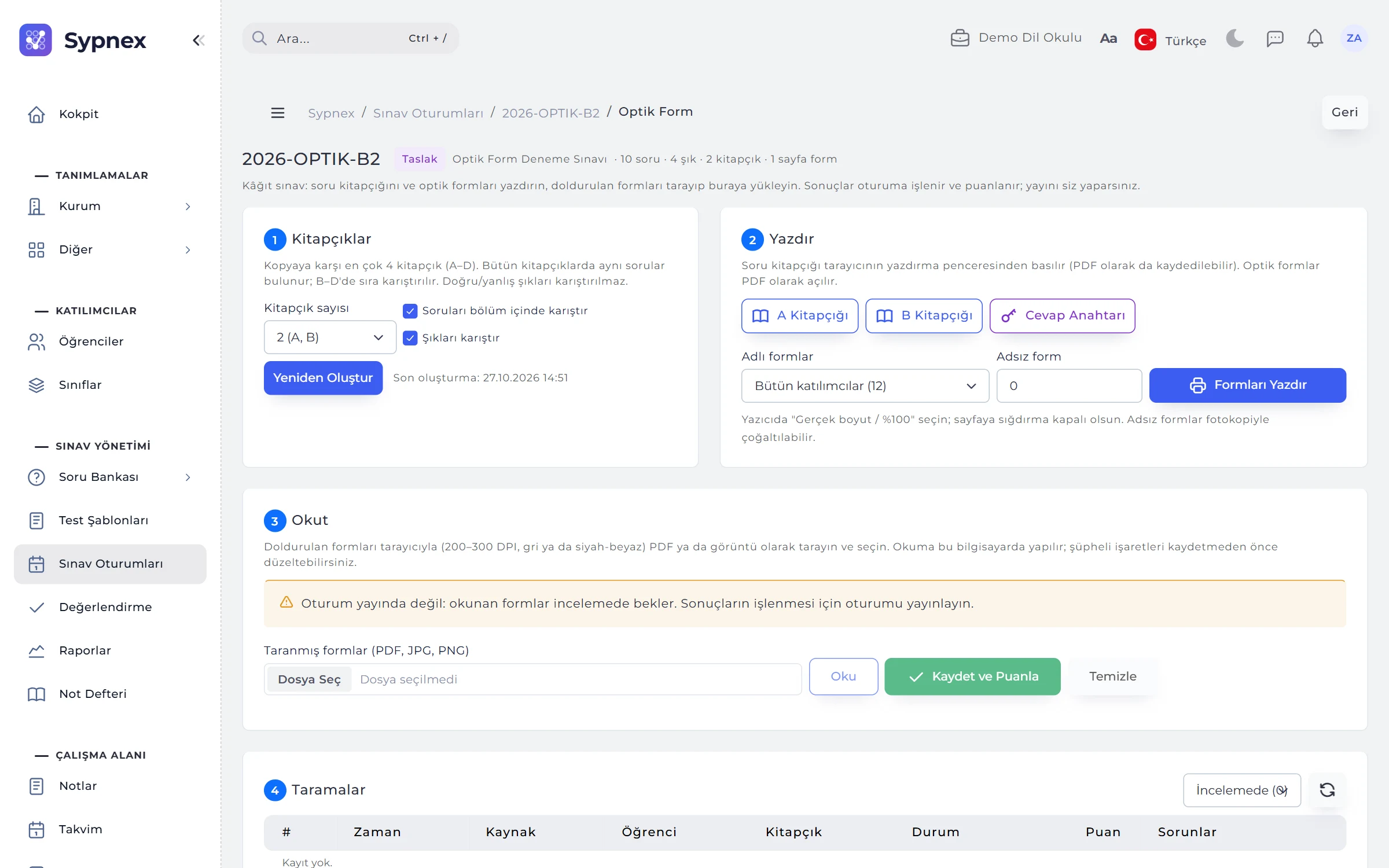
Practice exams on optical answer sheets, A–D booklets, “4 wrong answers cancel 1 correct” penalties, norm-referenced scoring and term grades in the gradebook.
Moodle and Canvas via LTI 1.3, item analysis and reliability, relative letter grading and proficiency exams with section cut-offs.
Camera-proctored online exams, PDF certificates verified by QR code, retakes and practice mode.
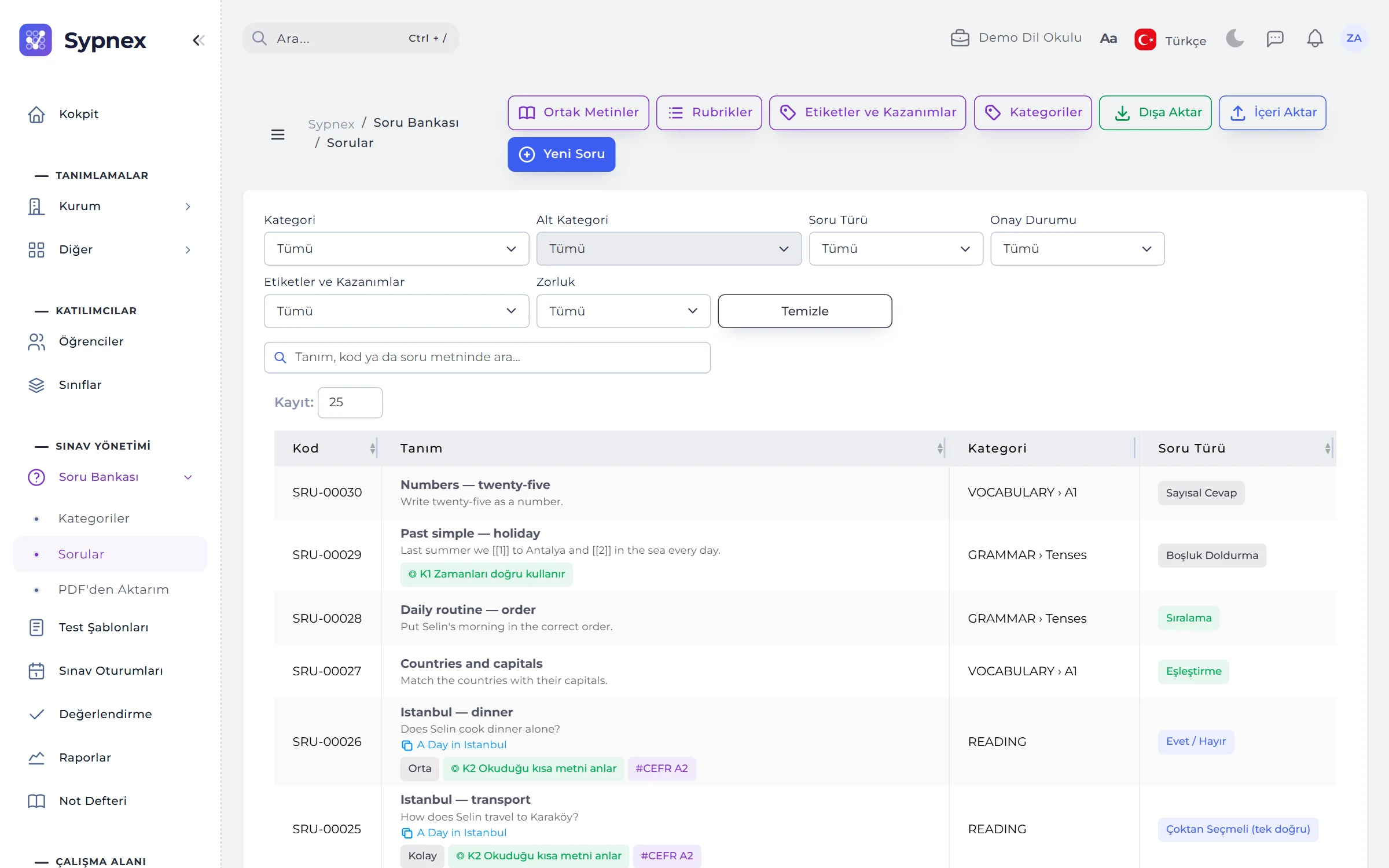
Import your own question book from PDF with AI, import QTI, GIFT and Aiken files, and run a question bank with an approval workflow.
Branches that sit the exam on different days compared in one norm group; graders assigned and reports produced per class.
MODULES
Each module feeds the next: approved questions go into tests, tests into sessions, session answers into grading, and results into reports and the gradebook.
12 question types, shared passages, images, audio and formulas; tags, learning outcomes and rubrics; question approval; Excel, QTI, GIFT and Aiken import; AI generation and import from PDF.
Sections and question pools, score display, wrong-answer penalty, section weights and cut-offs, level tables, adaptive testing (CAT), calibration and test approval.
Access windows, publishing and notifications, live monitoring, retakes and practice, camera proctoring, norm-referenced scoring and paper exams with optical forms.
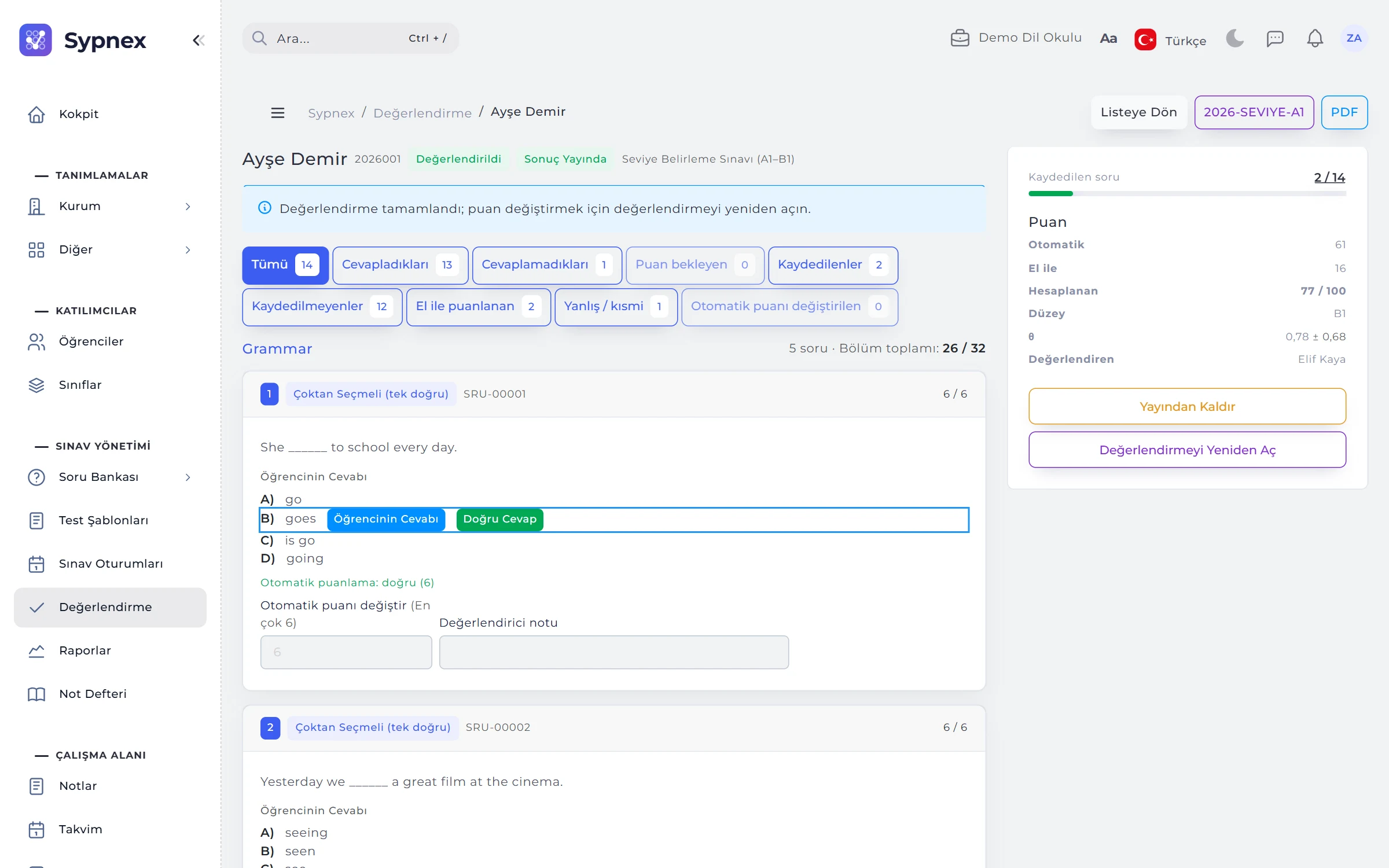
Pending and graded attempts, a grading screen with question filters, rubrics, AI score suggestions, blind and double marking, and result publishing.
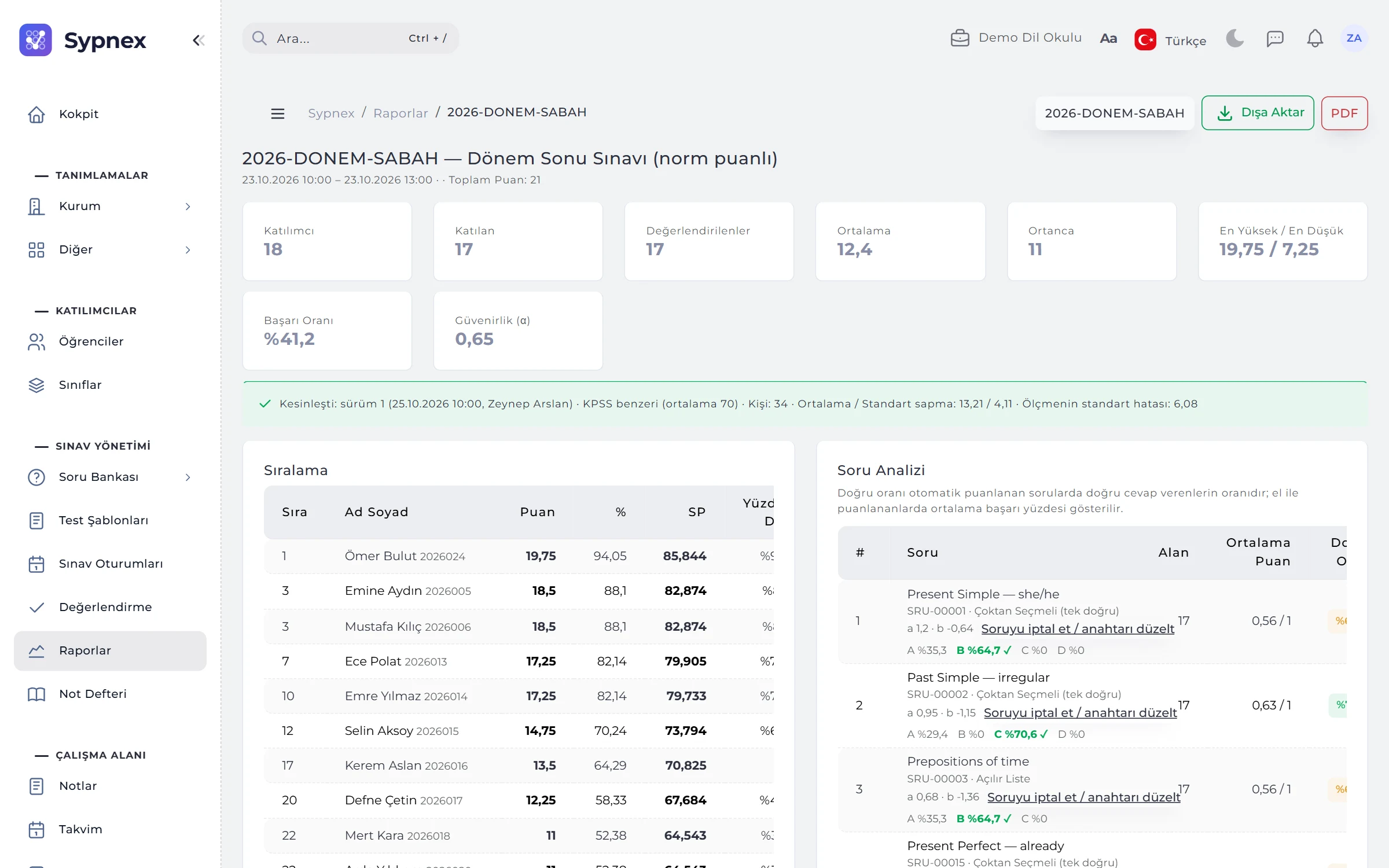
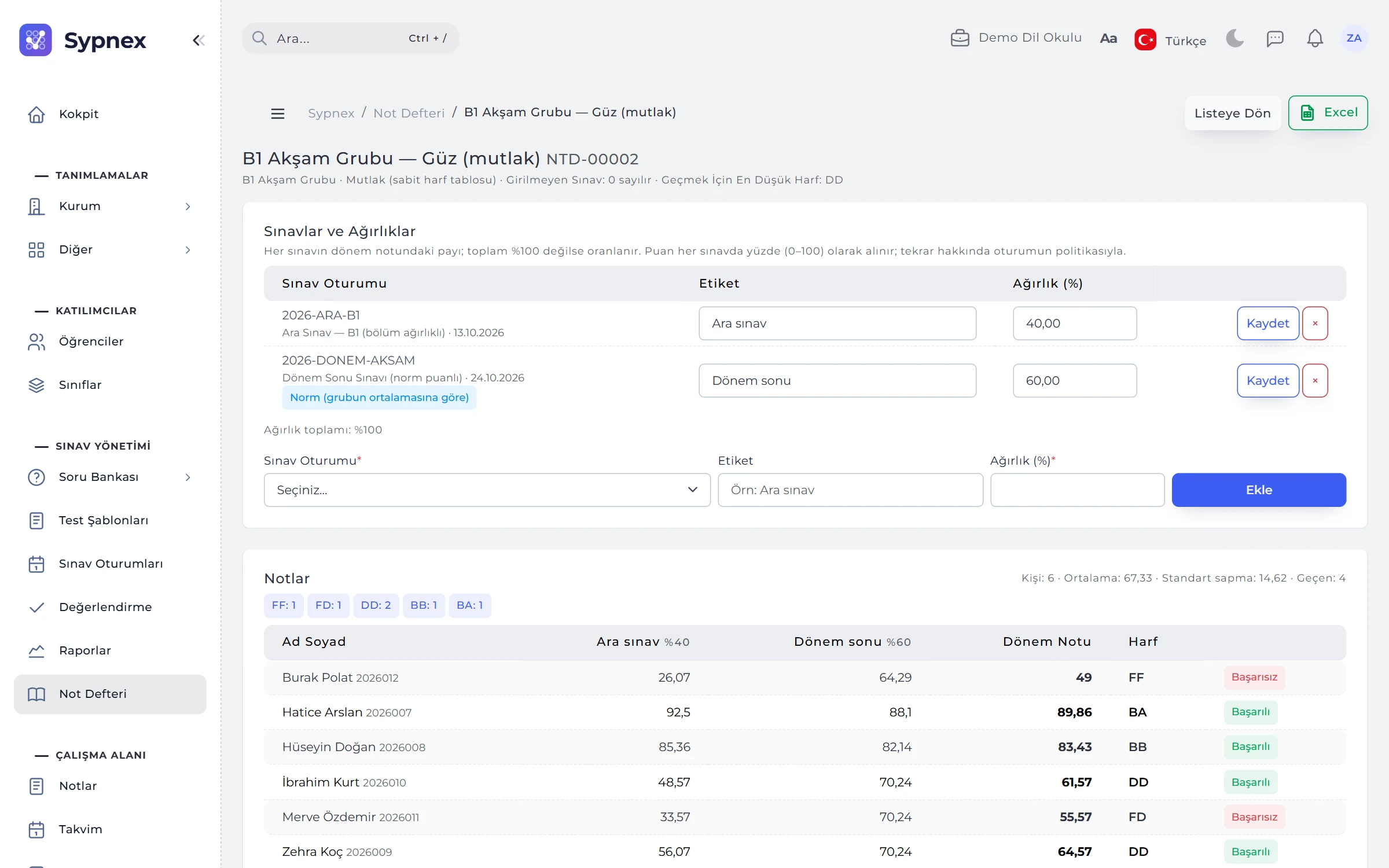
Session results report, item analysis and voiding, item bias (DIF), learning outcome analysis, student card, certificates and result documents, gradebook.
Student panel and exam screen, results and certificates, parent panel; on Android and iOS, live monitoring, grading and camera-based optical form reading for instructors.
COCKPIT
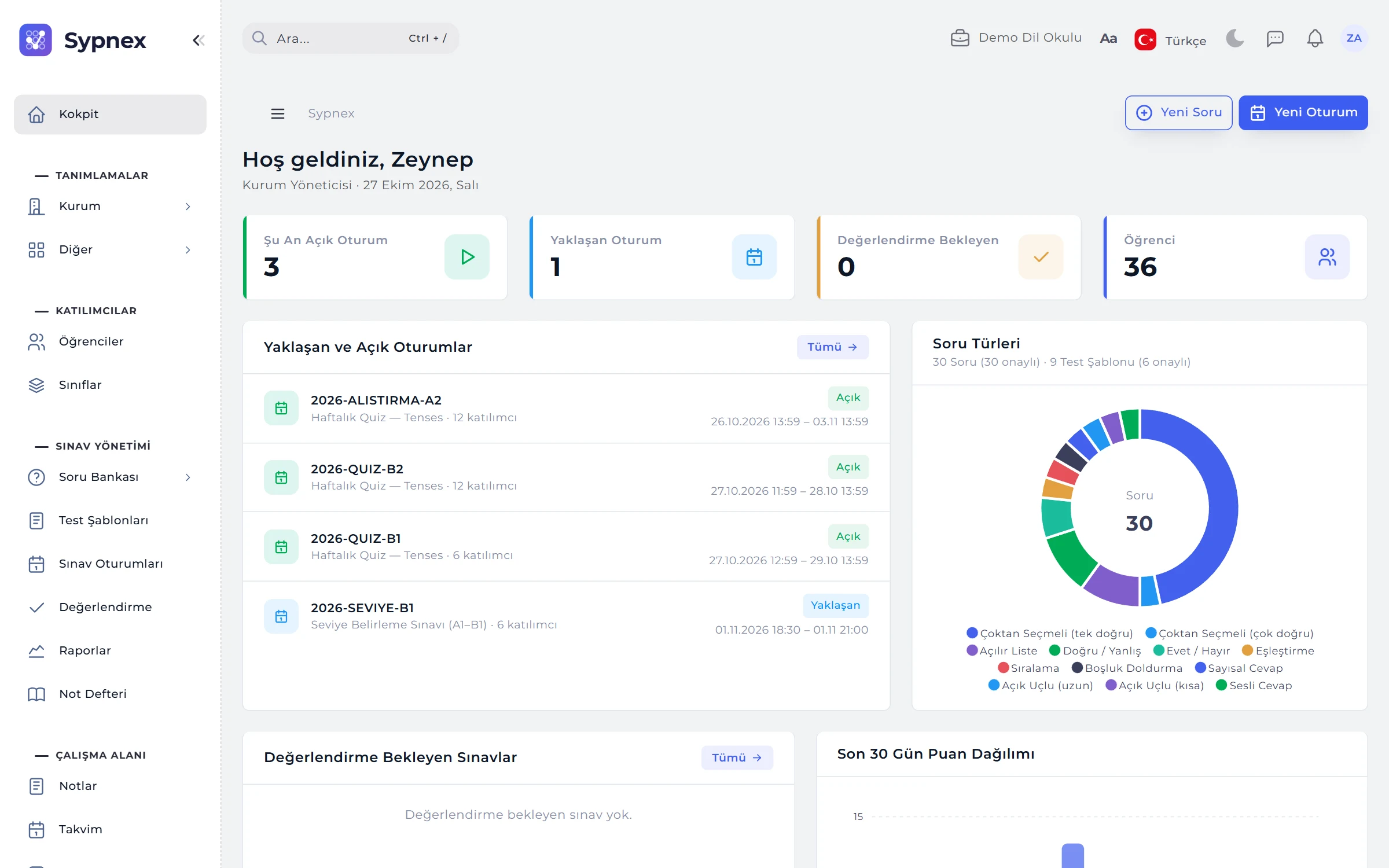
The cockpit gives a summary of the exam process at every sign-in: sessions open now and coming up, exams awaiting grading, recently published results and the state of the question bank. Graders see only the figures for the classes they are assigned to.
MEASUREMENT AND ASSESSMENT
The session report also measures the quality of the exam: reliability, discrimination, distractor analysis and the standard error of measurement. In a norm-referenced session the score depends on the group mean; in an adaptive test the student’s ability (θ) is estimated.
FROM QUESTION TO CERTIFICATE
Sypnex links each step to the one before it; questions, scoring rules and participant data are never typed twice.
Questions are linked to categories, tags and learning outcomes; a complete question is approved and can go into a test.
Sections, points, wrong-answer penalty, weights, cut-offs and the level table are defined in the test template; the test is approved.
A class is selected, the access window and security rules are set; participants are notified on publishing.
Auto-scored questions are ready; open-ended and spoken answers are scored with rubrics and, if wanted, an AI suggestion.
Once published, students and parents see the result; a result document and certificate are issued, and the grade goes to the gradebook and the LMS.
ROLES AND PERMISSIONS
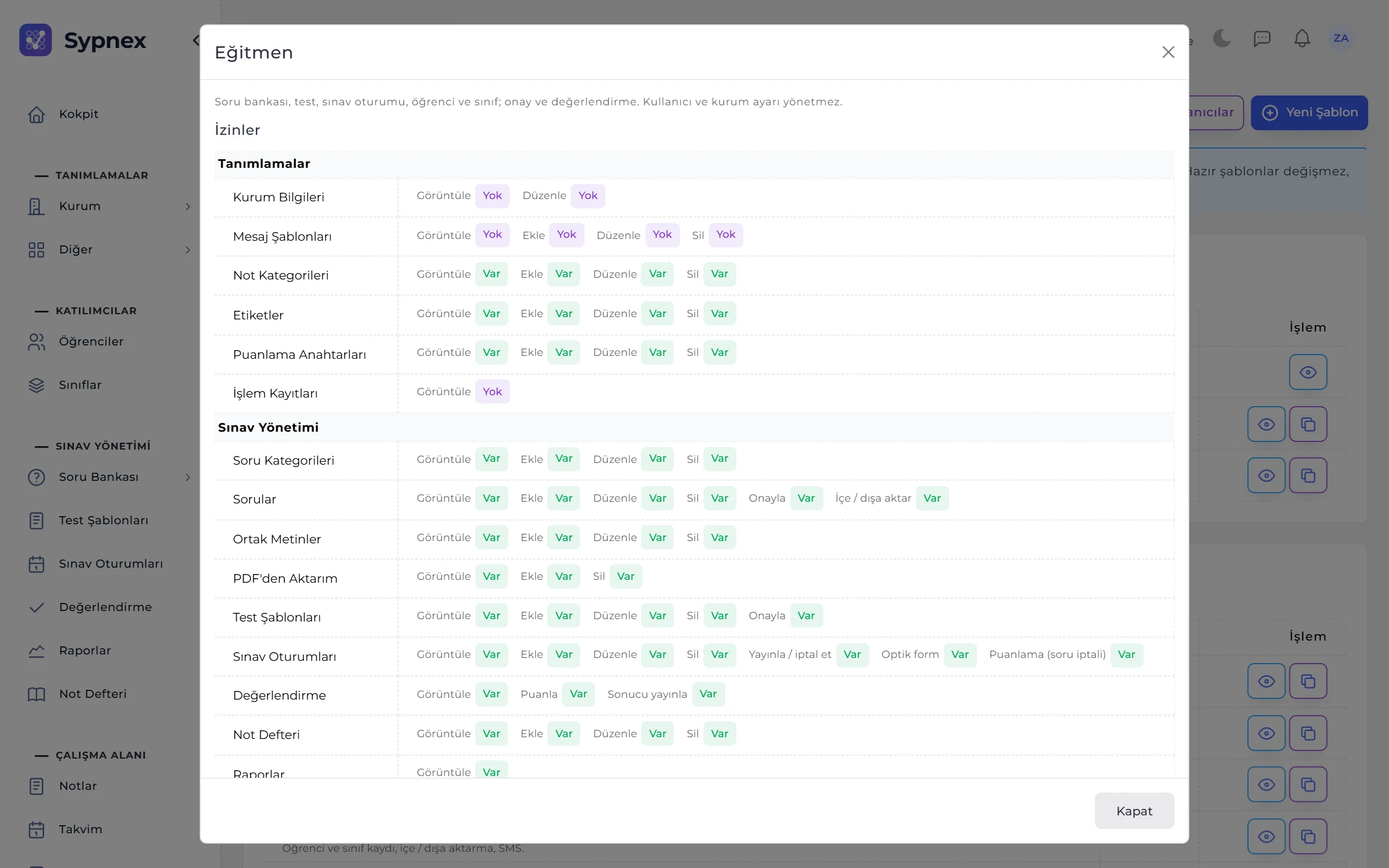
Permission templates define what staff can do; a person given several templates gets the combined permissions. Graders only see the sessions of the classes they are added to.
Everything: institution details, staff and permission templates, students and classes, question bank, tests, sessions, approvals, grading, reports, SMS and subscription.
Question bank, tests, classes, students, sessions, approvals, grading, reports and the gradebook; no access to staff or institution settings.
Sees only the sessions of the classes they are assigned to; scores, completes, publishes results and runs reports.
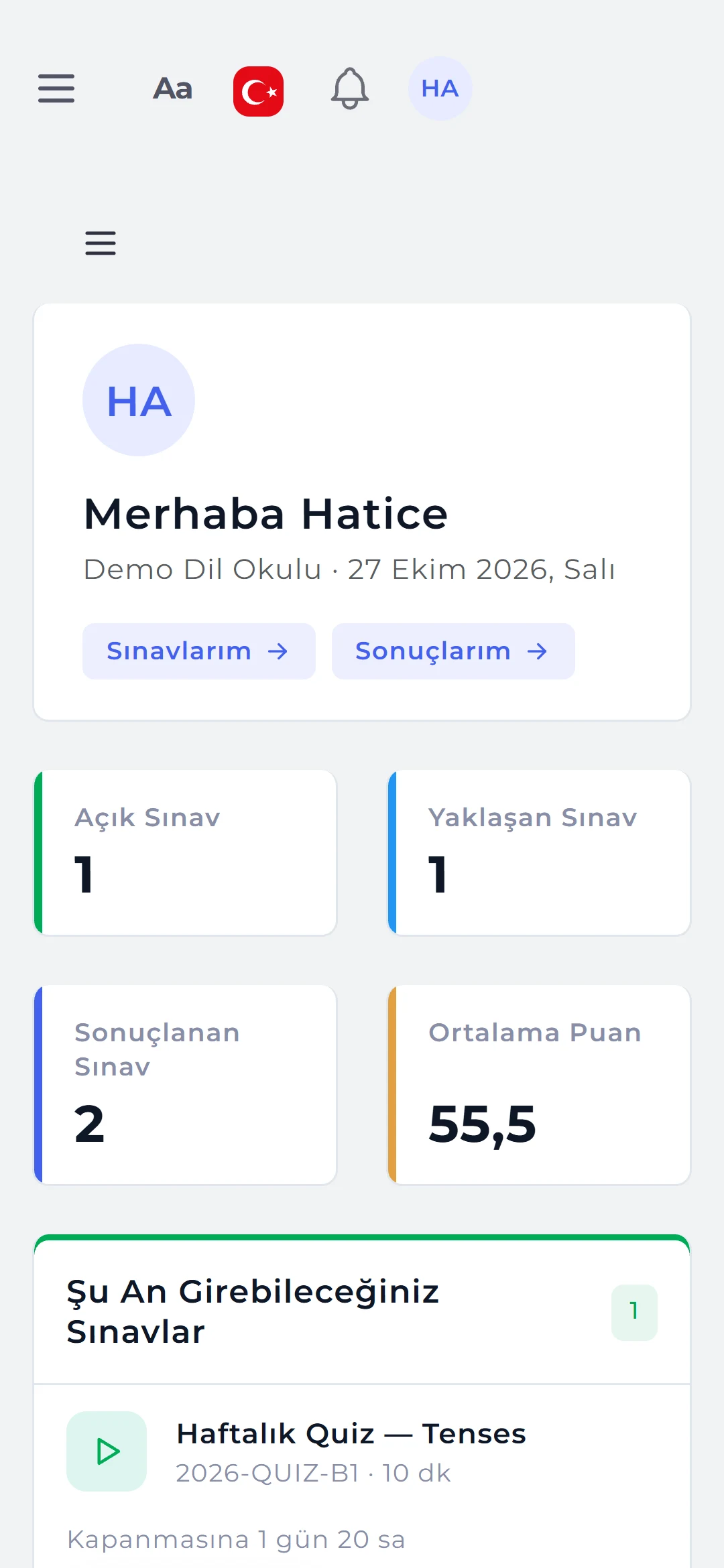
Their own exams and results, result documents and certificates, notes and calendar; in the web panel or the mobile app.
Siblings in one account: published results, averages, trends, upcoming exams and progress charts.
Duty templates are ready selections of permissions; they can be copied and adapted, or a new template can be built from scratch. The template window is a modules × actions grid: view, add, edit, delete and approve, publish, optical form, voiding questions, import and export.
SECURITY AND DATA PROTECTION
Exam rules are set before publishing and do not change afterwards; personal data is processed with consent and deleted automatically when the retention period ends.
A 6-digit code from an authenticator app and one-time recovery codes. The institution can make it mandatory for staff; password expiry is set between 7 and 730 days.
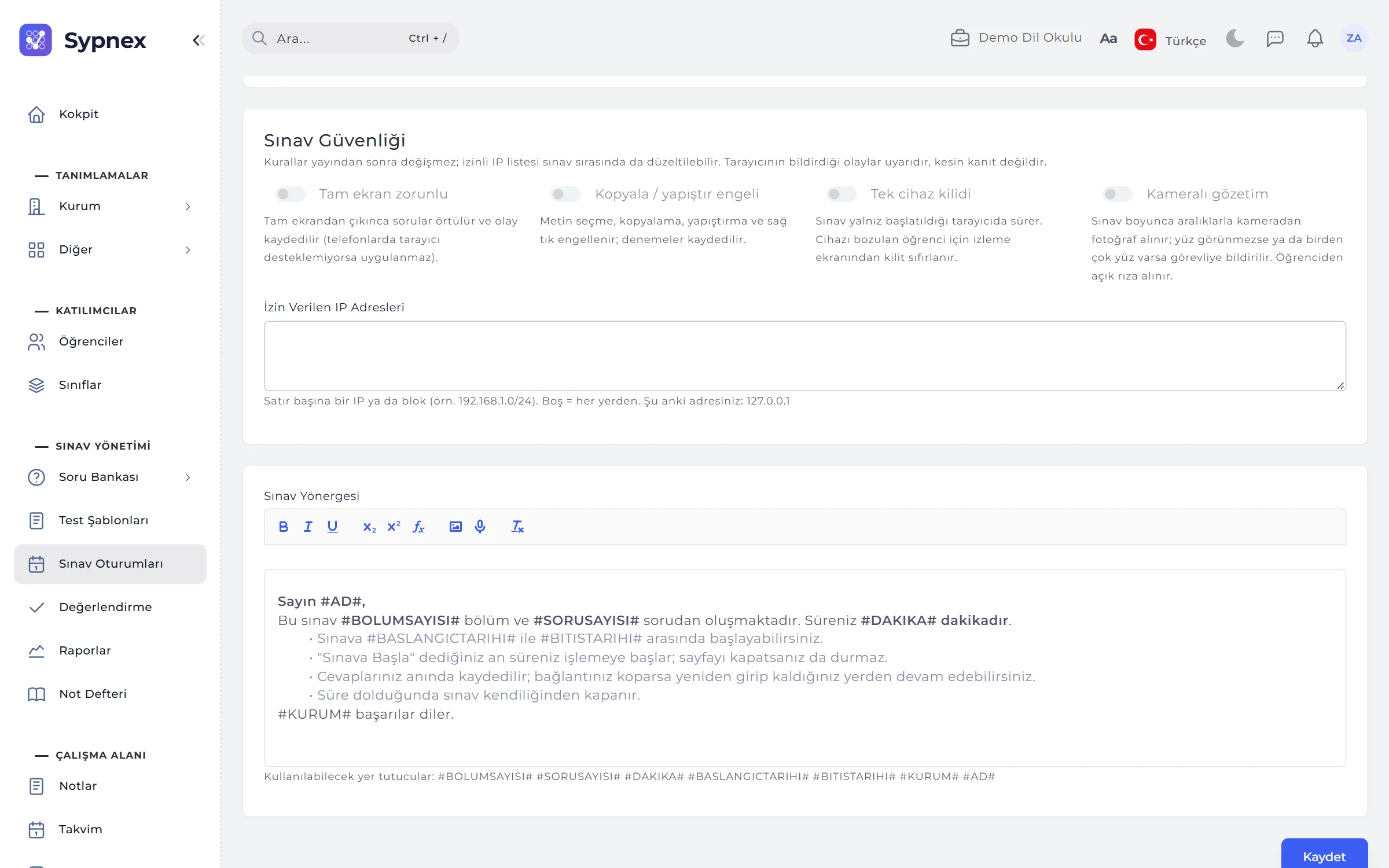
Mandatory full screen, copy / paste blocking, single-device lock, allowed IP addresses and camera proctoring with periodic photos; violations are written to the event log.
Privacy notice, camera, voice recording and marketing consents are collected by signed form, SMS verification or an in-person code (Turkey’s KVKK); withdrawn consent is kept with its reason.
Voice recordings, proctoring photos and inactive students’ data are deleted when the period ends. Anonymisation removes identity and contact details; results stay as anonymous statistics.
Who changed what, and when: records, approvals, publishing, voiding questions, finalising norms, sign-in and password events, with old and new values.
Question images and audio files are kept in the institution’s private folder. The AI key is stored encrypted and only its last four characters are shown; API keys and webhook secrets are shown only once.
EVERYDAY USE
Ctrl + / searches students, questions, tests or sessions; Alt + N new record, Alt + S save, Alt + F search the list.
Every list exports to Excel, XML, YAML or JSON with its filter; student and question imports report skipped rows with the reason.
The Aa button sets text size and high contrast; every screen works with the keyboard and screen readers announce alerts.
The in-app guide covers only the screens the user can open; the Support Line goes straight to the software team.
SCREENS
Each module is covered in detail on its own page.
For every institution that runs exams: language schools, schools and tutoring centres, university preparatory programmes, corporate training and certification programmes, and testing centres. It follows the same workflow from a weekly quiz to a final exam, from a placement test to a certified exam.
Yes. The exam format is chosen when the session is created. For paper exams, question booklets (A–D) and named or blank optical answer sheets are printed; completed sheets are scanned and read, or photographed in the mobile app. A file from the school’s own optical reader can also be imported.
Single and multiple-answer multiple choice, drop-down, true / false, yes / no, matching, ordering, fill-in-the-blank, numeric, short and long open-ended, and spoken answers: 12 types. Questions can include images, audio, formulas and a shared reading or listening passage.
Yes. Questions are imported with Excel, CSV, XML, YAML and JSON templates, and from GIFT, Aiken and QTI 2.1 / 2.2 packages (images included). If your own question book is a PDF, AI reads the questions and the answer key; candidates are reviewed and accepted. Imported questions arrive as drafts and go into tests once approved.
If your plan includes it, using the institution’s own Claude or Gemini key, it generates questions from a text, imports questions from PDF and suggests criterion-based scores for writing and speaking answers. A suggestion is not a decision: generated questions arrive as drafts, and the grader applies and saves any score suggestion.
Mandatory full screen, copy / paste blocking, a single-device lock, allowed IP addresses and, if your plan includes it, camera proctoring with periodic photos. Events such as switching tabs, leaving full screen or no face in view appear student by student on the live monitoring screen.
Yes. It connects to learning management systems such as Moodle and Canvas via LTI 1.3; students start the exam from the LMS link and the score goes to the LMS gradebook automatically. For other systems there are scoped REST API keys and webhooks that report events; LTI and the API depend on your plan.
The score depends on the group mean (as in Turkey’s KPSS): if the exam was hard, the same net score is worth more. Branches that sit the exam on different days are compared in one norm group; a T-score or KPSS-style scale is chosen, and results are published once finalised.
Yes, for Android and iOS. Students follow their exams and results, parents follow their children’s progress. Instructors handle live monitoring, extra time, grading and result publishing from the phone and read paper-exam optical forms in series with the camera; graders score their own classes. The web panel can also be installed on the phone as an app.
Consents are collected with a versioned text and evidence, and withdrawn consent is kept with its reason. Voice recordings, proctoring photos and inactive students’ data are deleted when the period set by the institution ends; a personal data export is provided in a single file, and only the institution admin can anonymise.
Sypnex is offered as a subscription; plans differ by student limit and by features such as camera proctoring and white labelling. If you mention your student numbers and the features you need in your demo request, the quote is prepared accordingly.
Just fill in the demo request form and demo access is opened for your institution. You can also talk to our sales team with any questions.
Leave a demo request and try Sypnex with your own questions, classes and scoring rules.

