


One record, one truth
The same litre is never counted twice, counters never run backwards, and a closed record’s figures never change. The field and the report agree.

Orbivia brings machine cards, preventive maintenance, breakdowns and repairs, daily counter and fuel entries, site tanks, stock, documents, warranties and reports together. The field team scans QR labels with the Orbivia Field phone app and records work even without a connection; the office completes, approves and reports on the same data.
WHY ORBIVIA
Counters, fuel, maintenance, breakdowns and stock are tied to the same machine; you always know where a number came from.
The same litre is never counted twice, counters never run backwards, and a closed record’s figures never change. The field and the report agree.
The field is never asked for prices; work is logged on the phone as a draft. Materials, prices and approval are completed in the office and the figures are final on closing.
The fuel attendant only dispenses fuel, the head mechanic never sees prices, a site manager runs only their own site. Permissions are checked on every screen.
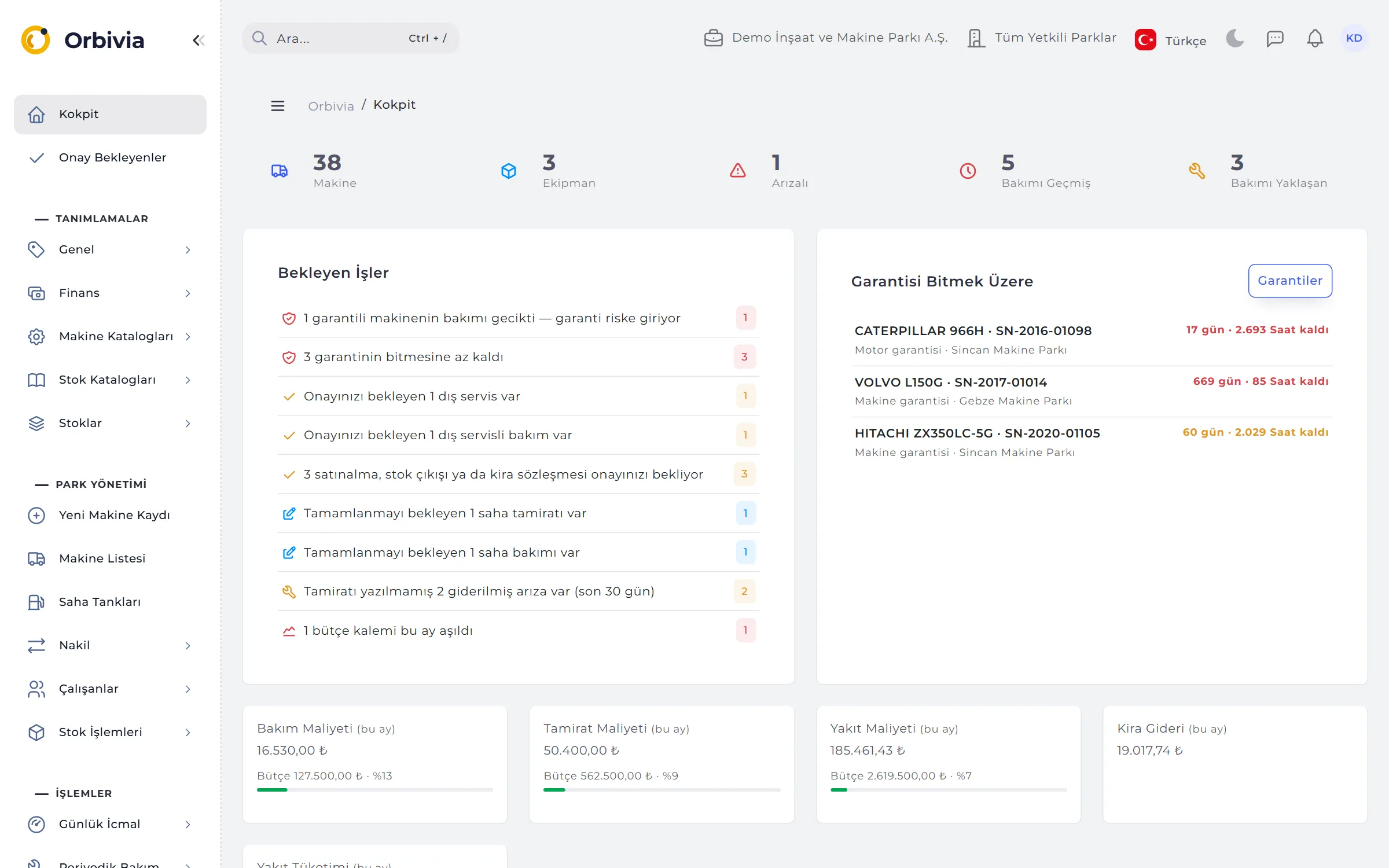
Machines due for maintenance, expiring documents, critical stock and external services waiting for approval land in the bell, the morning summary and the Cockpit.
MODULES
Every module writes to the same machine card; a record entered in one feeds the reports of another.
Machine and attachment records, machine card and report card, QR labels, transfers, telematics location, shifts, staff and machine documents, rental contracts.
Counter-based preventive maintenance, per-part change intervals, warranty protection, workshop planning, breakdown timeline, root cause and external service approval.
Daily logs, site tanks, fuel reconciliation by dip count, five stock valuation methods, site transfers, stock counts and purchasing.
12 ready-made reports and budgeting; telematics, GPS and fuel card data, accounting export, e-invoice matching and an API.
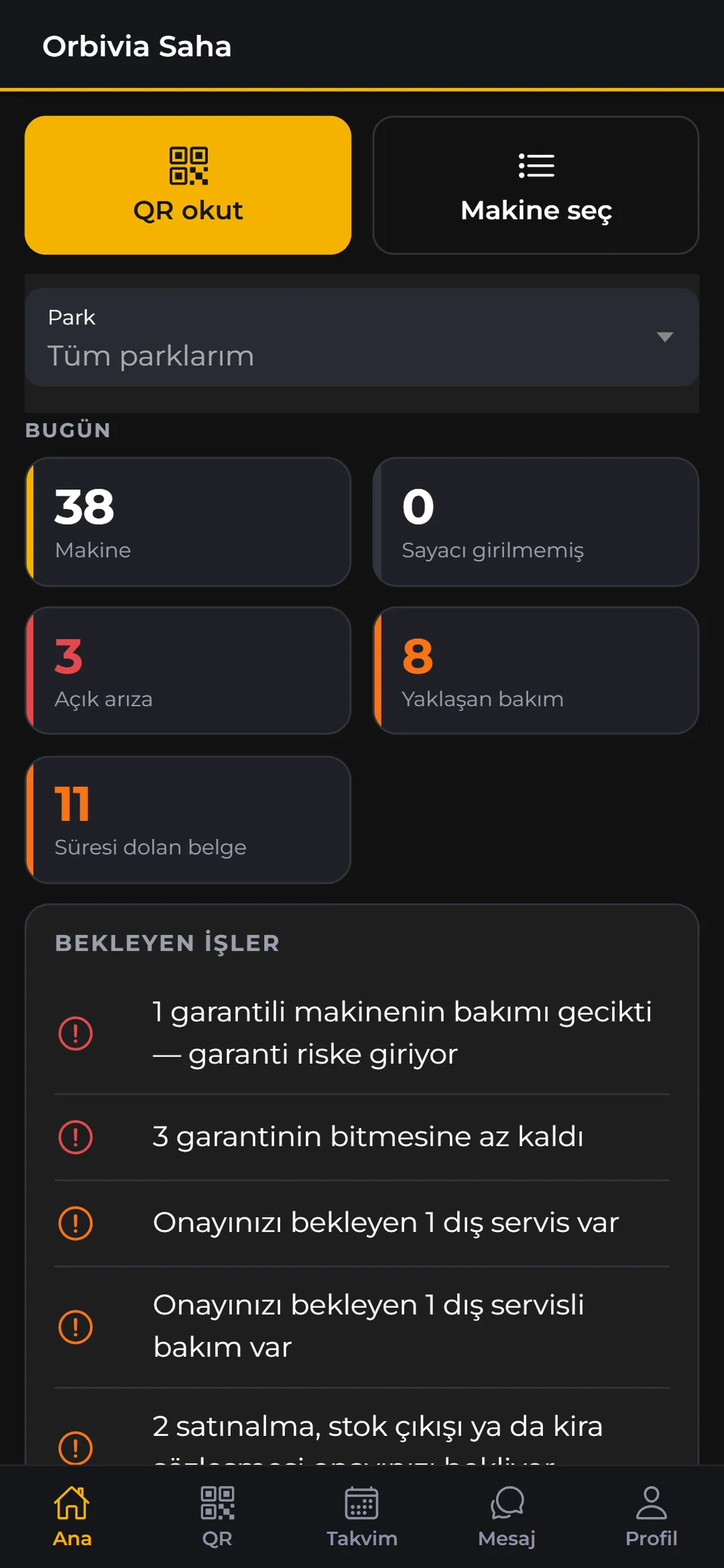
Android field app: machine card via QR, end-of-day entry, breakdowns, draft repairs and maintenance, fuel dispensing, daily checks — even without a connection.
Five roles and job templates, approval limits, two-step sign-in, tamper-proof audit log and personal data tools.
COCKPIT
The Cockpit opens right after sign-in and summarises the selected site on a single page. Nothing is entered here; every line opens the relevant list, already filtered, so you see where work is waiting.
APPROVALS
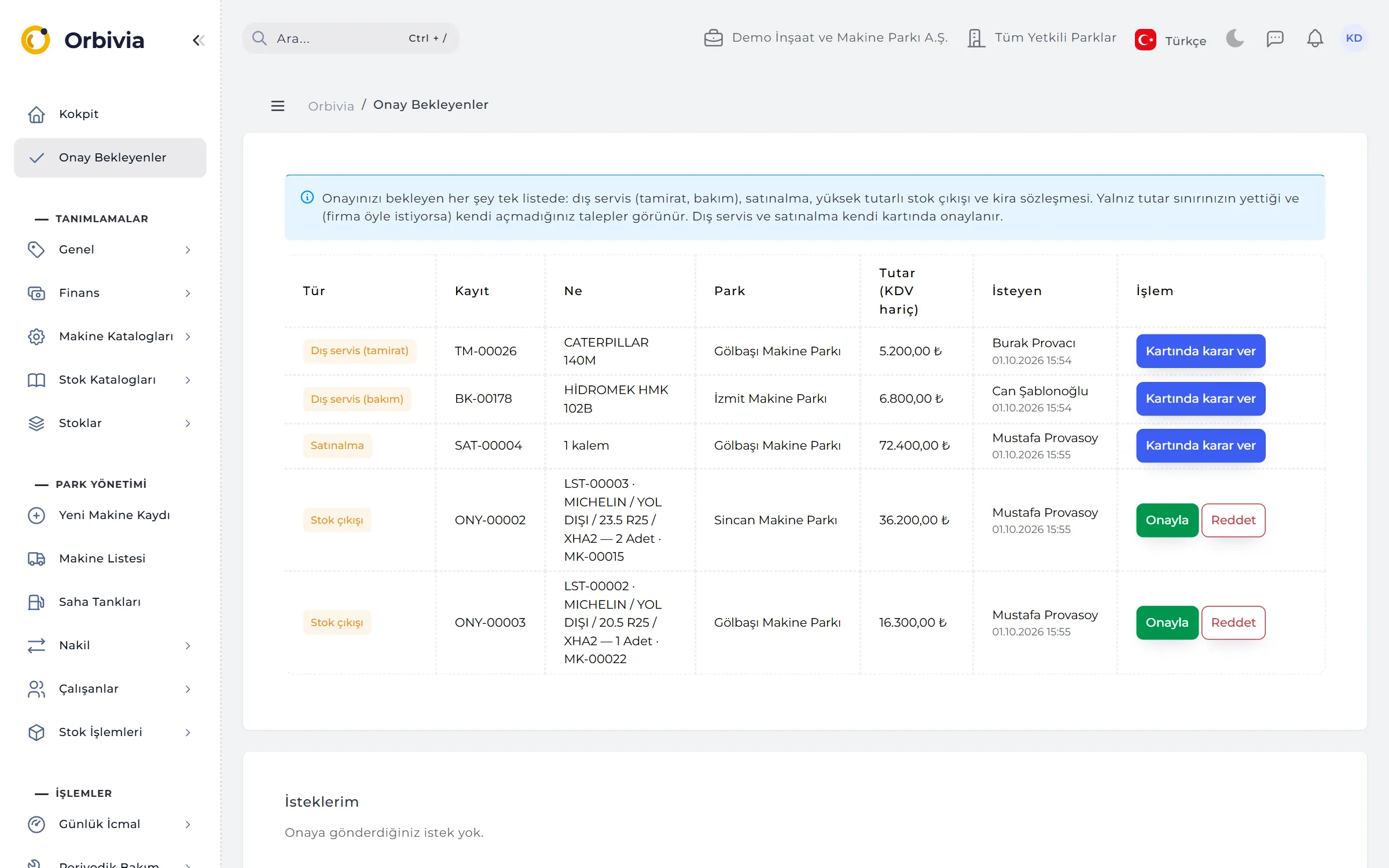
Repairs and maintenance with external service, purchase requests, high-value stock issues and rental contracts all gather on the Pending Approvals screen. You only see requests within your approval limit, oldest first.
FROM FIELD TO OFFICE
Orbivia doesn’t turn your field crew into accountants, nor leave the office waiting on the field. The journey of a breakdown or a service:
The phone opens the machine card: open breakdowns, next service, warranty and documents on one screen.
End of day, breakdown, draft repair or service — with photos and receipts. No connection? The record waits on the phone.
The draft appears in the bell and the Cockpit. The office adds materials, prices and location; stock is deducted right then.
A record with a service amount goes to approval automatically — with limits, a 10% tolerance and reasoned rejections.
A closed record’s figures are final; machine cost, maintenance compliance and machine scores update.
ROLES AND PERMISSIONS
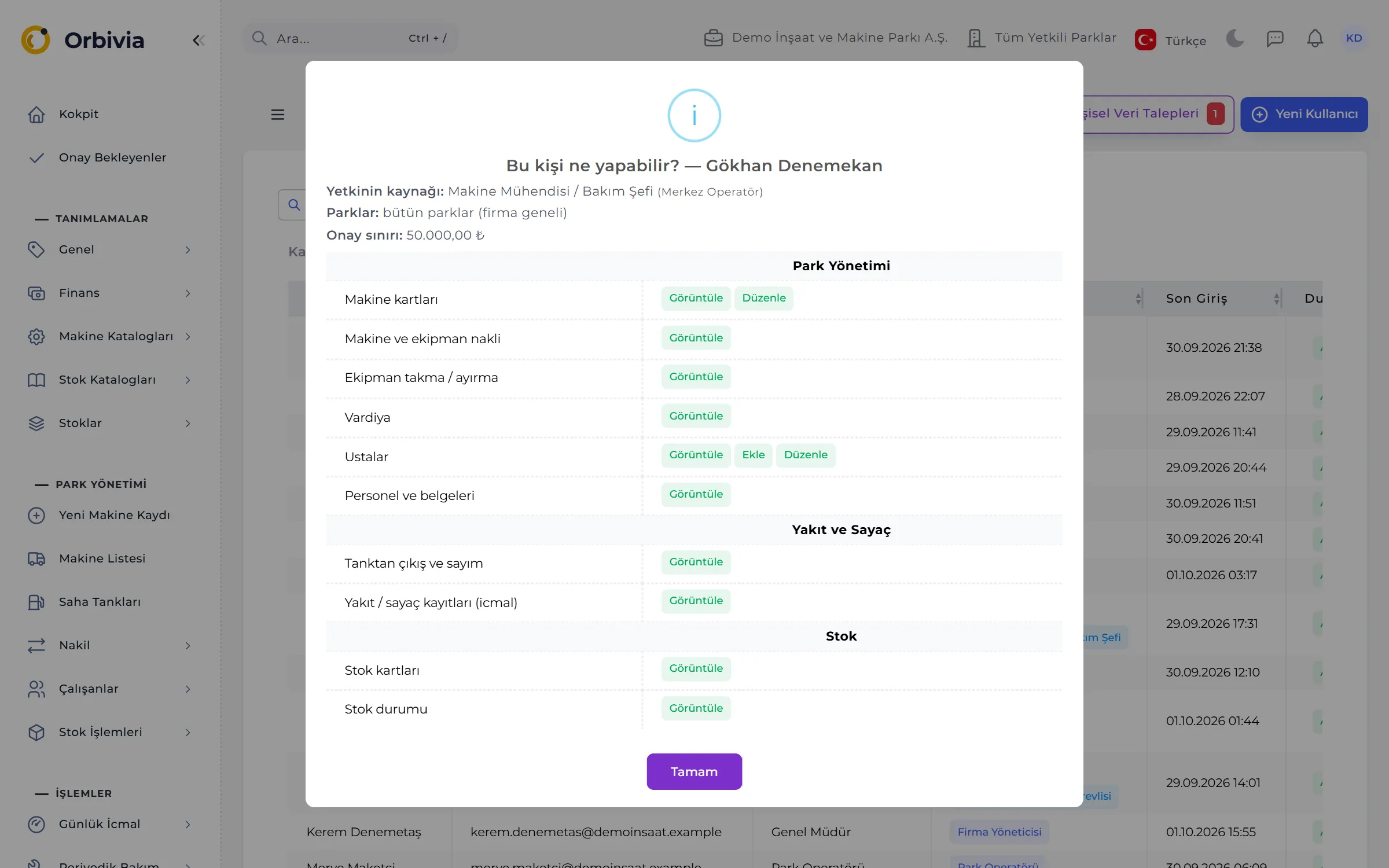
Every user has exactly one role. Site roles only see the sites assigned to them — lists, Cockpit, reports and pick-lists included.
Does everything in the company; manages users, sees the audit log, sets valuation periods.
Sets up definitions, approves external services, sees reports; sees site data but does not enter it.
Enters and corrects data for their sites; closes repairs and maintenance, sees reports.
Enters and corrects data for their sites; no access to reports or definitions.
Reads everything, definitions and reports included; writes nothing.
A template replaces the role’s permissions; one person can hold several. Companies can also write their own (“Greaser”, “Tanker Driver”).
ADMINISTRATION AND SECURITY
Each company’s data lives in its own closed space; every change is tracked and no trace is ever deleted.
A 6-digit code from an authenticator app; mandatory by default for Company Administrators. Eight one-time recovery codes.
Shared by web and phone: 10 failed attempts in 15 minutes lock the account for 15 minutes.
Every insert, change and delete is logged with old and new values, to the second, with IP. Entries can’t be edited or deleted; passwords are never logged.
Users download their own data in one file and can request erasure. When approved the account is anonymised; work records remain under “Deleted user”.
Each company sees only its own data, site roles only their assigned sites. Typing an address by hand doesn’t bypass the permission check.
Field phone sessions and API tokens can be revoked centrally; a token can only use the capabilities chosen for it.
EVERYDAY USE
Türkçe, English, Deutsch, Français, Español, Русский, 中文. Numbers and dates follow the chosen language.
Every list exports to Excel, XML, YAML or JSON with its filters; template imports skip faulty rows and save the rest.
Alt + N new record, Alt + S save, Ctrl + / global search: machine code, plate, serial number or NC code.
Machine types, makes and models, engines, oil, filter, tyre and parts catalogues are ready when the company is set up.
SCREENS
Each module is covered in detail on its own page.
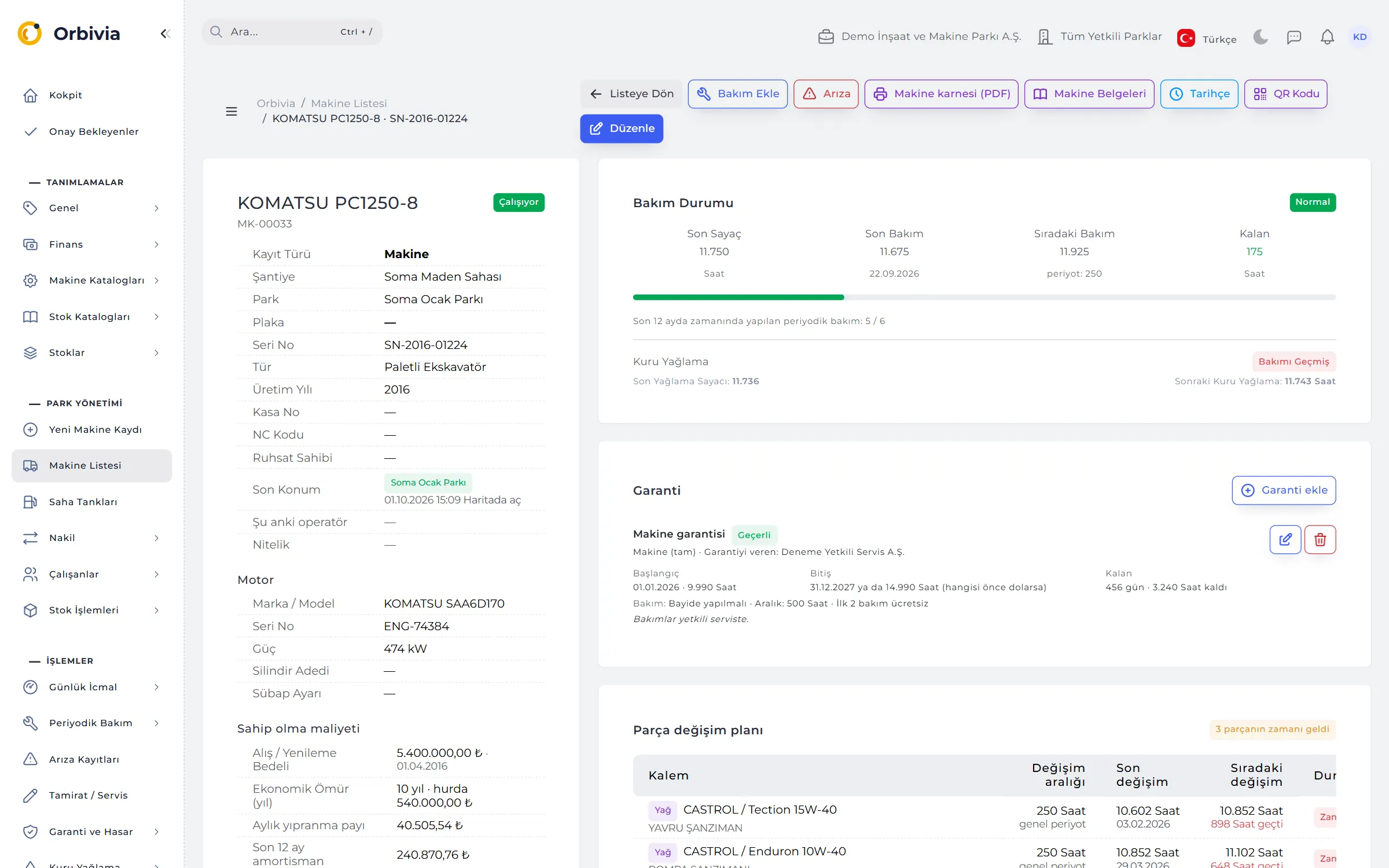
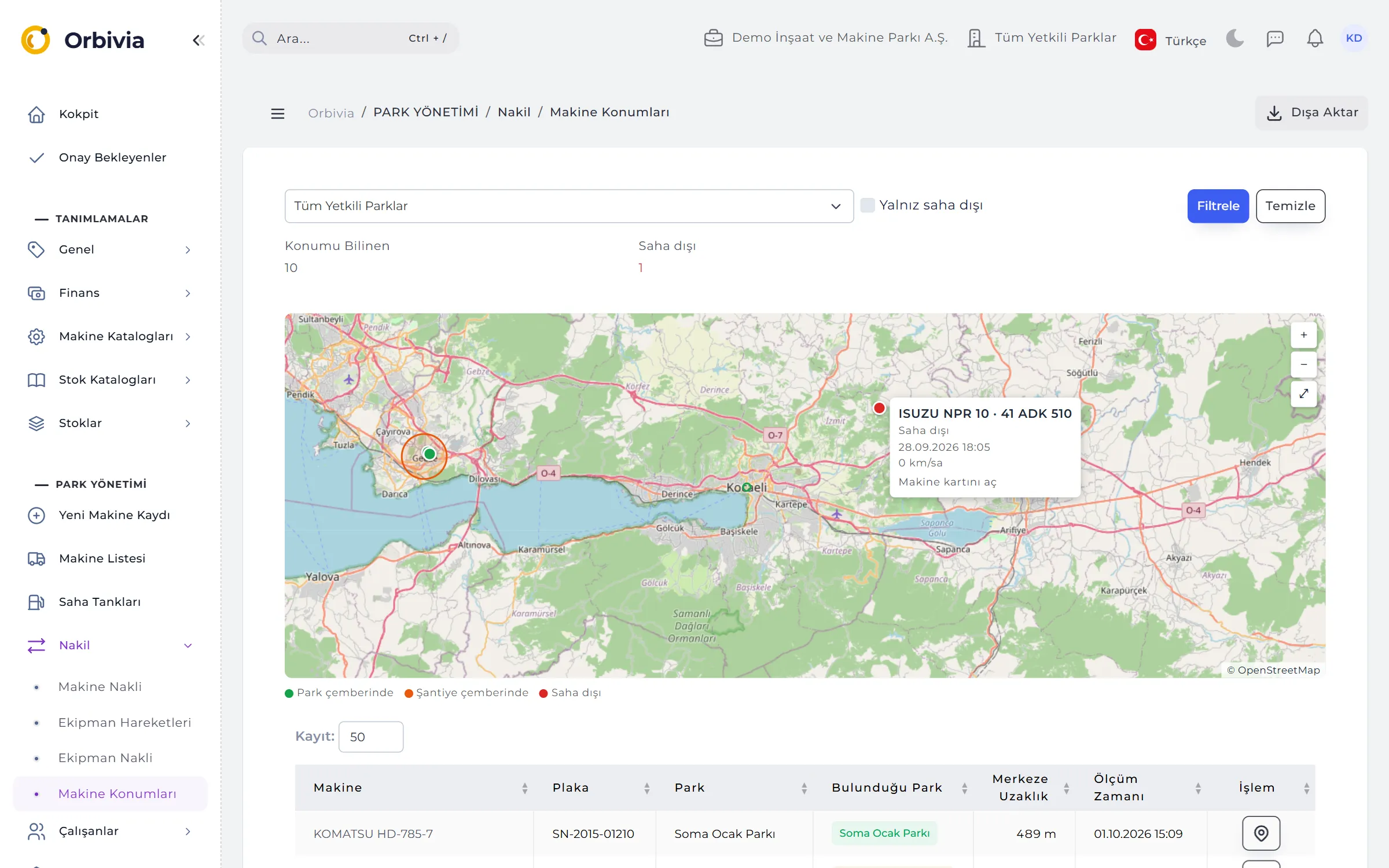
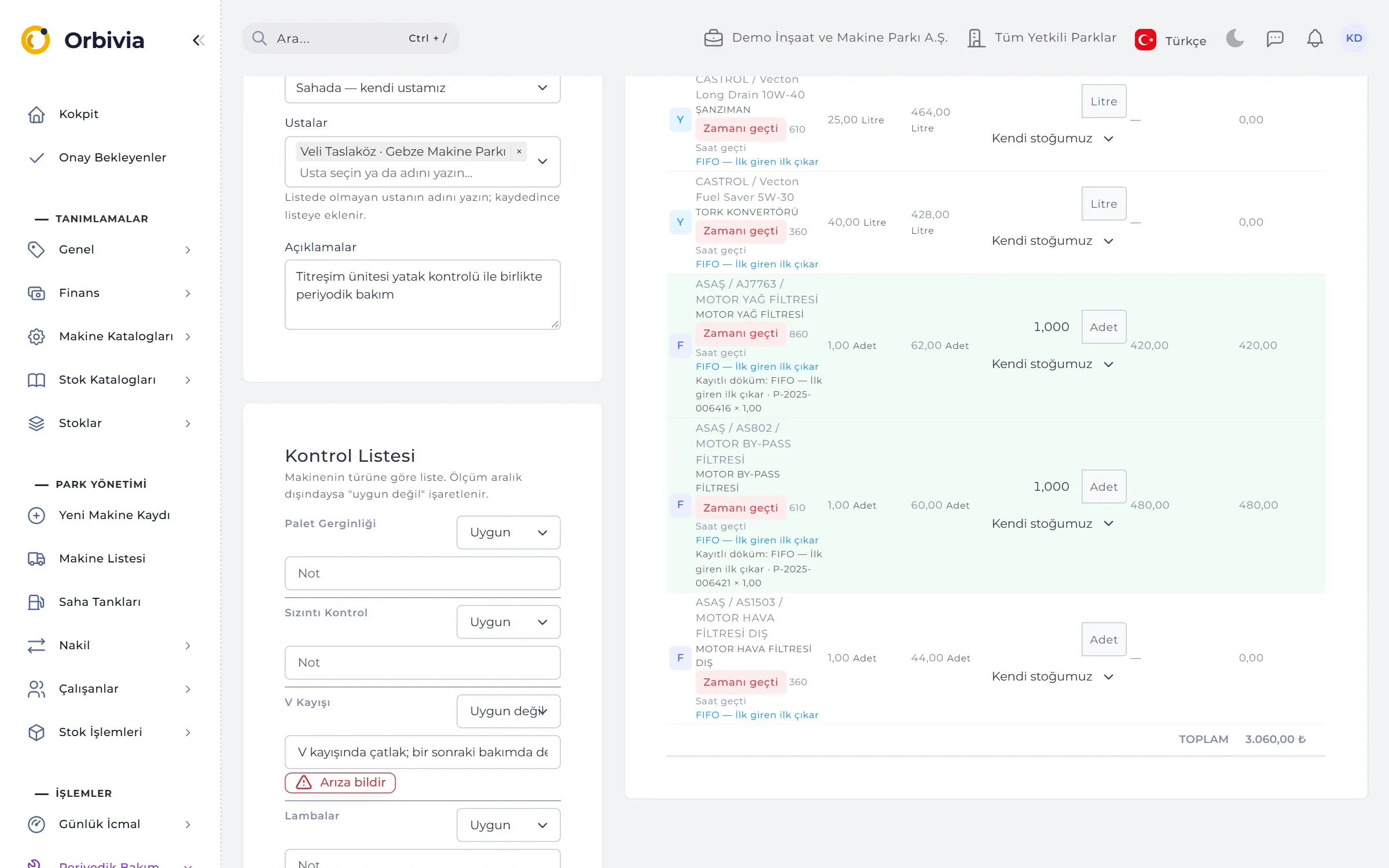
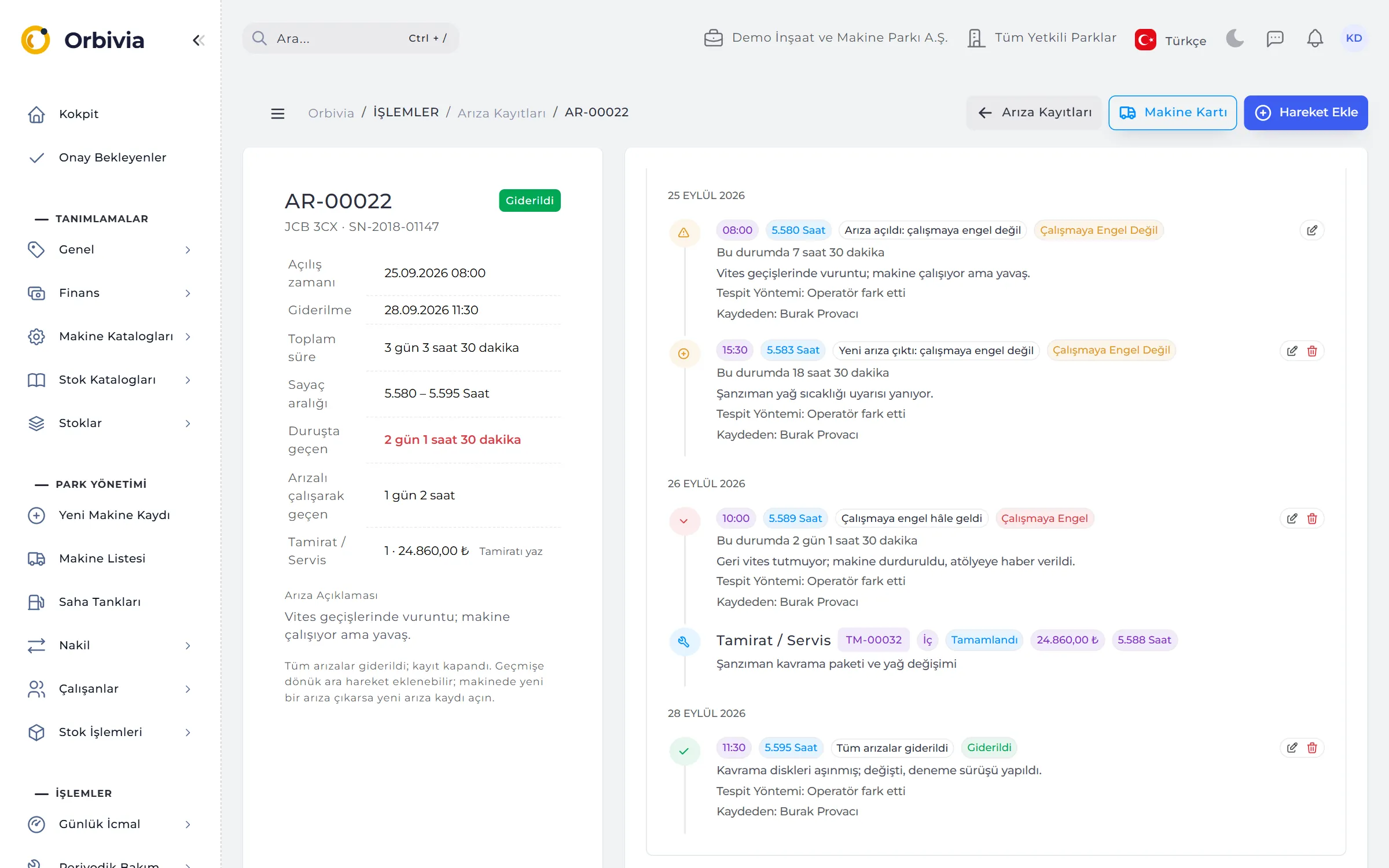
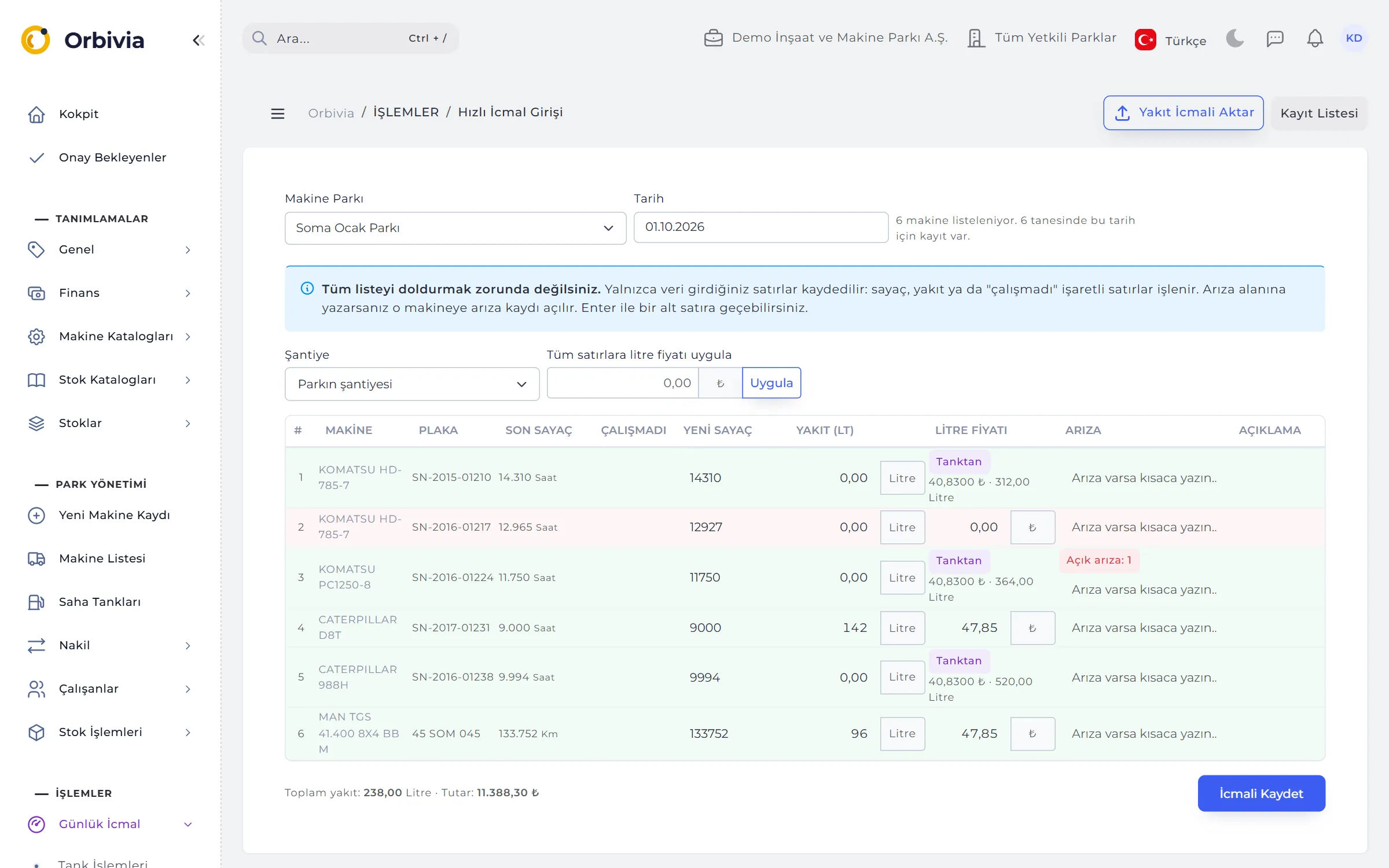
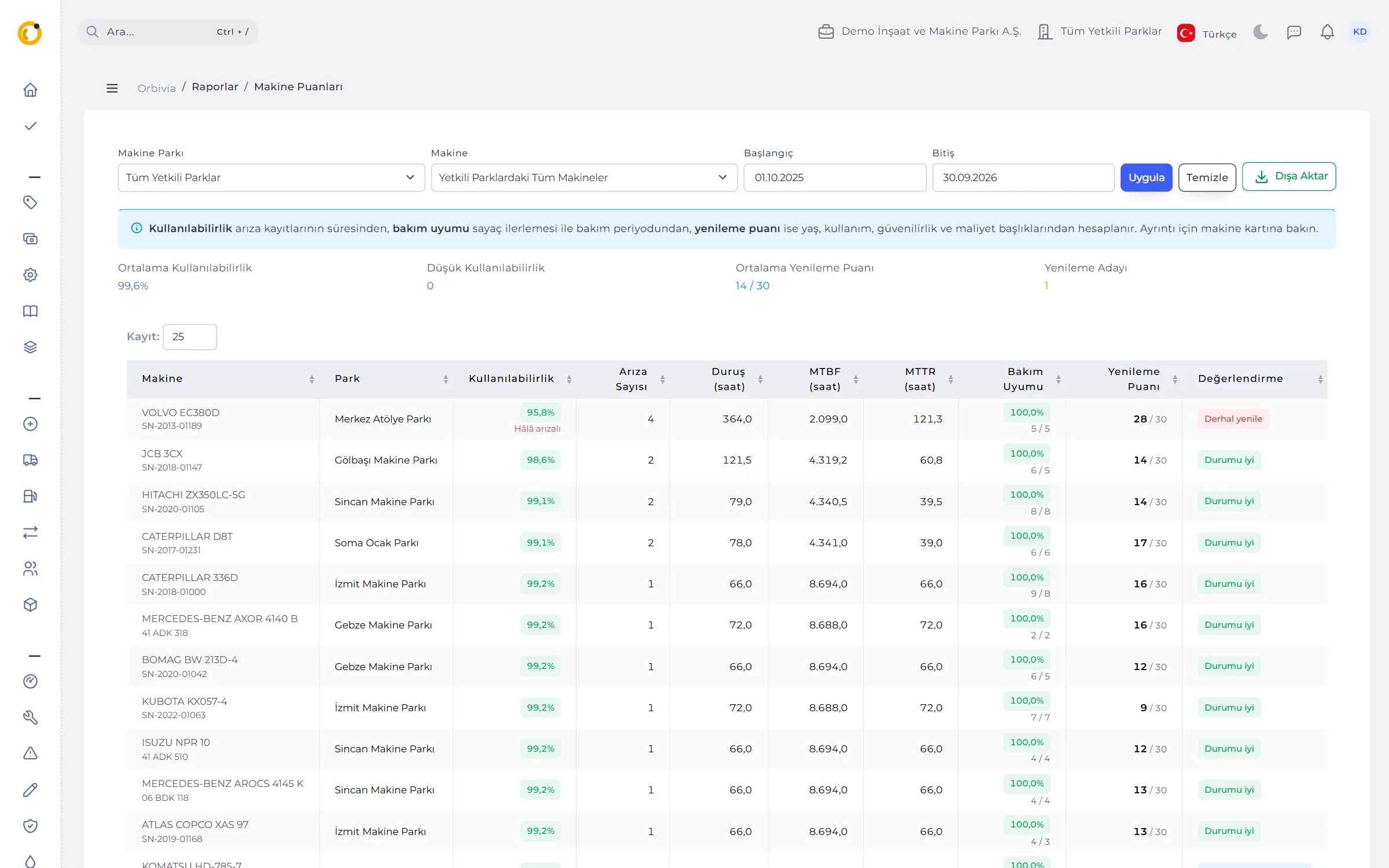
For companies running construction machinery, attachments and site fuel tanks. It works the same way for a small team with a single site and for organisations spread over many sites and projects; each site sees its own data and head office sees them all.
Orbivia doesn’t just track location or maintenance; it builds a single flow from the field to the office. The field crew enters price-free drafts on the phone and the office completes and approves them. Fuel is kept in two ledgers so the same litre is never counted twice, and stock is costed with five valuation methods. The field app works without internet, and ISO 15143-3 telematics, GPS and fuel card data arrive without manual entry.
Yes. The ready-made “Equipment Supply / Site Manager” job template covers all site work, technician definitions and reports, with a configurable approval limit. Machine cards, transfers, maintenance and breakdowns, fuel, stock and purchasing are managed in one place; head office sees every site, a site manager only their own.
The web application runs in the browser. The Orbivia Field app is currently Android-only; the installation file is provided by your company’s administrator and users sign in with their web account.
End-of-day entries, breakdowns, draft repairs and maintenance, fuel dispensing, daily checks and barcode stock issues are written to the phone first. They are sent automatically when the connection returns; a record sent twice is processed once, and a rejected record is never silently discarded.
Yes. Machines are bulk-loaded with a 21-column template and matched by serial number; definitions, stock cards and movements import from Excel, XML, YAML or JSON templates. Fuel / counter and repair log files are previewed and only written once you approve them.
It supports ISO 15143-3 (AEMP 2.0) telematics, vehicle tracking reports from providers such as Arvento, Mobiliz and Infomobil, fuel card statements from distributors such as Opet, Shell, Petrol Ofisi, BP, TotalEnergies and Aytemiz, tank automation files and signed webhooks. Incoming records are matched to machines and pass quality rules; a manually entered counter always takes precedence.
No. Orbivia is neither accounting software nor an e-invoice integrator. It exports costs as journal vouchers or invoice lists that programs such as Luca, Logo, Mikro and Zirve can import, and matches incoming e-invoices downloaded from your integrator to its records.
Turkish, English, German, French, Spanish, Russian and Chinese. Language is chosen per user; notifications and monthly report e-mails arrive in the user’s language too.
Just fill in the demo request form and a demo is opened for your company. You can also talk to our sales team with any questions.
Leave a demo request and try Orbivia with your own machines, sites and projects.

