

Orbivia Field: construction equipment field app (Android)Built for the field crew; it never waits for a signal.
Orbivia Field is an Android app working with the same account and the same rules as the web. Scan the QR label and the machine card opens; record end of day, breakdowns, repairs, maintenance, fuel and daily checks on site. Without a connection the record waits on the phone and is sent automatically when the signal returns.
01HOME SCREEN AND QR
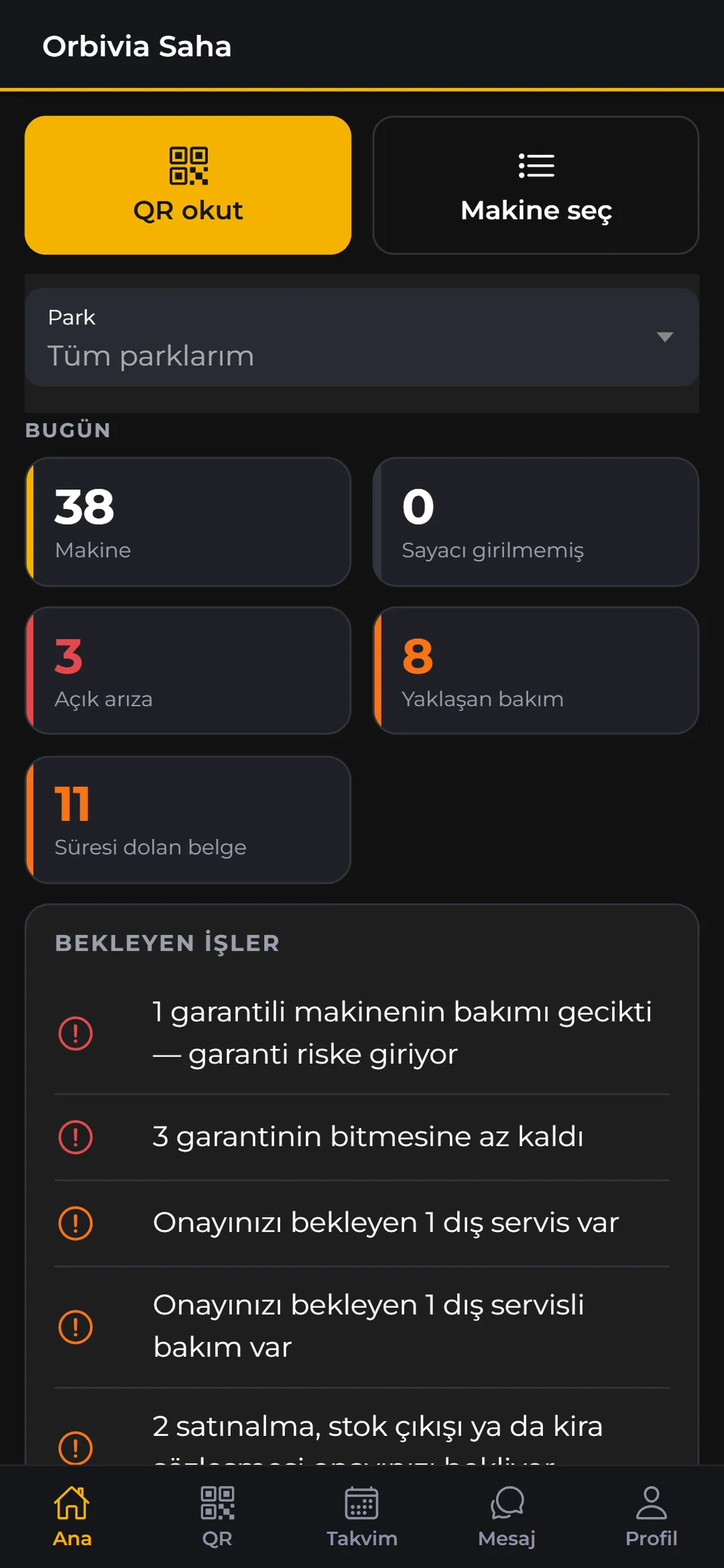
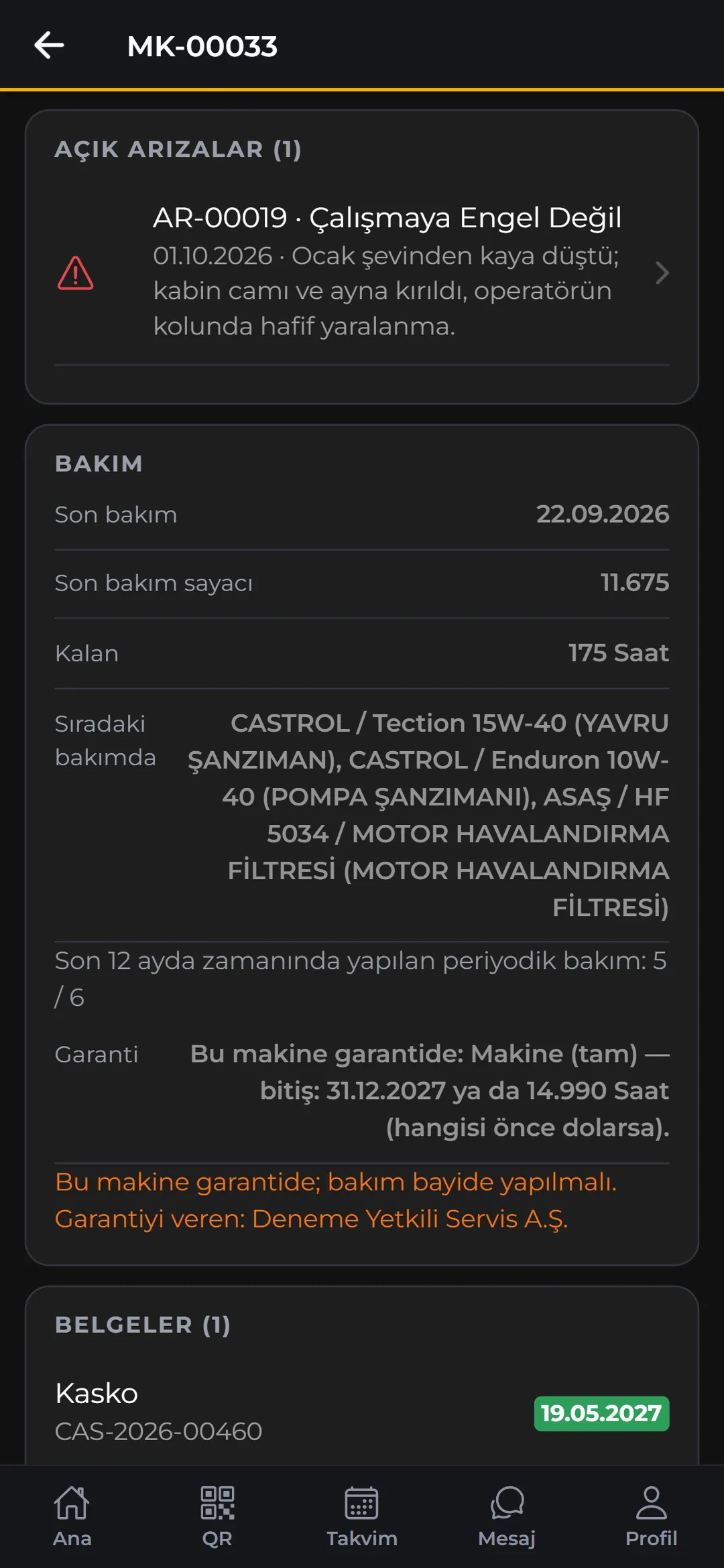
Start the day with five counters; find machines by QR.
The “Today” section of the home screen shows machines, counters not entered, open breakdowns, upcoming maintenance and expired documents; pending work matches the bell on the web. Scanning a QR label opens the machine card directly.
- No camera permission: QR scanning uses the phone’s Google scanner; the app never asks for camera access.
- Search: by code, plate, serial number or chassis number.
- Screens by job: only the buttons for your job appear; for a fuel attendant the app opens straight on “Dispense fuel”.
02END OF DAY AND DAILY CHECK
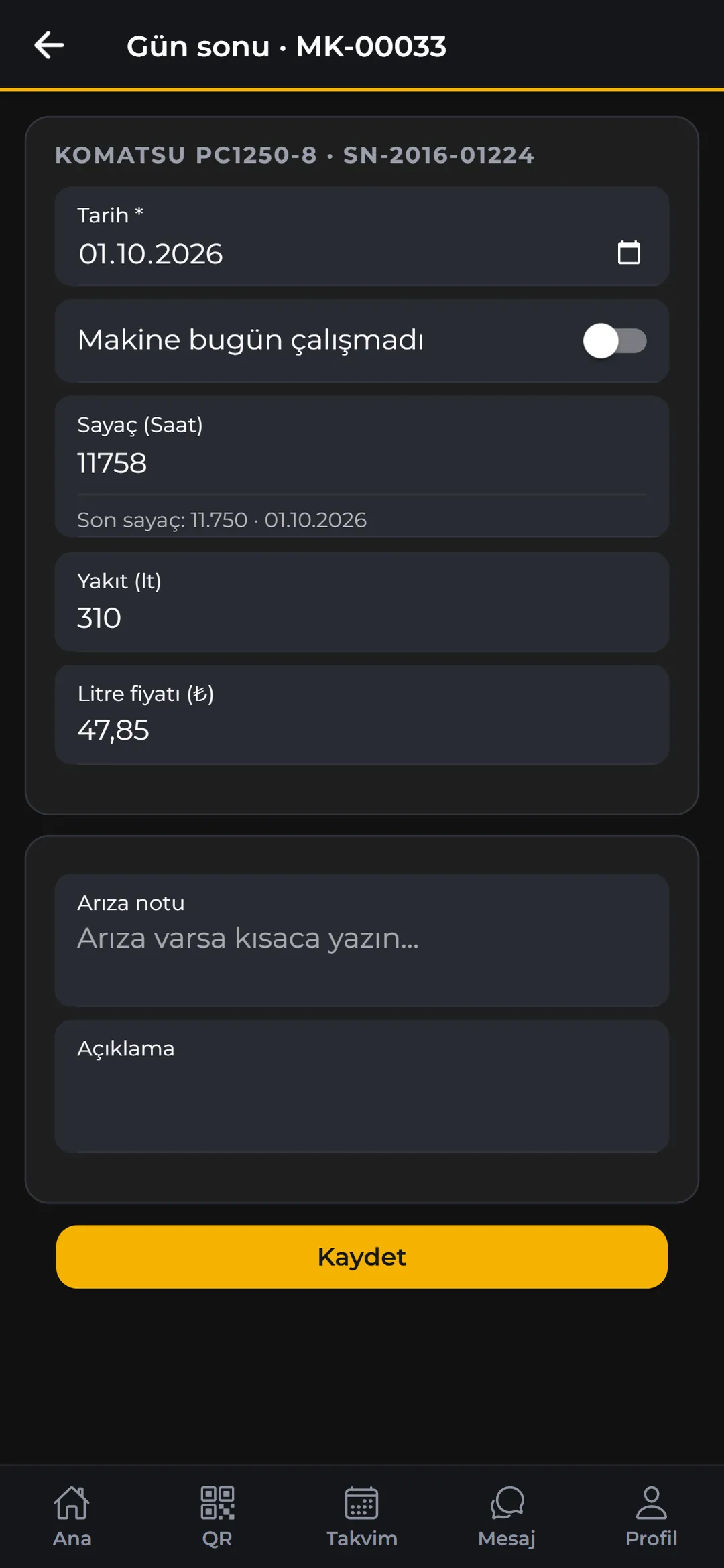
A check at the start of the shift, a counter at the end.
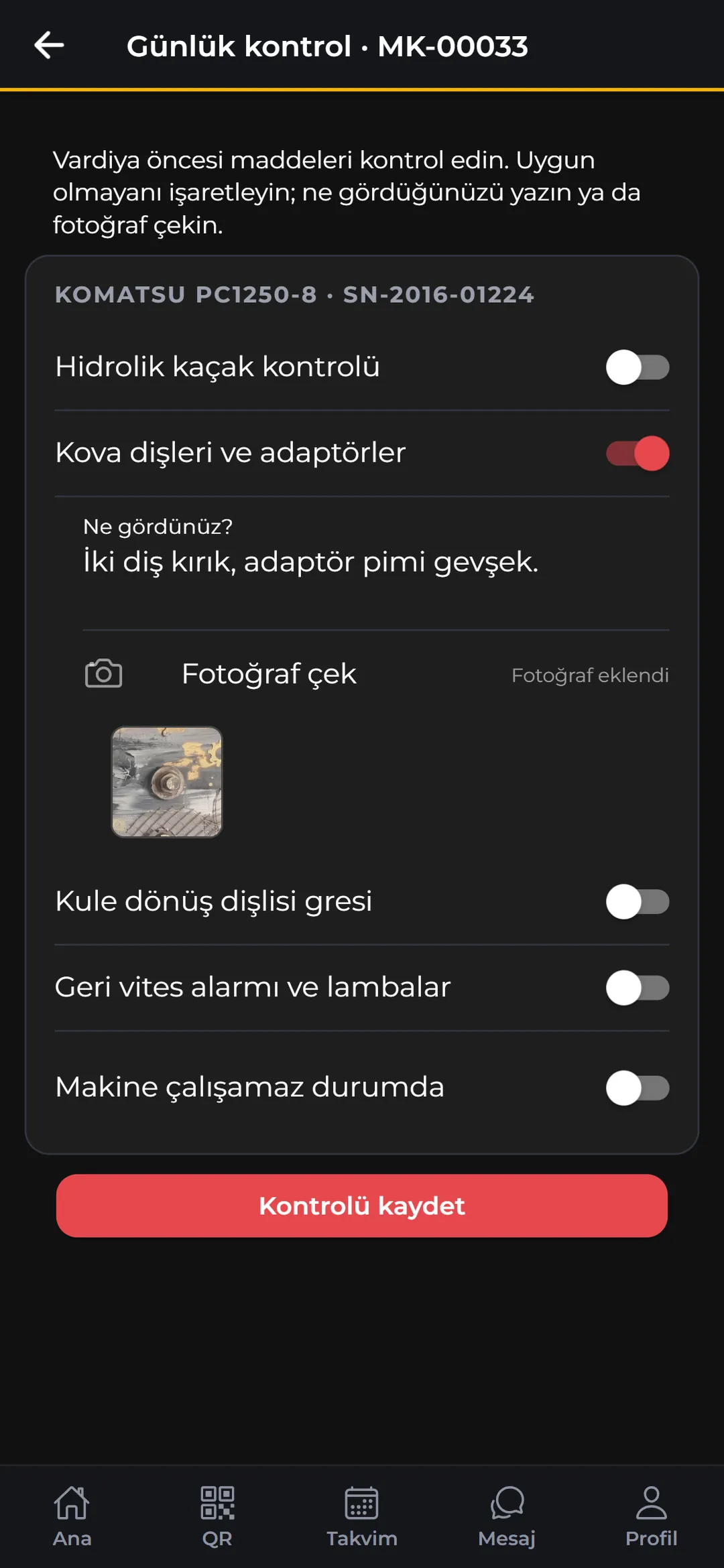
At the end of the day you enter the counter, fuel, price per litre and, if needed, a fault note; a counter can’t go backwards. The pre-shift daily check has up to eight items; if all is well, “All OK” is a single tap.
- Non-conformity: a note or photo is mandatory; items are written automatically into a single breakdown record.
- Downtime: choosing “Machine can’t operate” opens the record as downtime.
- Never forgotten: starting a shift opens the check automatically if it hasn’t been done that day.
- Shift: a warning for an operator with expired certificates or no authorisation; companies can block the shift.

03BREAKDOWNS, REPAIRS AND MAINTENANCE
The field is never asked for prices.
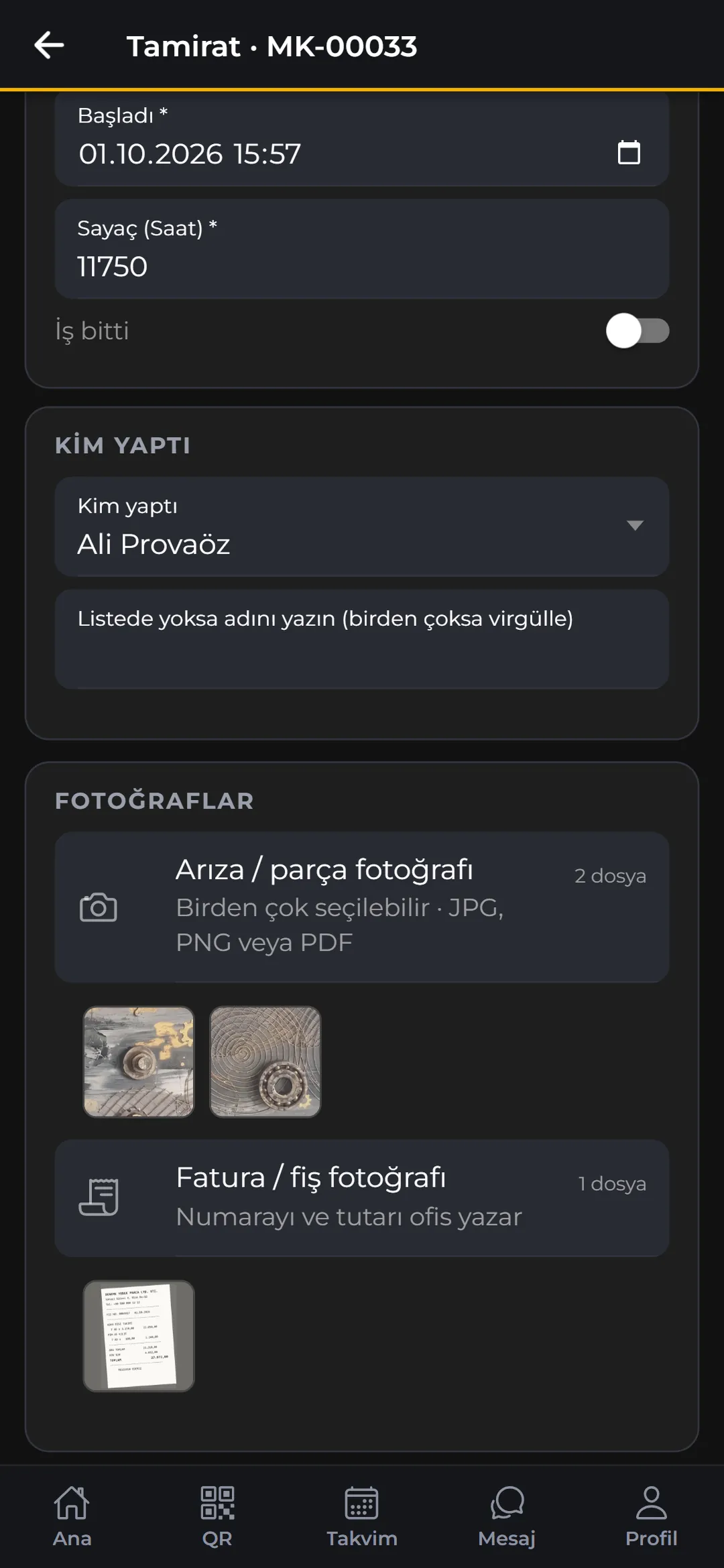
A breakdown is opened as “Downtime” or “Fault (doesn’t prevent work)”; on fixing, a root cause is chosen and the app asks “record the repair now?”. Repairs and maintenance are recorded as drafts: times, counter, technicians, parts changed, checklist and photos. Prices, materials and location are completed in the office.
- Photos: fault / part and receipt / invoice photos; up to 10 files per group.
- Part badges: oil, filters and tyres due for change appear with “Overdue / Due soon” badges.
- Measurements: an out-of-range reading marks the item “Not OK” automatically.
- Instant feedback: after saving, the service timing is shown: “80 hours late”.
04FUEL, STOCK AND APPROVALS
One screen at the pump.
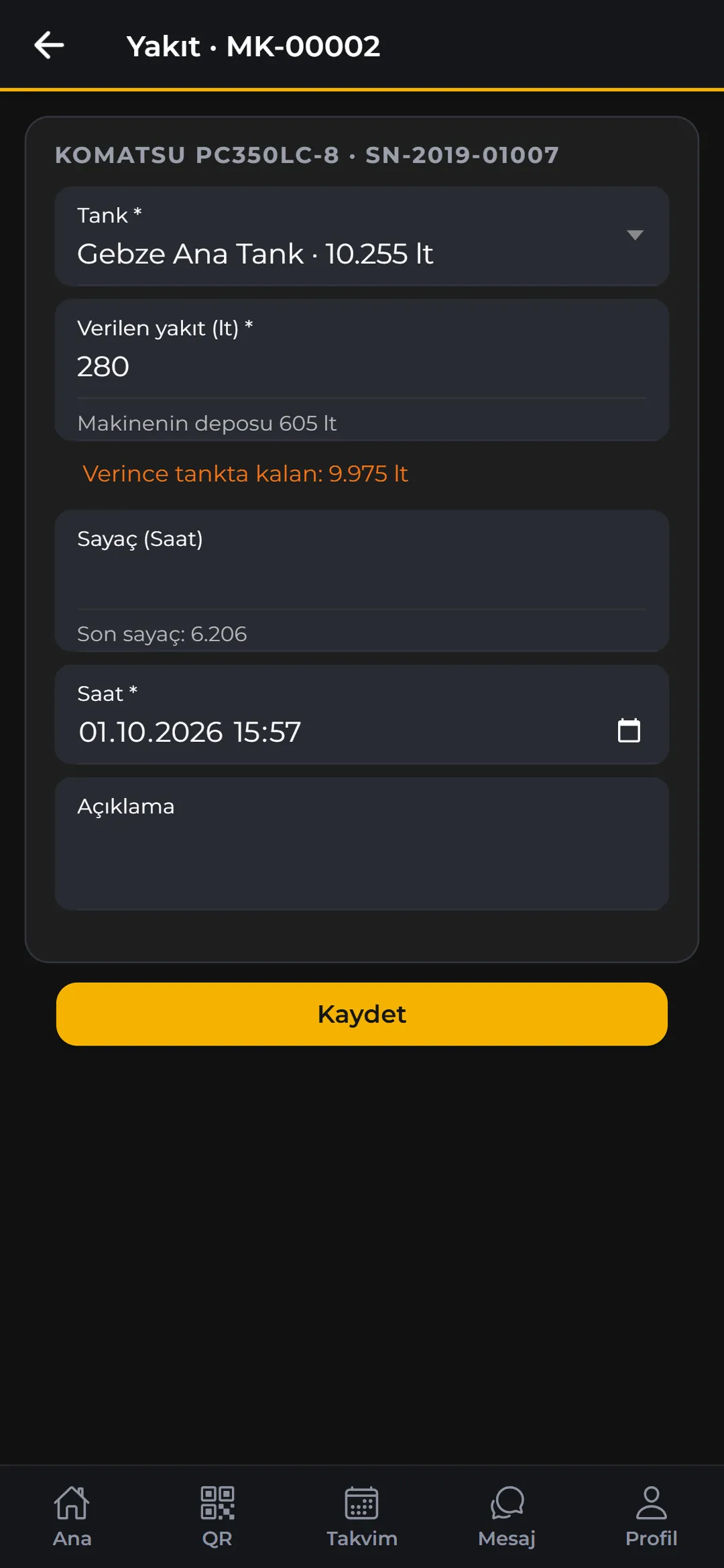
Find the machine by QR or from the list and the fuel form opens directly; tank levels are visible and more than the machine’s tank can’t be given. After saving it shows what’s left in the tank and reopens for the next machine.
- Tank dip: as you type the measured quantity, the system level and the difference update live.
- Barcode stock issue: scan with the camera or type the code; cost is calculated with the company’s valuation method.
- Approvals: external service, purchasing, stock issue and rental approvals within your limit in one tap; rejections need a reason.
- More jobs: fitting / removing attachments, adding documents, linking telematics numbers.
05OFFLINE WORK
Records are written to the phone first.
End of day, breakdowns, new repairs and services (with photos), fuel dispensing, daily checks and barcode stock issues can be entered without a connection. The queue survives closing the app and is sent automatically when the connection returns. A record sent twice is processed once.
- Saved cards: machine cards opened before and QR labels scanned before also open offline: “Offline · last updated …”.
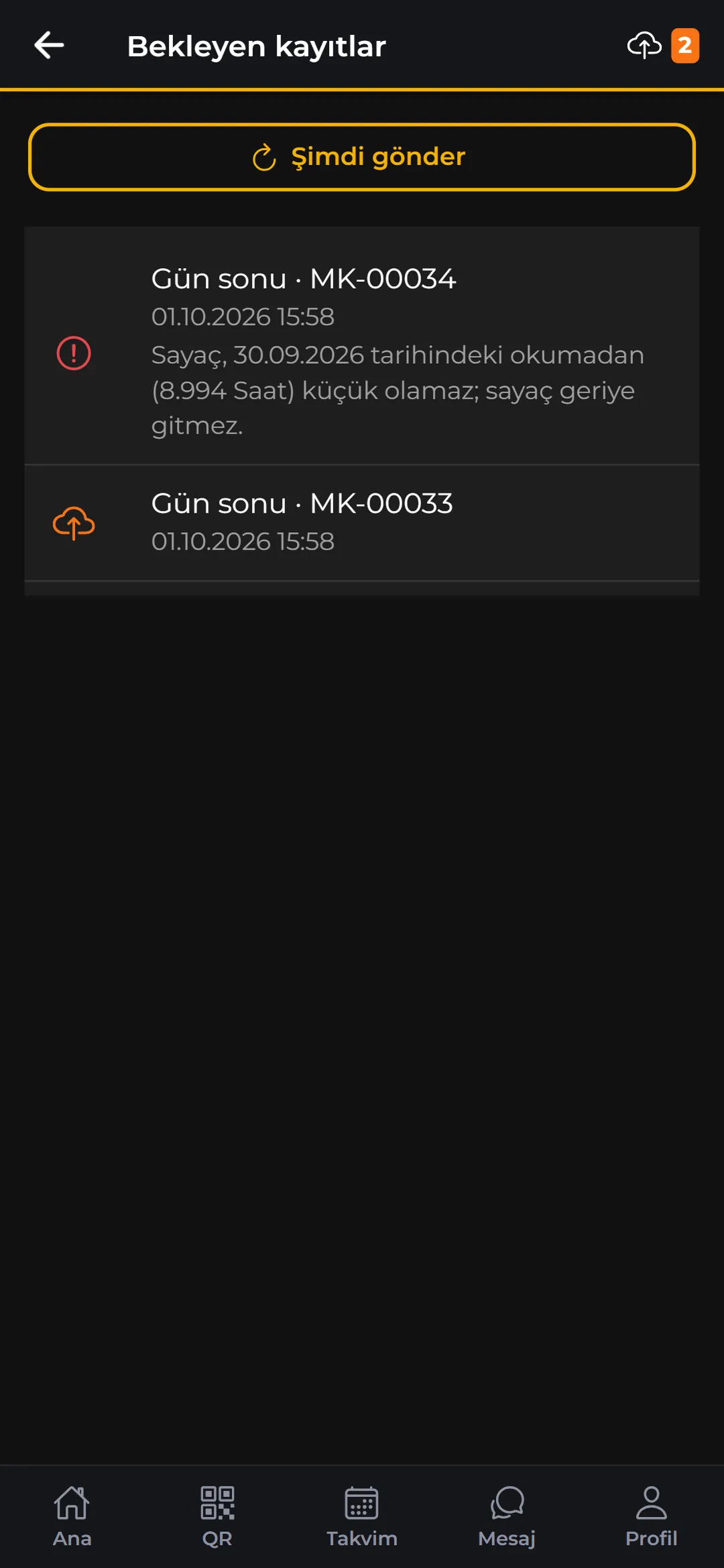
- Pending records: an orange cloud marks records waiting to send, a red exclamation mark a rejected record, with the reason underneath.
- Nothing lost: a rejected record is never silently deleted: Send now, Retry or Delete.
- The right time: a fuel record is sent with the time the fuel was actually given.
06ACCOUNT AND SECURITY
Same account, same permissions as the web.
The same user account signs in on the web and the phone; records from the phone appear on the web immediately. If two-step sign-in is on for the account, the phone asks for a code too.
- Session: lasts 60 days, one session per phone; a lost phone’s session can be revoked from the web.
- Permission card: Profile › Permissions shows what the person can do, screen by screen.
- Notifications: approvals, machine down, morning summary, location and working-hours alerts; in the user’s language.
- Shared tools: notes, calendar, messages and support; follows the phone’s dark theme.
RULES
Connectivity
It’s clear what can be done on site without a connection:
Works offline
End of day, opening breakdowns, new repair and maintenance drafts (with photos), fuel dispensing, daily checks, barcode stock issues; saved machine cards and QR labels.
Needs a connection
Sign-in, approval decisions, adding documents, editing drafts, attachment and telematics actions, notes, calendar, messages and support.
Platform
Orbivia Field is currently Android-only; the installation file is provided by your company’s administrator.
See it with your own fleet.
Leave a demo request and try Orbivia with your own machines, sites and projects.