

Equipment cards, location, QR and document trackingEach machine’s identity, whereabouts and history on one card.
Machine and attachment records, site and project structure, transfers, telematics location, shifts, staff and machine documents and rental contracts in one consistent layout. Anyone who scans a QR label opens the right card.
01MACHINE RECORDS
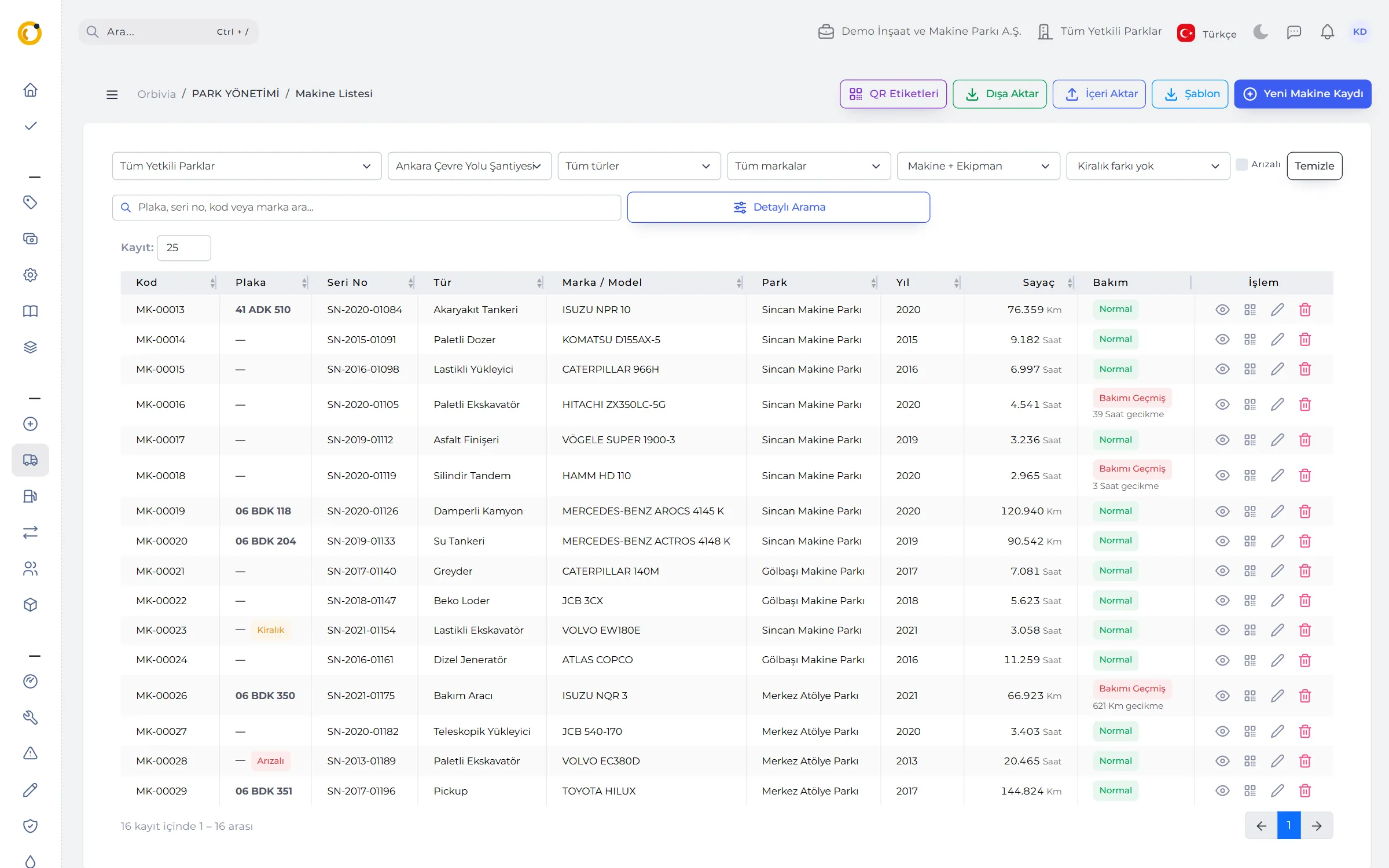
Register a machine correctly once; let the system suggest the rest.
The form opens step by step: other sections stay locked until General Information is complete, and models open only after a make is chosen. Attachments such as buckets, breaker hammers or trailers are records too, tracked with the machine they are fitted to.
- Type suggestion: once make and model are chosen, a category and type are suggested from your company’s past records.
- Inherited parts: oil, filter and tyre definitions are copied from the latest machine with the same make, model and engine.
- Bulk import: a 21-column template matched by serial number; empty cells never wipe existing values.
- Smart list: filters for site, project, type, make, owned / rented and broken down; Normal, Maintenance due, Overdue badges.
- Depreciation: purchase price, economic life and salvage value; profit or loss when a machine is sold or scrapped.
02MACHINE CARD
The machine’s whole story on one page.
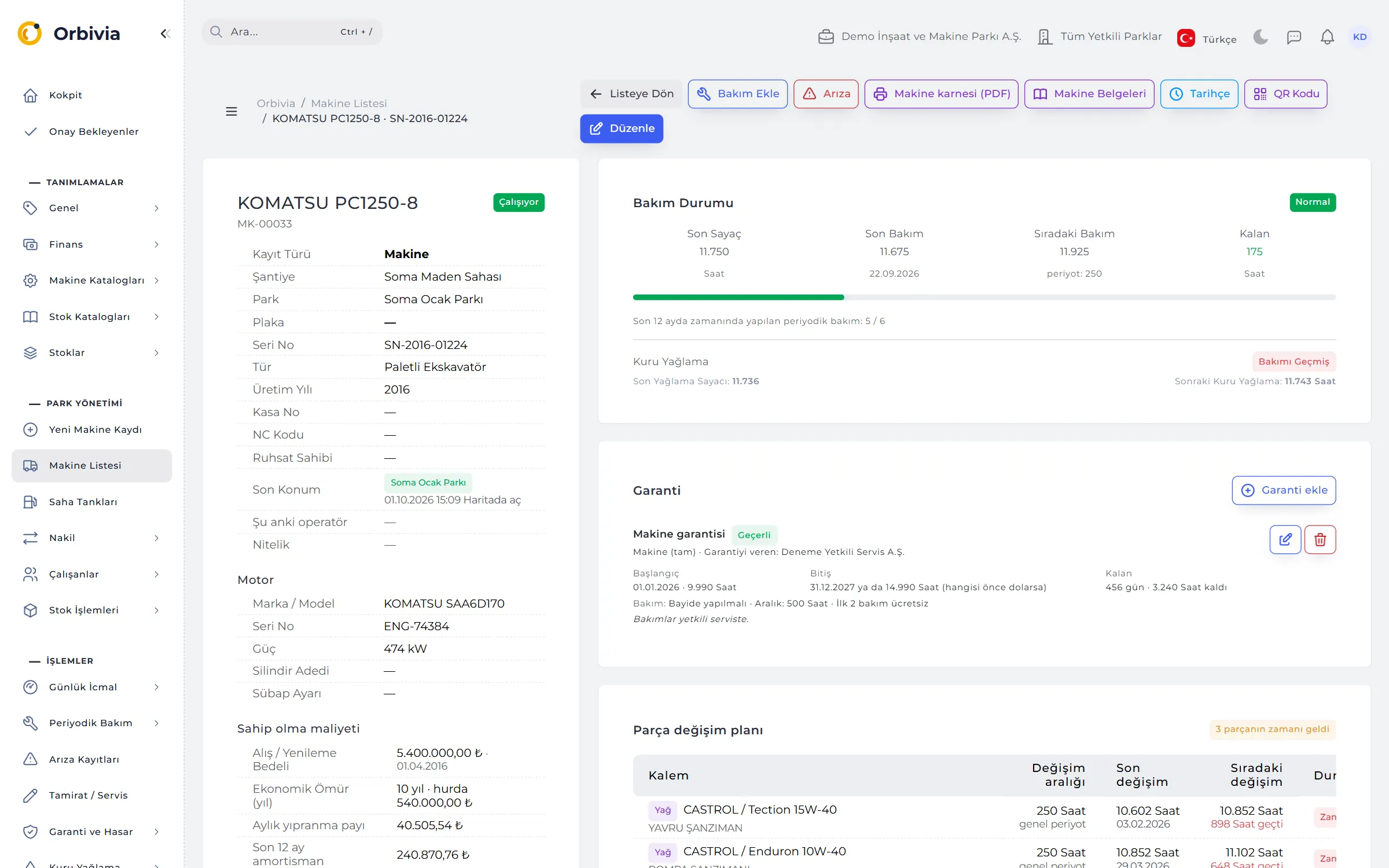
Identity, last location, current operator, maintenance status, warranty, parts change plan, scores and cost of ownership on one screen. The history lines up maintenance, repairs, breakdowns, transfers, documents, shifts, daily logs, tank and location events on a single timeline.
- Maintenance status: a bar showing how much of the interval is used and a “preventive services done on time in the last 12 months” line.
- Parts change plan: Overdue / Due soon / OK for every oil, filter and tyre.
- Machine Scores: availability, maintenance compliance and replacement score, with a “How was this score built?” explanation.
- Cost of ownership: monthly wear allowance, accumulated depreciation and book value.

03MACHINE REPORT CARD
A one-page summary for the bank, the insurer or a buyer.
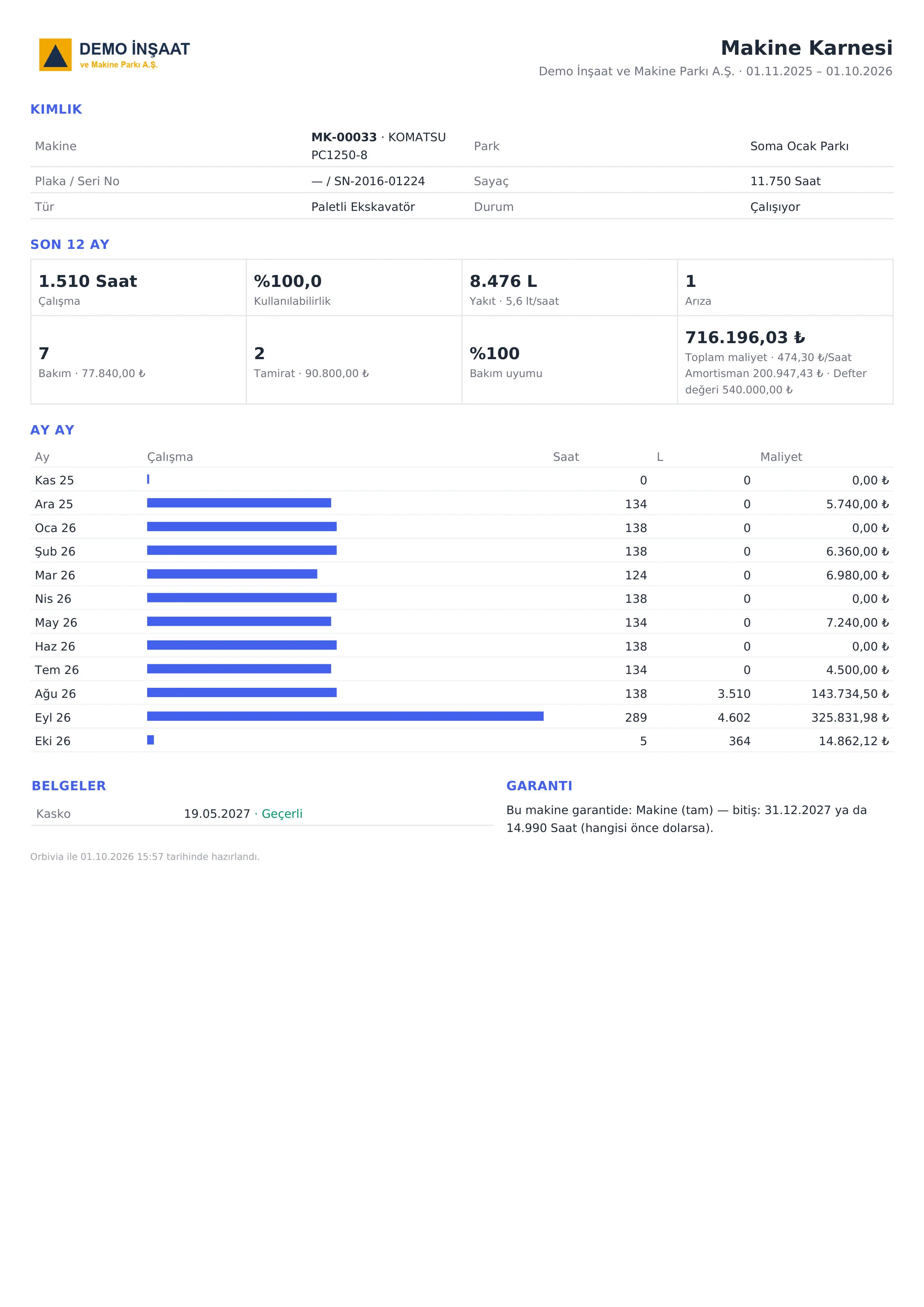
The machine report card is a PDF with your company logo. When selling, insuring or financing a machine, it is the tidiest document you can hand over.
- Working hours and availability over the last 12 months; month-by-month activity bars
- Fuel consumption: l/h, or l/100 km for km-metered machines
- Breakdowns and downtime, maintenance compliance
- Number and cost of services and repairs; total and hourly cost
- Document validity and warranty status
04LOCATION AND GEOFENCE
Be the first to know when a machine goes to the wrong site or works after hours.
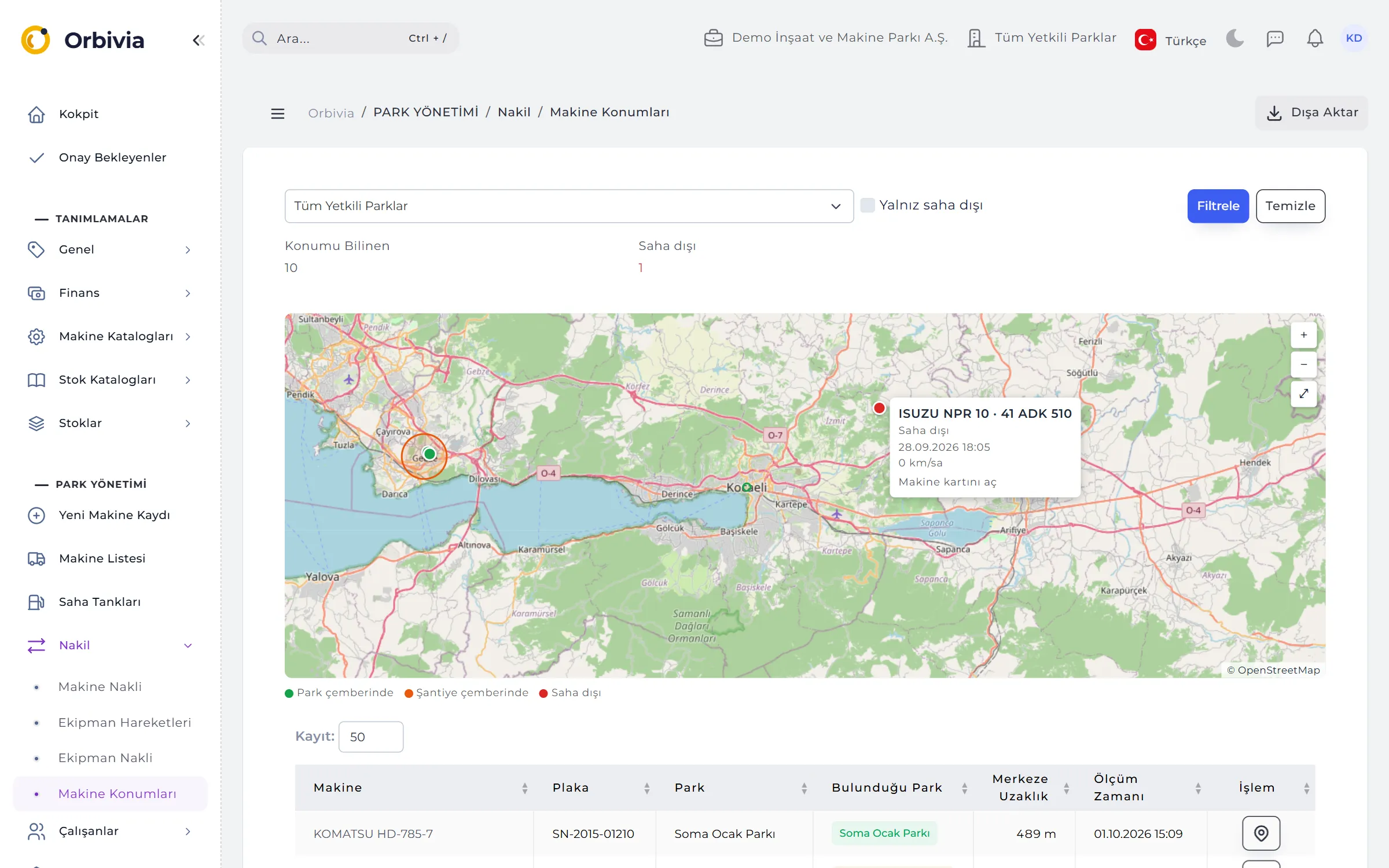
Sites and projects are drawn on the map as a point and a circle (geofence); the radius is dragged anywhere from 1 to 100,000 metres. Whichever circle a telematics position falls into, that is where the machine is counted.
- Map: green inside a site circle, orange inside a project circle, red outside; “Location known” and “Off-site” counts.
- Left the geofence: the alert is generated without anyone entering anything, and arrives in the bell and on the phone.
- After-hours work: when engine hours exceed the working-hours allowance by more than 15 minutes, or the machine moves at 5 km/h or more out of hours. Working hours are set per company.
- Quiet by design: at most one alert per machine per alert type per day; the last 30 days of alerts with full detail.
05TRANSFERS, ATTACHMENTS AND QR
Wherever a machine goes, its records land on the right site.
Every machine has a home site it belongs to and a site where it currently is. Work is recorded against the site the machine was on that day, so costs stay in the right place even after it moves.
- Three transfer types: Temporary / Daily Dispatch, Return and Full Transfer (ownership moves too).
- Attachments: fitted attachments travel with the machine; idle, fitted, removed and moved-between-machines events.
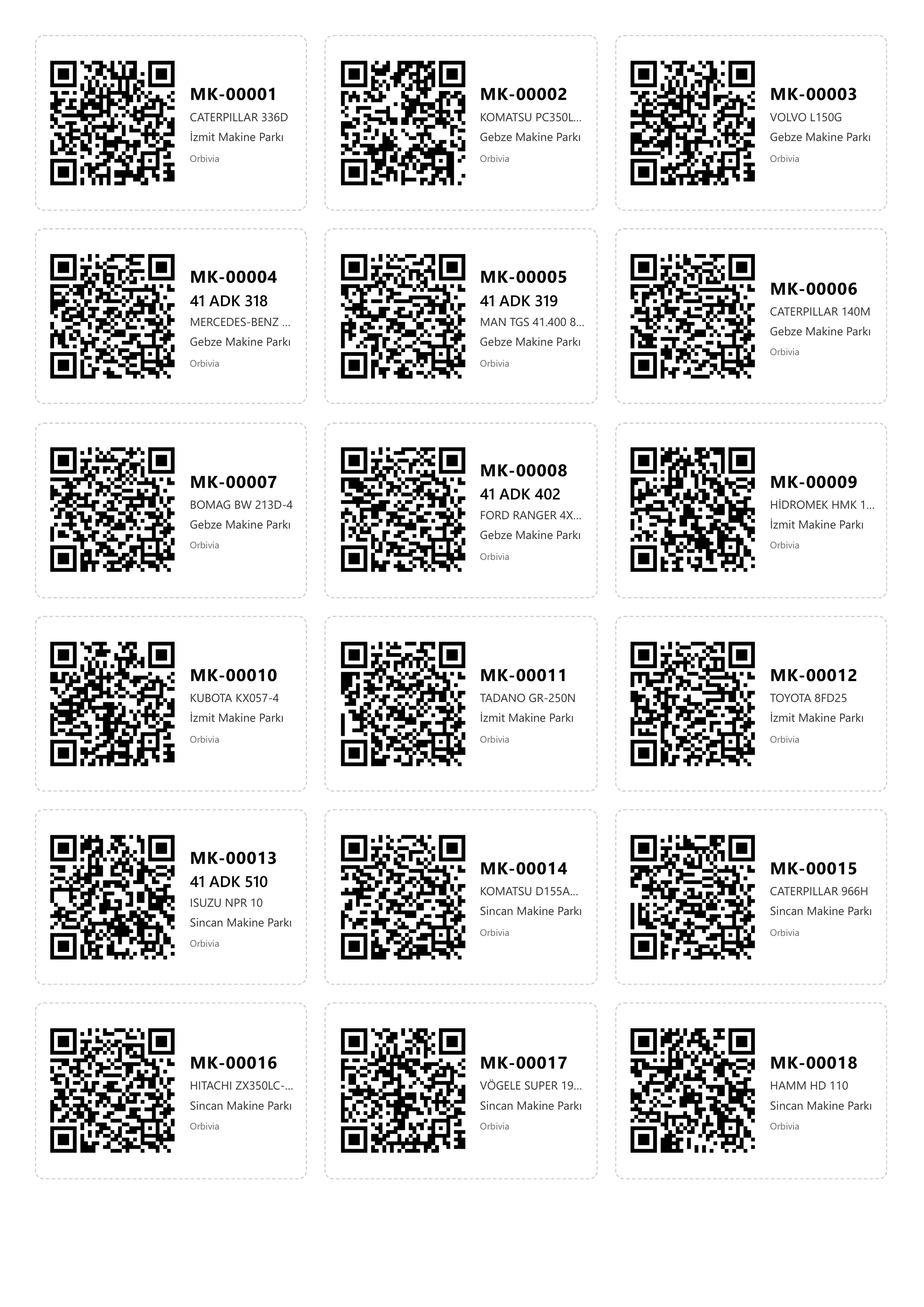
- QR labels: print up to 200 labels at once for machines matching the filter; “Renew code” invalidates old labels.
06SHIFTS AND STAFF
Know who is operating a machine and whether their certificates are valid.
A shift records “who worked this machine today”: Day, Night or Other. A subcontractor or temporary operator who isn’t an app user can be entered by name. Shifts feed the “Current operator” on the machine card and the Operator Performance report.
- Staff card: job (operator, mechanic, driver) and the machine types they are authorised to operate.
- Staff documents: driving licence, operator certificate, vocational qualification, health report and OHS training; alerts 60 / 30 days before expiry.
- Shift control: a warning for an operator with an expired certificate or no authorisation for the machine type; companies can block the shift altogether.
- Consistency: no overlapping shifts on one machine; on hour-metered machines the counter can’t advance more than the shift length.
- Technicians: don’t need to be system users; a mobile technician can be chosen on every site.
07MACHINE DOCUMENTS
No more surprise lapsed inspections or insurance.
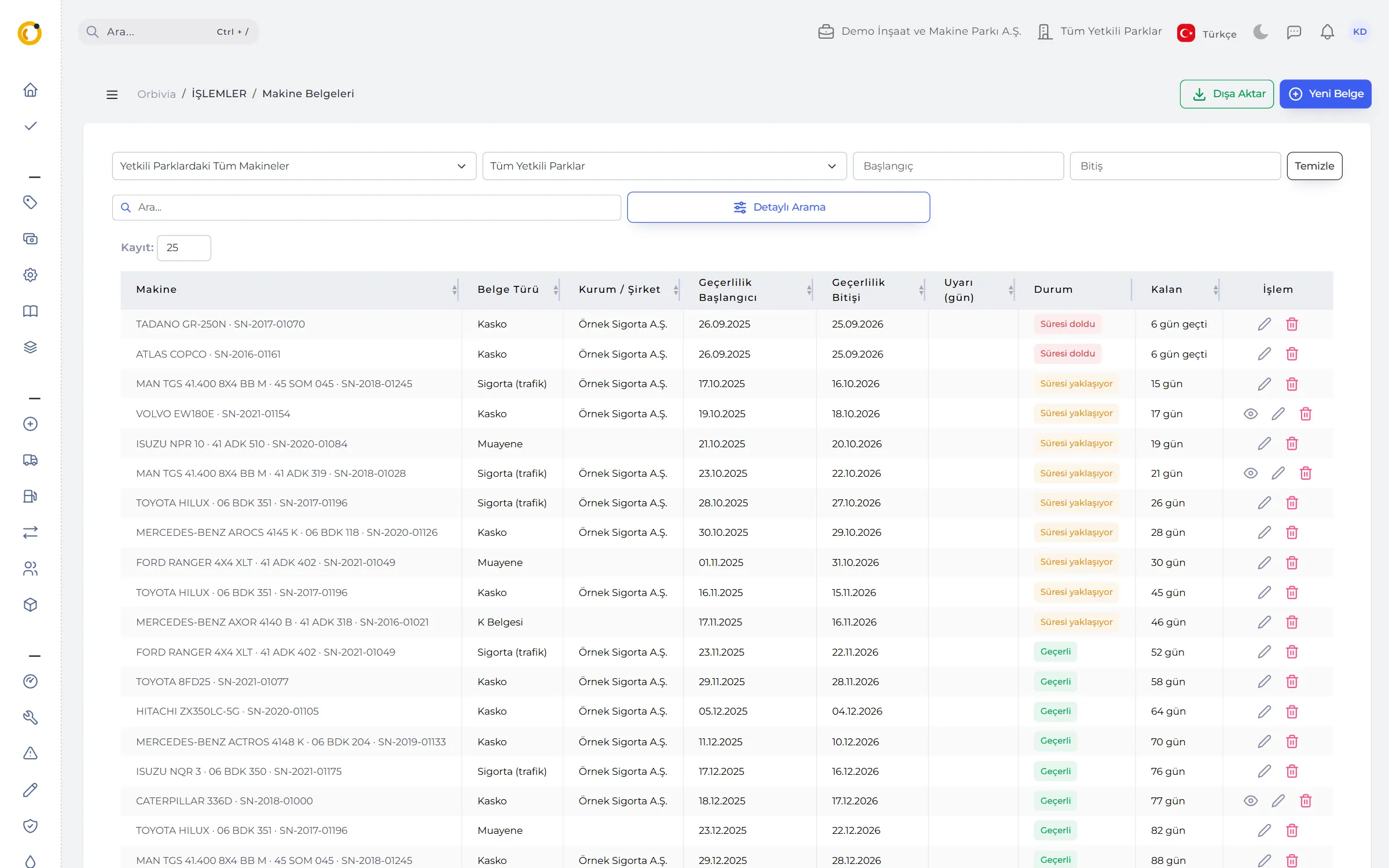
Inspection, Traffic insurance, Comprehensive insurance, Registration, Emission test, K Certificate and Other: seven document types kept with validity dates, scans and costs.
- Default alert windows: 30 days for inspection, registration and emissions, 45 for insurance, 60 for the K Certificate; 1–365 days per document.
- Visible: expired or expiring documents in a red box on the Cockpit, in the morning summary and in the field app.
- Scans: PDF, image or multi-page ZIP; photos from the field phone.
- Part of the cost: a document’s amount goes into the Machine Cost report on its payment date.
08RENTAL CONTRACTS
Check a rented machine’s invoice against its breakdown days.
Rented-in machines are charged monthly, daily or hourly (by counter difference); hourly contracts can have a monthly minimum. You mark whether the operator, fuel or maintenance is included by the lessor.
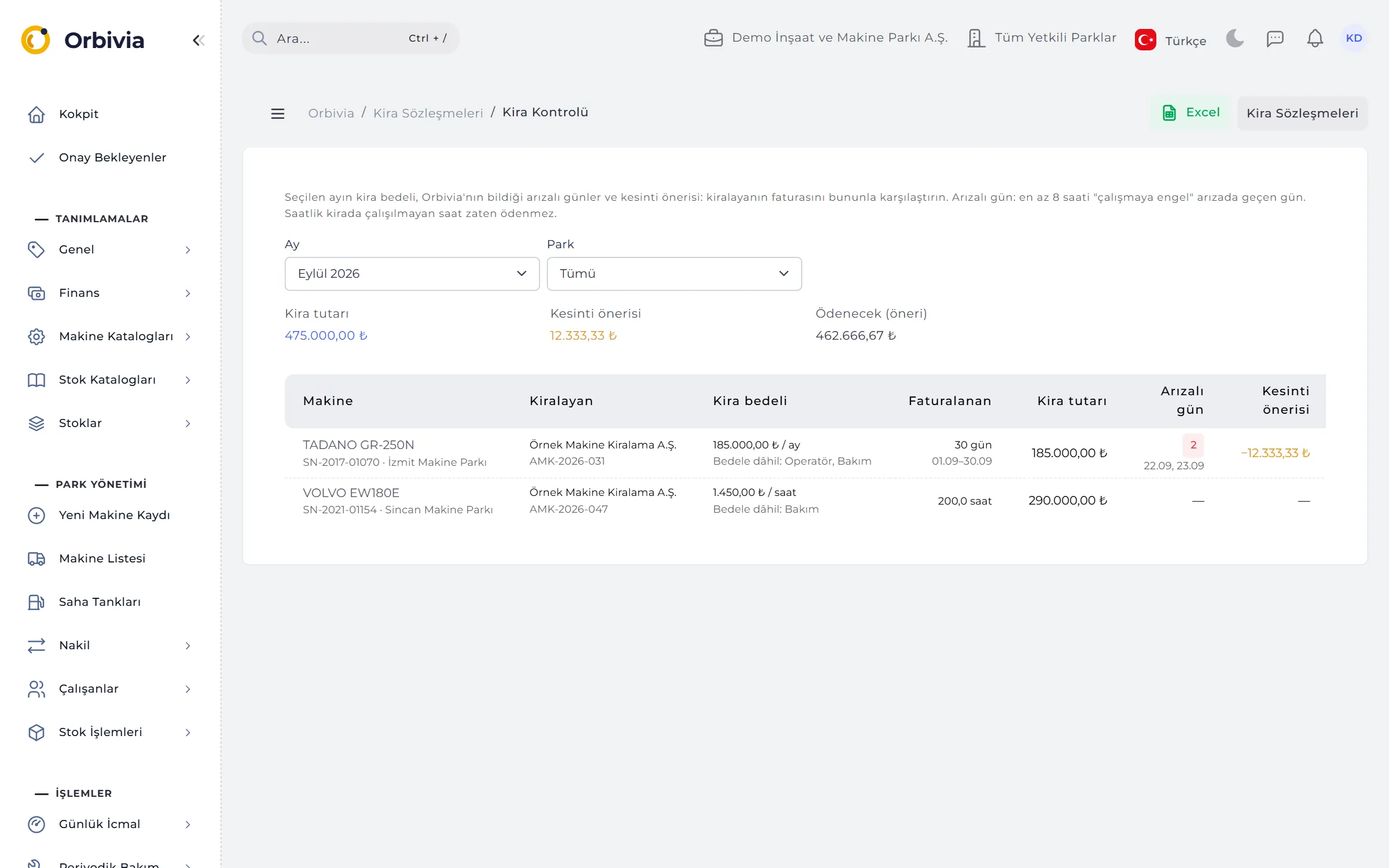
- Rental Check: pick a month and site; for each contract see billed days or hours, breakdown days, suggested deduction and amount payable.
- Breakdown day: a day with at least 8 hours in a “prevents work” breakdown.
- Approval threshold: a contract whose monthly equivalent exceeds the threshold stays out of costs until it is approved.
RULES
Data integrity
Because records are linked, the system deliberately prevents some actions.
Serial numbers are unique
A serial number is unique within the company; even a deleted machine’s serial number can’t be reused.
Tank capacity limit
A machine with a tank capacity can’t be given more fuel than that in one fill from a site tank.
Deactivate, don’t delete
Sites, projects, catalogue entries or machines with history are deactivated, not deleted, and keep appearing in past reports.
Two circles
If a position falls inside two circles, the machine counts at the site whose centre is closest.
See it with your own fleet.
Leave a demo request and try Orbivia with your own machines, sites and projects.