

Question bank softwareQuestions written once, approved, and used in every exam.
Everything a question bank needs: two-level categories, 12 question types, shared reading and listening passages, images, audio and formulas; tags, learning outcomes and rubrics; question approval; Excel, QTI, GIFT and Aiken import, AI question generation and import from PDF.
01QUESTION TYPES
From multiple choice to spoken answers, 12 question types.
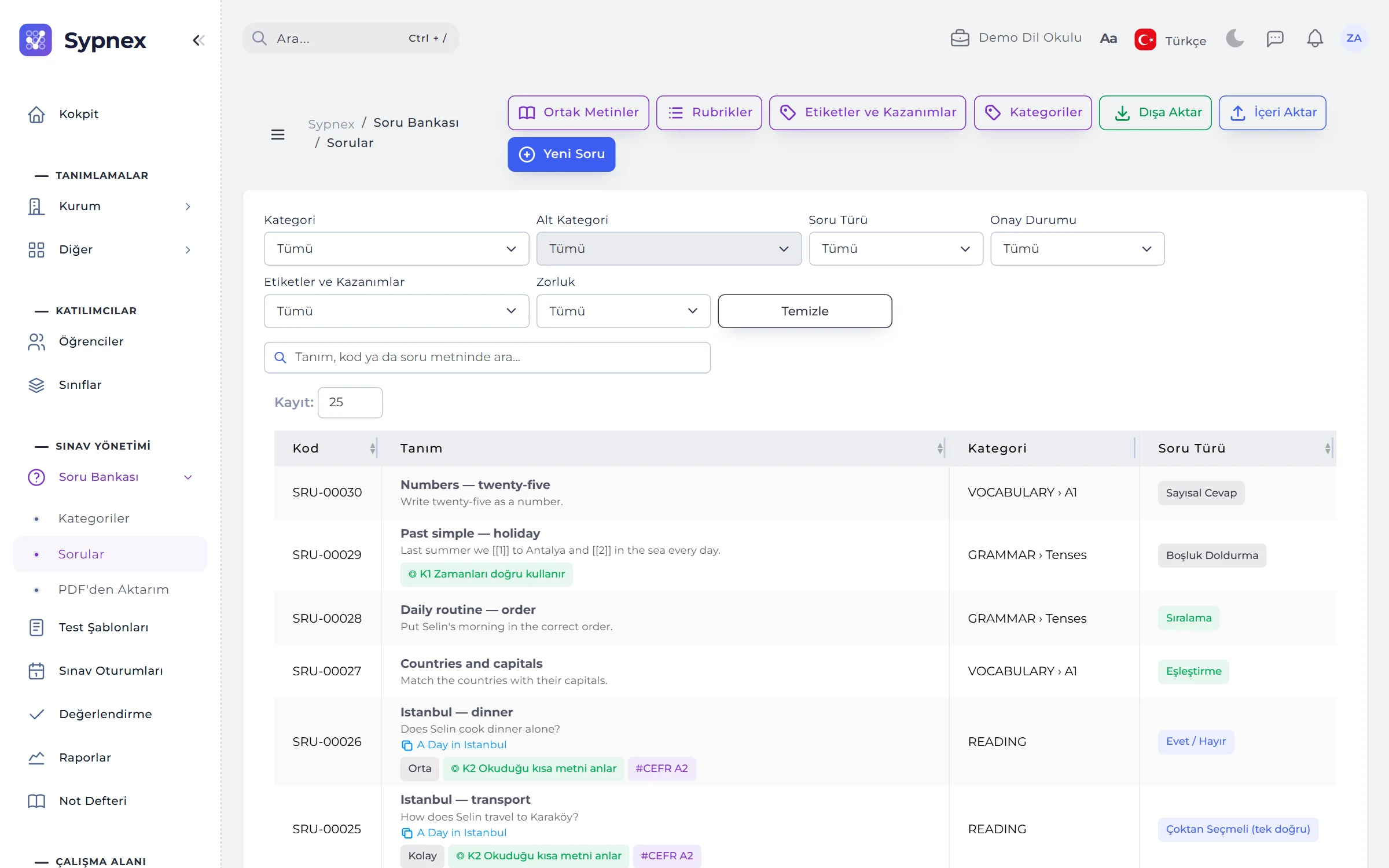
The New Question form adapts to the type. Auto-scored types are scored as soon as the exam ends; matching, ordering and fill-in-the-blank earn partial credit. Open-ended and spoken answers go to the grader’s screen.
- Choice: single answer, multiple answers (partial credit), drop-down, true / false, yes / no.
- Matching and ordering: points per pair or per item in the right place; an unpaired right-hand item becomes a distractor.
- Blanks and numbers: blanks [[1]], [[2]] in the text with accepted answers; numeric answers with a tolerance (10 ± 0.01).
- Open-ended and spoken: short answers auto-scored against accepted answers; long answers and microphone recordings scored by hand or with a rubric.
02PASSAGES, IMAGES, AUDIO AND FORMULAS
Five questions on one passage; formulas and images in the editor.
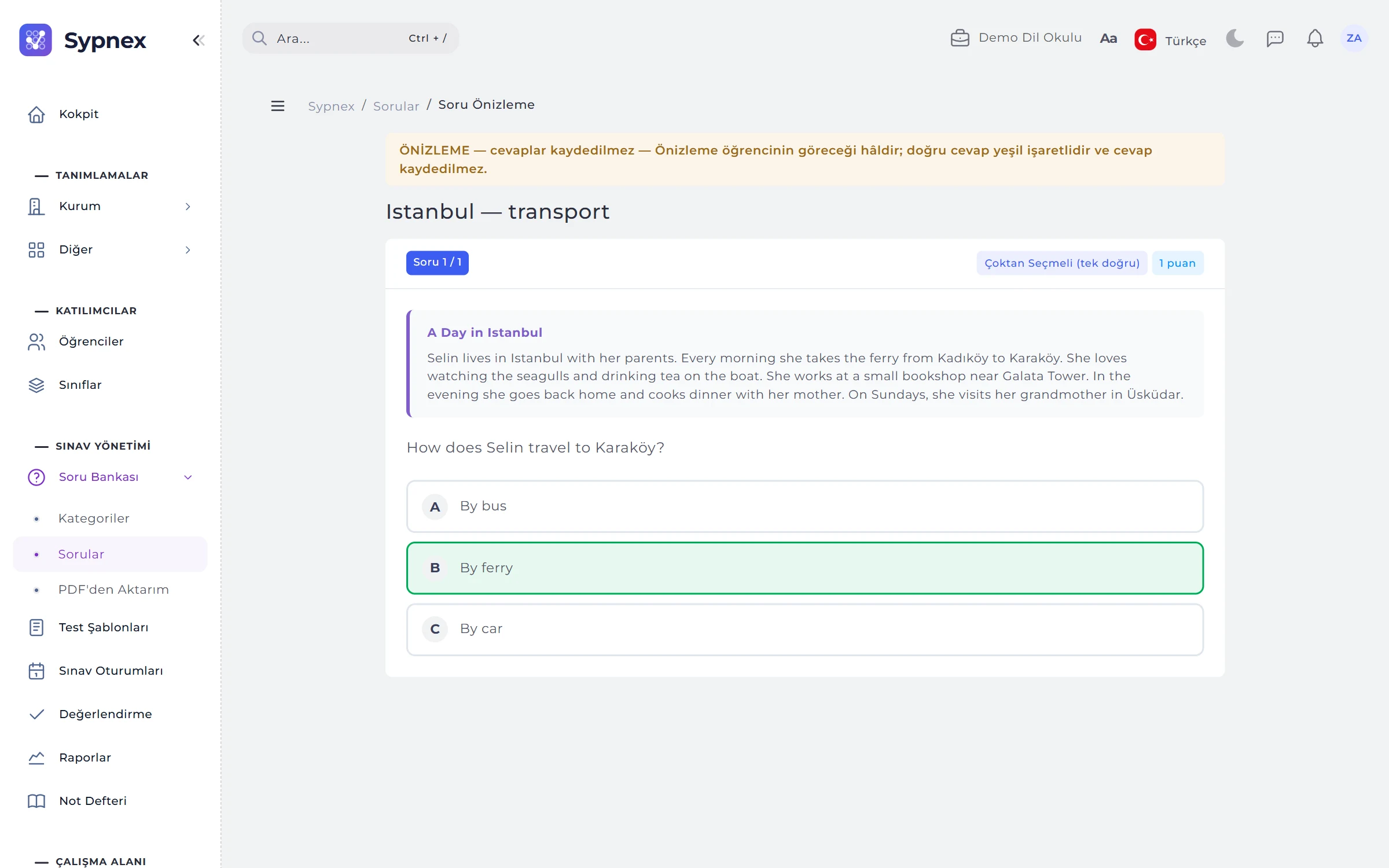
A shared passage is a reading or listening text shown above every question linked to it. Images and audio files are added from the editor and kept in your institution’s private folder. The preview shows the question as the student will see it.
- Formulas: the fx button opens a LaTeX formula window with a palette of common patterns and a live preview.
- Category and difficulty: Category › Subcategory (GRAMMAR › Tenses), up to 10 category pairs per question; easy, medium, hard.
- Tags and outcomes: free tags (CEFR B1) or learning outcomes; outcomes become an outcome analysis in the session report.
- Explanation: a solution note shown to the student with the result.

03QUESTION APPROVAL
Only complete, approved questions go into tests.
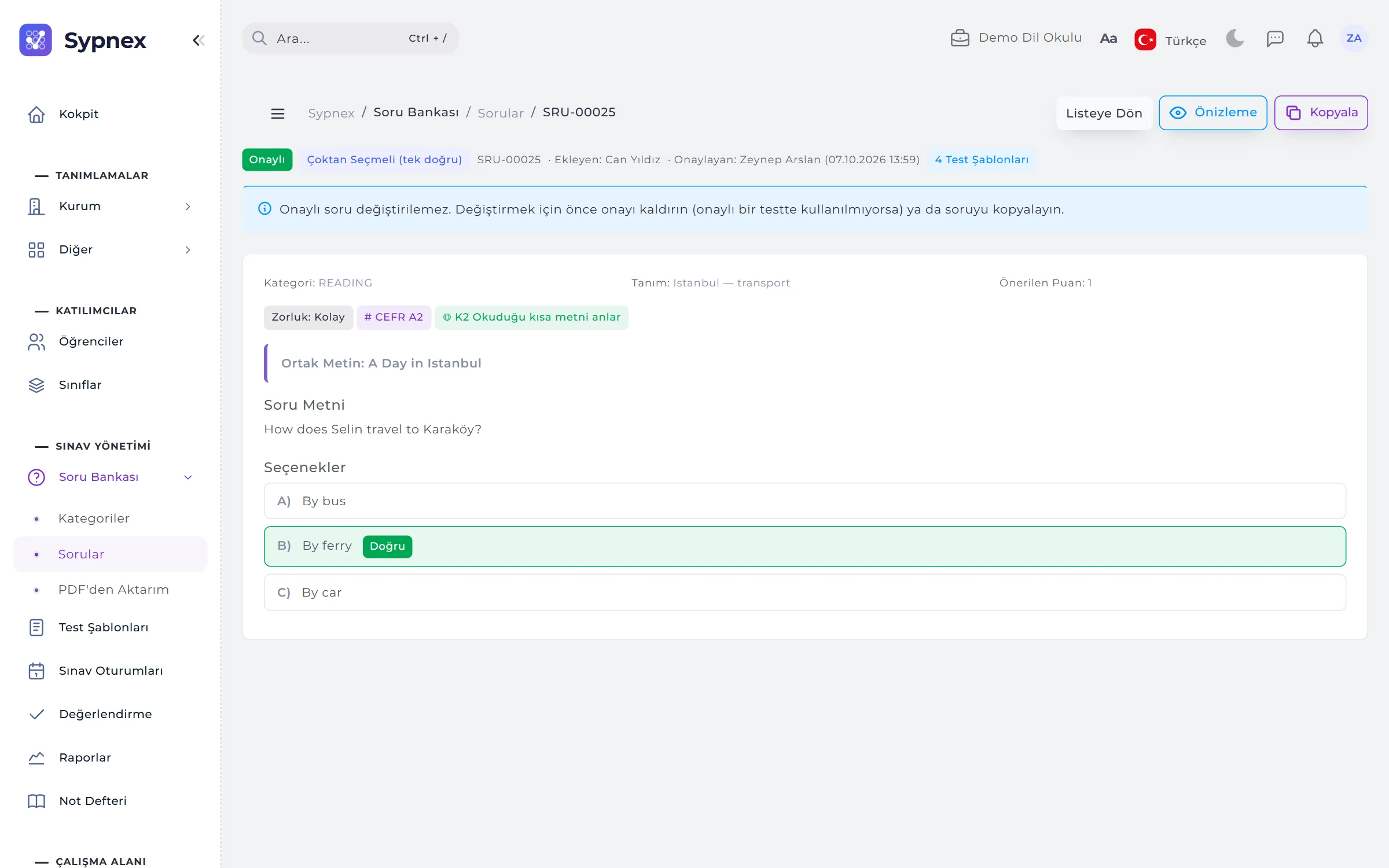
Missing items are listed above the approve button: empty text, no correct option, a matching item without a pair, a blank without an answer or an unclosed formula. Approved questions cannot be edited; who approved them, when, and which tests use them is visible.
- New version: a question used in an approved test is duplicated as a draft with Copy.
- Removing approval: if it is not used in an approved test, approval is removed and the question is corrected.
- Approval permission: approval comes from the permission template; the ready-made Question Writer template adds and edits questions but cannot approve them.
04IMPORT AND AI
Your existing questions and texts, into the question bank.
Questions are imported with ready-made templates or standard question formats, and faulty rows are listed with their reasons. From a pasted text, AI generates questions in the type, number, difficulty and language you choose; all of them arrive as drafts.
- Import: Excel, CSV, XML, YAML, JSON, GIFT, Aiken and QTI 2.1 / 2.2 packages with images.
- Export: Excel, XML, YAML, JSON, GIFT and QTI 2.1.
- Generate from text: Turkish or English questions from a 50–20,000 character text, tagged “AI draft”.
- The institution’s key: Claude or Gemini; the key is stored encrypted and checked with Test Connection.
05IMPORT FROM PDF
Your own question book in the question bank within minutes.
A question book or magazine the institution holds the rights to is uploaded as a PDF; AI reads the questions in 5-page chunks and reads the answer key pages separately. Reading continues in the background even if the page is closed, and a notification arrives when it is done.
- Side-by-side review: the book page on the left, the editor on the right; Crop Figure takes an image from the page.
- Confidence colours: green candidates are accepted in bulk; yellow and red ones are checked.
- “Key ≠ model”: if the book’s key and the model’s solution differ, the question cannot be accepted without an “I checked” confirmation.
- Shortcuts: A accept, R reject, S save, J / K next and previous candidate.
06RUBRICS
A criteria × levels table for writing and speaking.
A rubric is a scoring table linked to a hand-scored question (e.g. Fluency, Pronunciation, Grammar × Beginner–Very good). The grader picks a level for each criterion; the score is calculated from the levels and shown criterion by criterion in the student’s result.
- Consistent scoring: every grader scoring the same question works with the same criteria.
- Locked structure: the number of criteria in a rubric in use cannot change.
RULES
Question bank rules
The system deliberately blocks some actions so that every question in an exam is checked and traceable.
No unapproved questions in tests
The question bank in the test layout lists only approved questions; imported and AI-generated questions arrive as drafts.
Approved questions do not change
To change one, remove its approval (if it is not used in an approved test) or copy it and prepare a new version.
Records in use are not deleted
A category with questions is deactivated; the number of criteria in a rubric in use does not change.
Rights declaration
When importing from PDF, the institution declares that it holds the rights to the book; uploading the same file twice triggers a warning.
Run your next exam with Sypnex.
Leave a demo request and try Sypnex with your own questions, classes and scoring rules.