

AI question generatorAI suggests the question; you review, edit and approve it.
Generate new questions on a chosen topic or similar to those in your bank. AI verifies each question by solving it a second time, questions are compared with similar ones in the bank, and candidates arrive in the review queue with colour-coded flags. The model runs in the cloud (Claude, Gemini) or on your institution’s own computer with the Sypnex Local AI Server.
01GENERATE BY CATEGORY
Topic, outcome, type and difficulty; AI writes the rest.
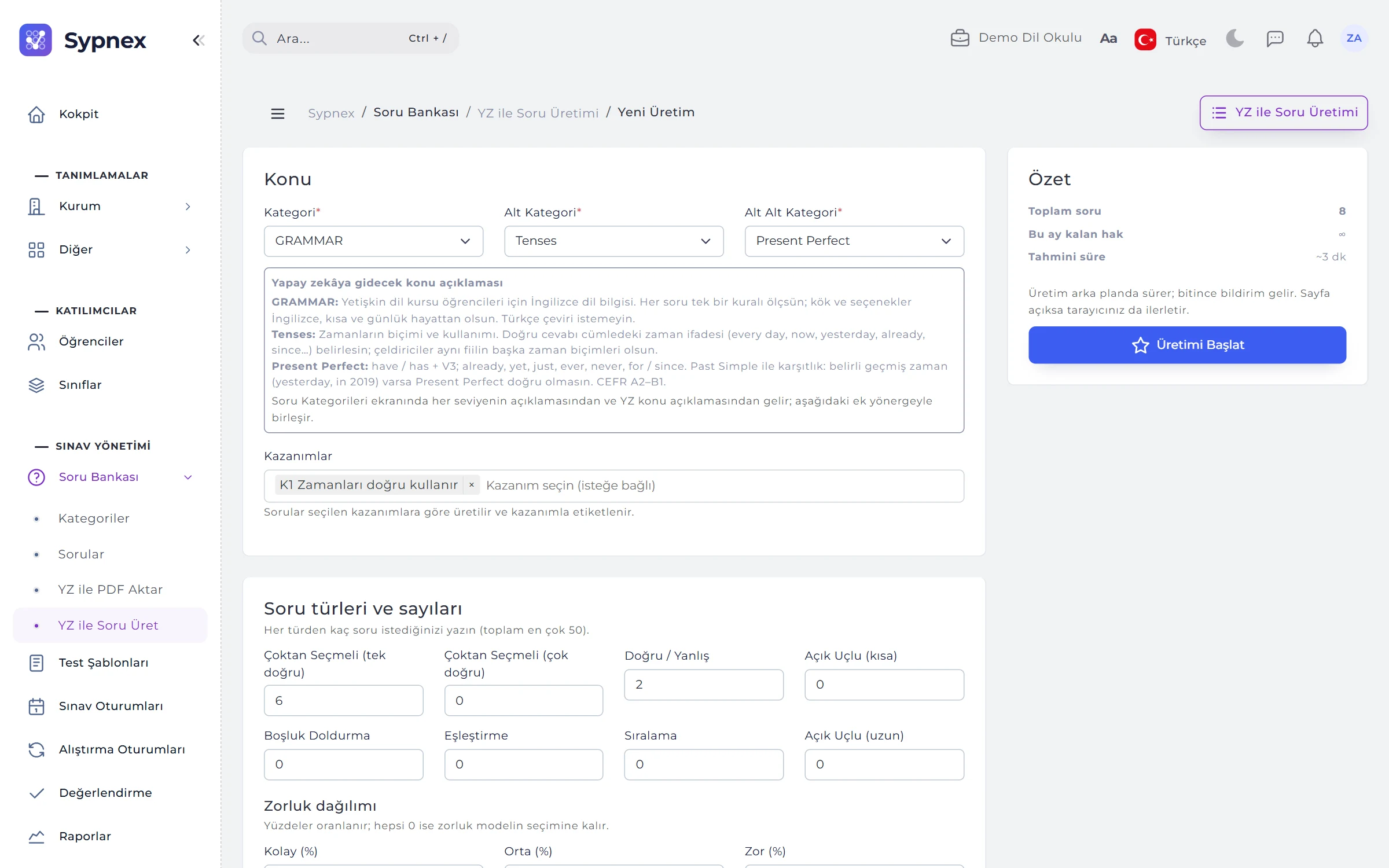
The New Run form takes the category, subcategory and topic, optional learning outcomes, how many questions of each type (up to 50 in total), the difficulty mix, the question language and an optional language level. A box on the form shows the topic descriptions of all three levels that will go to the AI.
- Write solutions too: a solution text for each question; once accepted it becomes the question’s solution.
- Examples from approved questions: used to catch the style; they are never copied.
- Extra instructions: requests specific to your institution, such as “examples from daily life, short question stems”.
- Summary: total questions, the month’s remaining quota and the estimated cost, or the estimated time with Local AI.
02GENERATE SIMILAR
From one good question, new ones on the same outcome.
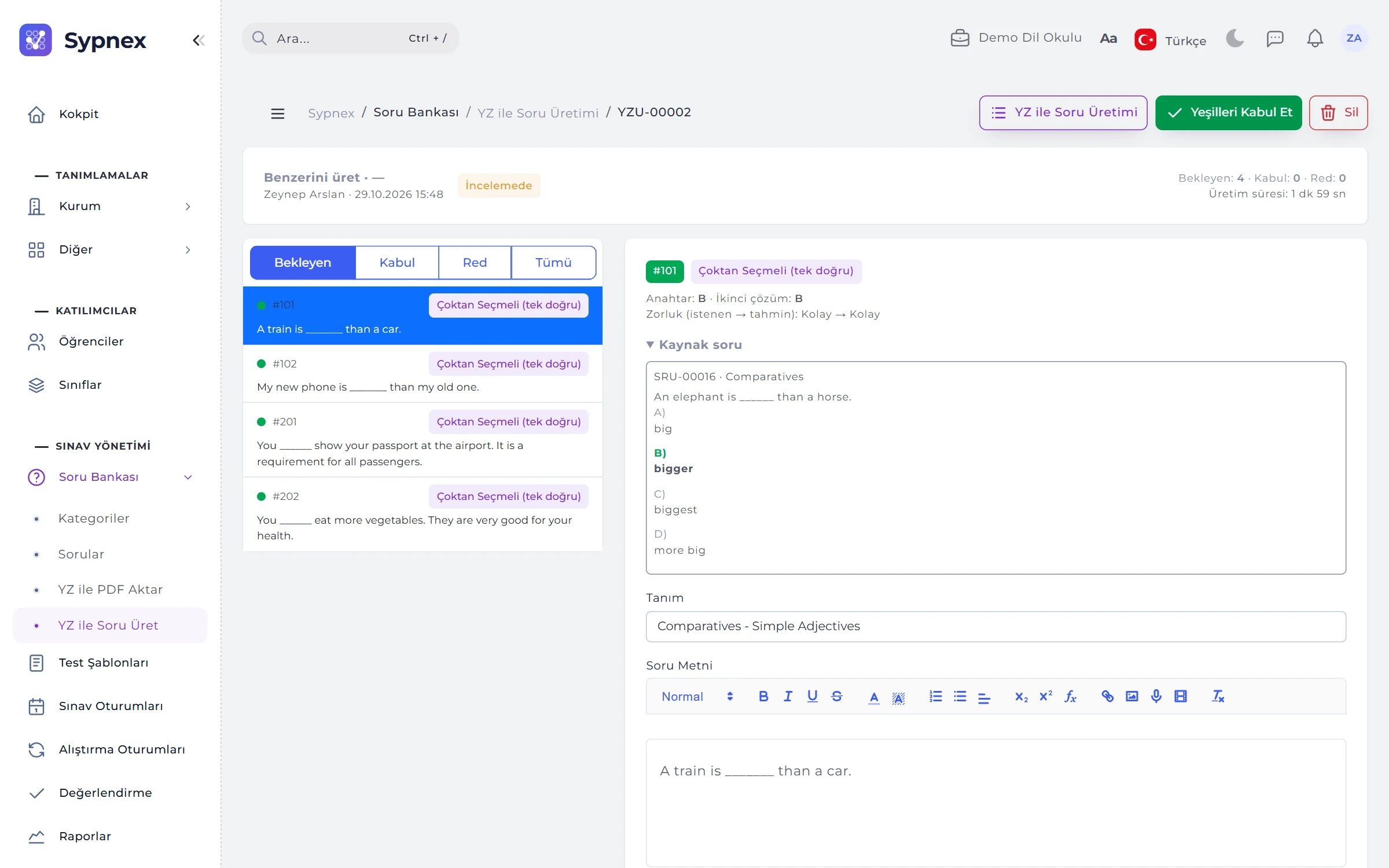
Use the ★ button on a row of the question list, or tick questions and choose Generate Similar to Selected. Up to 10 new questions per source; type, category and outcomes are kept, and every candidate knows which question it came from. The source question’s three-level topic descriptions are added to the prompt.
- Similarity: near (same pattern, different numbers / words), medium (same outcome, different context), far (same topic, different set-up).
- Difficulty: the same, one step easier or one step harder.
- Source alongside: in review the source question appears beside the candidate; candidates too close to the source are flagged.

03REVIEW QUEUE
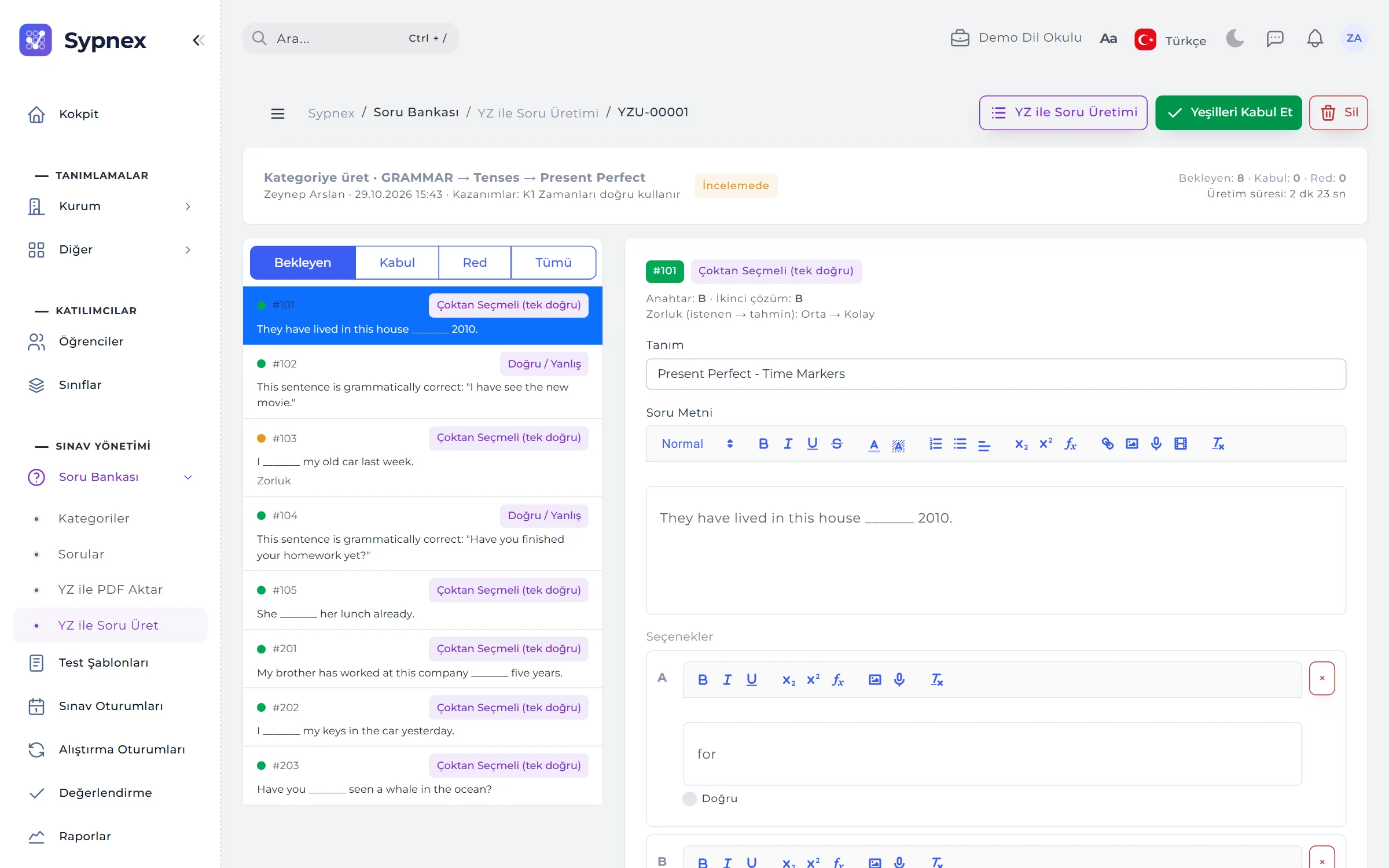
Candidates on the left, the editor on the right; accept all greens with one button.
Candidates are listed in Pending, Accepted and Rejected tabs; on the right the stem, options, accepted answers, solution and difficulty are edited. The key, the second solution’s answer and any similar question in the bank appear side by side.
- Accept Greens: all unflagged candidates are accepted at once.
- Regenerate: a candidate you do not like is rejected and replaced by a new one of the same type and difficulty.
- Draft or approved: an accepted candidate becomes a draft tagged “AI draft”; with Accept and approve on, an approver approves it in the same step, and with Four eyes on, the person who started the run cannot approve it.
- Shortcuts: A accept, S save, R reject, G regenerate, J / K next and previous.
04CHECKS AND COLOURS
No question enters the bank on its own.
Every generated candidate goes through automatic checks; a candidate without flags is green. A red candidate cannot be accepted without an “I checked” confirmation.
Answer mismatch
Red: AI solved the question a second time without seeing its own answer and got a different result.
Format incomplete, Formula
Red: a missing option, correct answer, blank answer or matching pair; an unclosed formula marker.
Duplicate in bank
Red: an almost identical question already exists in the bank.
Off topic
Red: in the second solution the question was found unrelated to its category path; off-topic text in a description or extra instruction may have pulled it away.
Similar in bank, Repeat
Yellow: a similar question exists in the bank or in the same run; for similar runs, too close to the source.
Language, Length, Outcome, Difficulty
Yellow: not in the requested language, too short or too long, unsure about the outcome, or a clear gap between requested and estimated difficulty.
Not verified
Yellow: the second solution could not be obtained.
05RUNS AND QUOTA
Acceptance rate, edit rate and monthly quota at a glance.
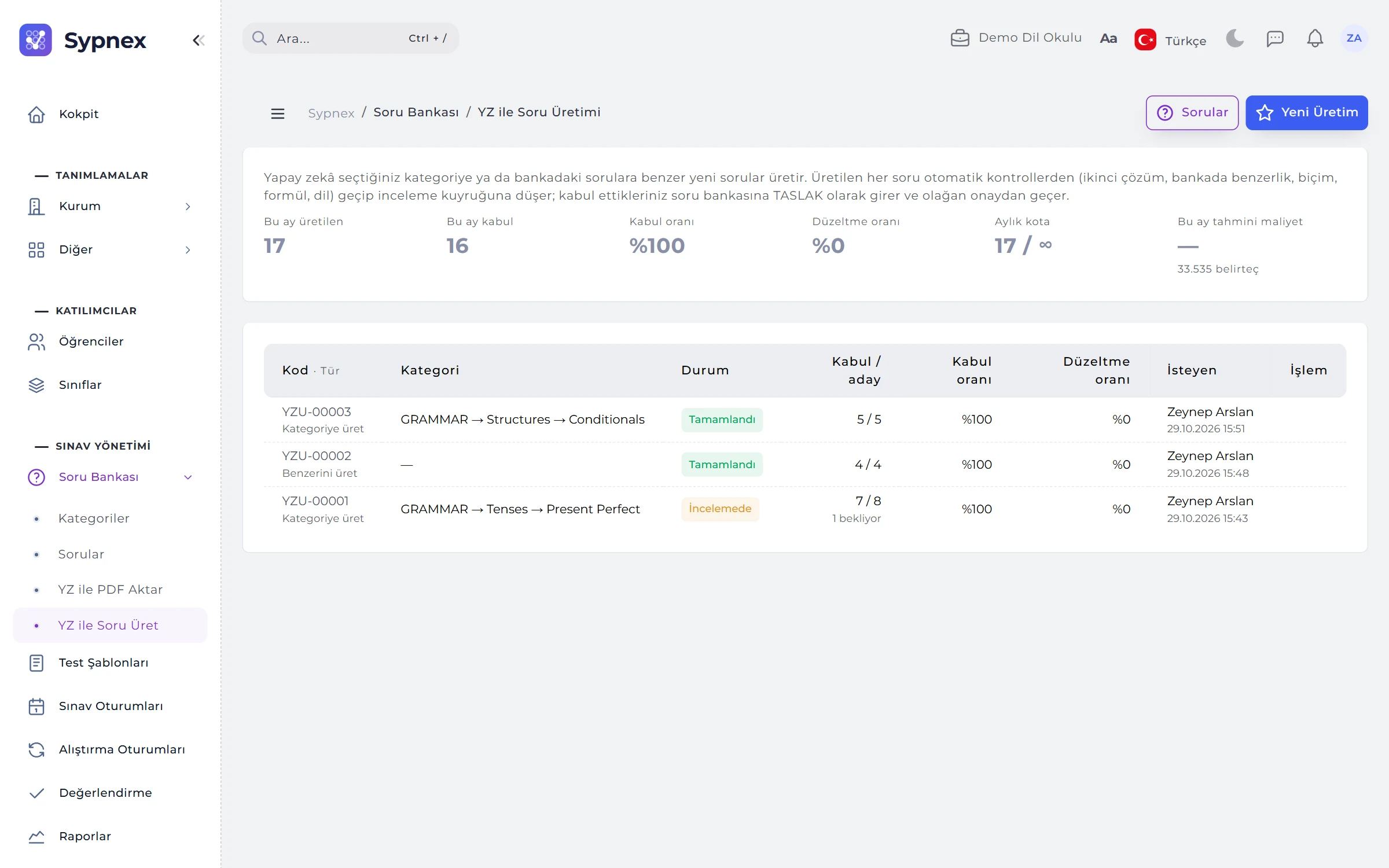
The run list shows each run’s status, the number of accepted candidates, the acceptance rate (accepted / reviewed) and the edit rate (accepted after editing). Above it are this month’s generated and accepted questions, the quota and the estimated cost.
- In the background: a run continues even if the page is closed, with a notification when it is done; with the page open the browser also moves it forward.
- Monthly quota: depends on the institution’s plan; when it is used up, no new run can start.
- What is sent: the category path and descriptions, outcomes, example or source questions and extra instructions; never student names, answers or results.
06SYPNEX LOCAL AI SERVER
The model runs on your own computer; questions, PDFs and answers stay in the organisation.
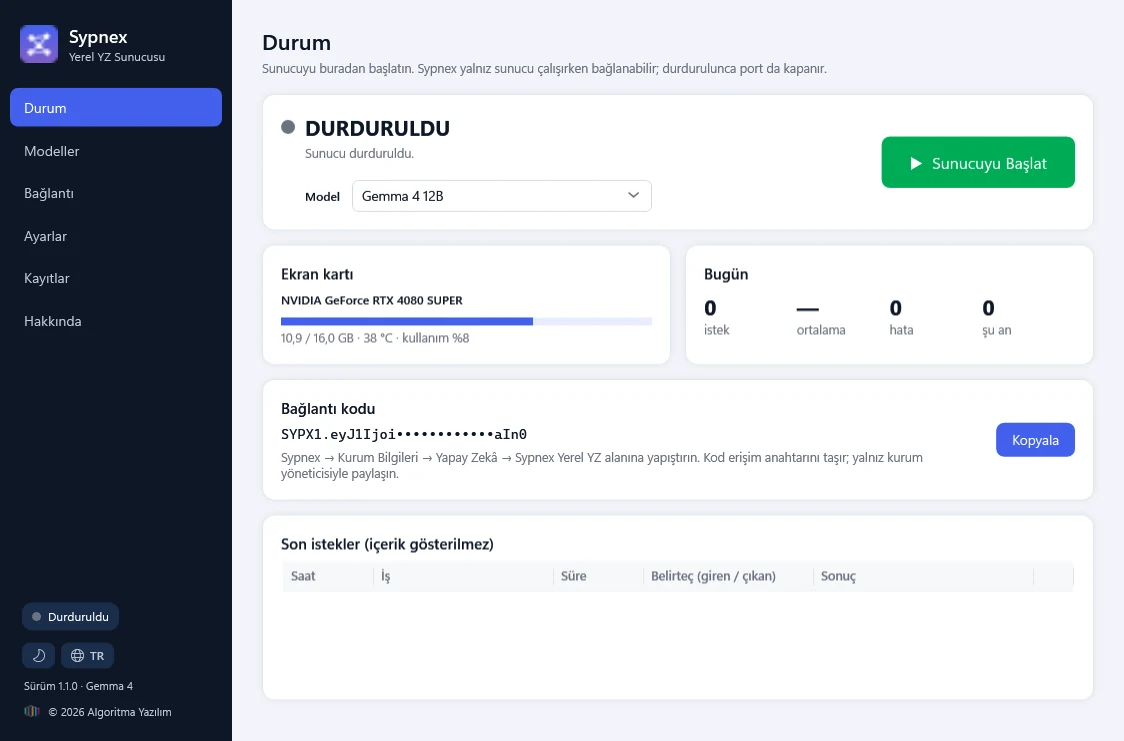
The Sypnex Local AI Server is a Windows application that runs the AI model on your institution’s own graphics card. The installer is downloaded from Institution → AI; on the Status screen you choose a model and press Start Server, the model is loaded onto the graphics card, a test question is solved and the gateway opens. The interface comes in Turkish and English, with light and dark themes.
- Installation: about 720 MB, no administrator rights needed; the model is not bundled, and the one that suits your graphics card is downloaded once at first launch.
- Status screen: server state and uptime; graphics card memory, temperature and load; today’s requests, average time and errors. Recent requests are listed without their content.
- In the background: if the window is closed while the server is running, the application keeps working from the system tray; it can start automatically with Windows.
- Updates: the application asks the Sypnex it is connected to about new versions; models, certificate, settings and the connection are kept.
07MODELS AND HARDWARE
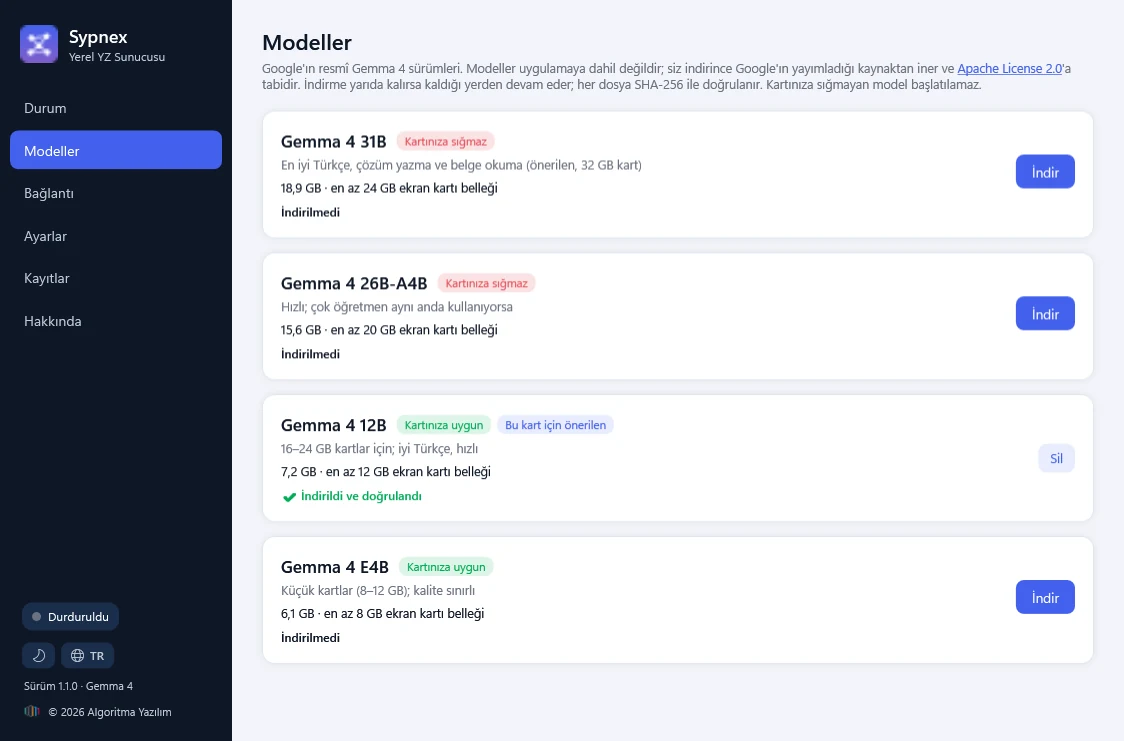
Models that fit your graphics card are marked; a model that does not fit cannot be started.
The Models screen lists Google’s official Gemma 4 releases with their size and the minimum graphics memory they need. Models are not bundled with the application; when downloaded they come from Google’s published source and are subject to the Apache License 2.0.
- Releases: 31B (best Turkish, writing solutions and reading documents; 32 GB card), 26B-A4B (many teachers at once), 12B (16–24 GB cards, fast), E4B (8–12 GB cards).
- Downloads: resume where they stopped and every file is verified with SHA-256; Download, Stop, Verify and Delete buttons.
- Requirements: Windows 10 / 11 (64-bit), an NVIDIA graphics card (16 GB or more, 32 GB recommended), 32–64 GB RAM, 100 GB free disk and a fixed external IP.
- Settings: concurrent requests (1–4), context per request (24k or more for PDF import) and letting the model think before it answers.
08CONNECTION AND SECURITY
Paste the connection code and check it with Test Connection.
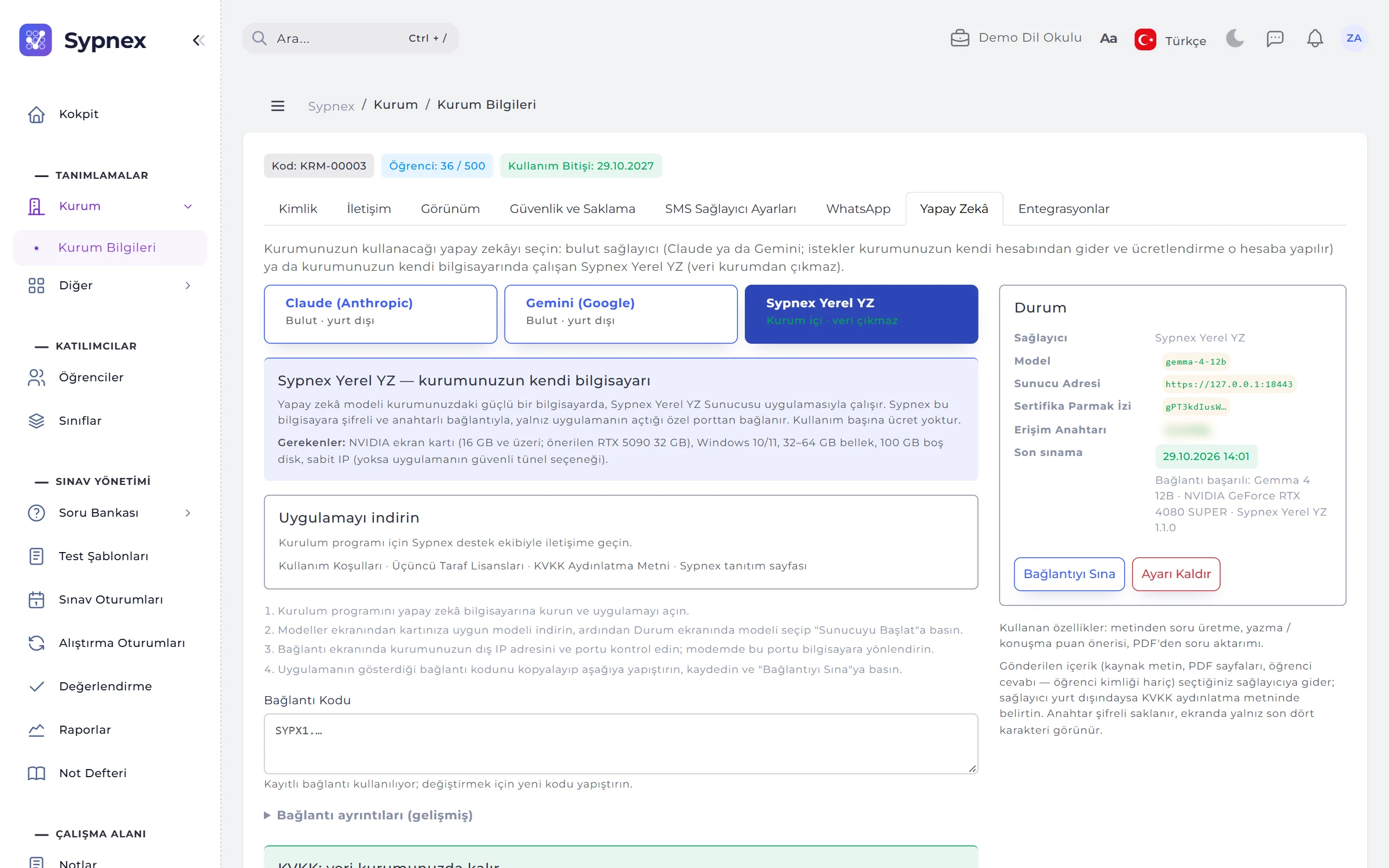
The connection code on the application’s Connection screen is pasted into Sypnex under Institution → AI → Sypnex Local AI. Sypnex connects to this computer over an encrypted (HTTPS), key-protected link; only the gateway is exposed and the model runs inside the computer (127.0.0.1).
- Address and port: the institution’s external IP address or domain name (Find my external IP), the port (18443 by default) and forwarding on the router to this computer.
- Allowed IPs: only requests from the Sypnex server are accepted (Find from Sypnex address); rate limiting applies.
- Identity: a self-signed certificate and its fingerprint; Renew access key makes the old key invalid at once.
- Firewall: the Windows Firewall rule is created from the application once, with administrator approval; no content is written to the logs.
09CLOUD OR ON-PREMISES
Which task runs with which provider?
One of three cards is chosen in Institution → AI: Claude, Gemini or Sypnex Local AI. For a cloud provider, a data protection notice explaining that content is processed abroad is confirmed; who confirmed it and when is recorded, and it is asked again when the provider changes.
Generating by topic or by example
Cloud and Local AI.
Generating from text, answer verification
Cloud and Local AI.
Reading questions from a book / magazine PDF
Cloud and Local AI; locally, pages are read as images and a chunk takes 1–2 minutes depending on the graphics card.
Score suggestion for written answers
Cloud and Local AI.
Score suggestion for spoken answers
With Gemini or a configured transcription service; with Local AI if a transcription service is configured.
RULES
AI rules
AI saves time; some rules never change so that responsibility for assessment stays with the teacher.
A suggestion is not a decision
Generated questions go to the review queue and score suggestions only fill in the form; accepting and saving is the teacher’s job.
Red candidates need confirmation
A candidate with a mismatched answer, incomplete format, off-topic content or a duplicate in the bank cannot be accepted without an “I checked” confirmation.
Four eyes
If the institution turns it on, the person who started an AI run cannot approve its questions.
No personal data
Student names, answers and results are never sent for question generation; for score suggestions the student’s answer is sent without their identity.
A description only defines the topic
Topic descriptions and extra instructions cannot change the AI’s rules or output format; the AI can only return a list of questions and cannot act in the system or read data.
Waits if the server is off
If Sypnex Local AI is stopped or the computer is off, AI tasks wait and resume where they left off once the server is back.
Run your next exam and practice with Sypnex.
Leave a demo request and try Sypnex with your own questions, classes and scoring rules, and with AI if you like.