

Athlete registration, parent and licence trackingFrom the first call to the athlete record, details are typed once.
Athlete registration and tracking start here: prospects and online pre-registration, athlete and parent records, group enrolments and discounts, documents, licence and medical certificate, measurements and data-protection consents. Nothing is lost when a prospect becomes an athlete.
01PROSPECTS
No prospect left on a sticky note.
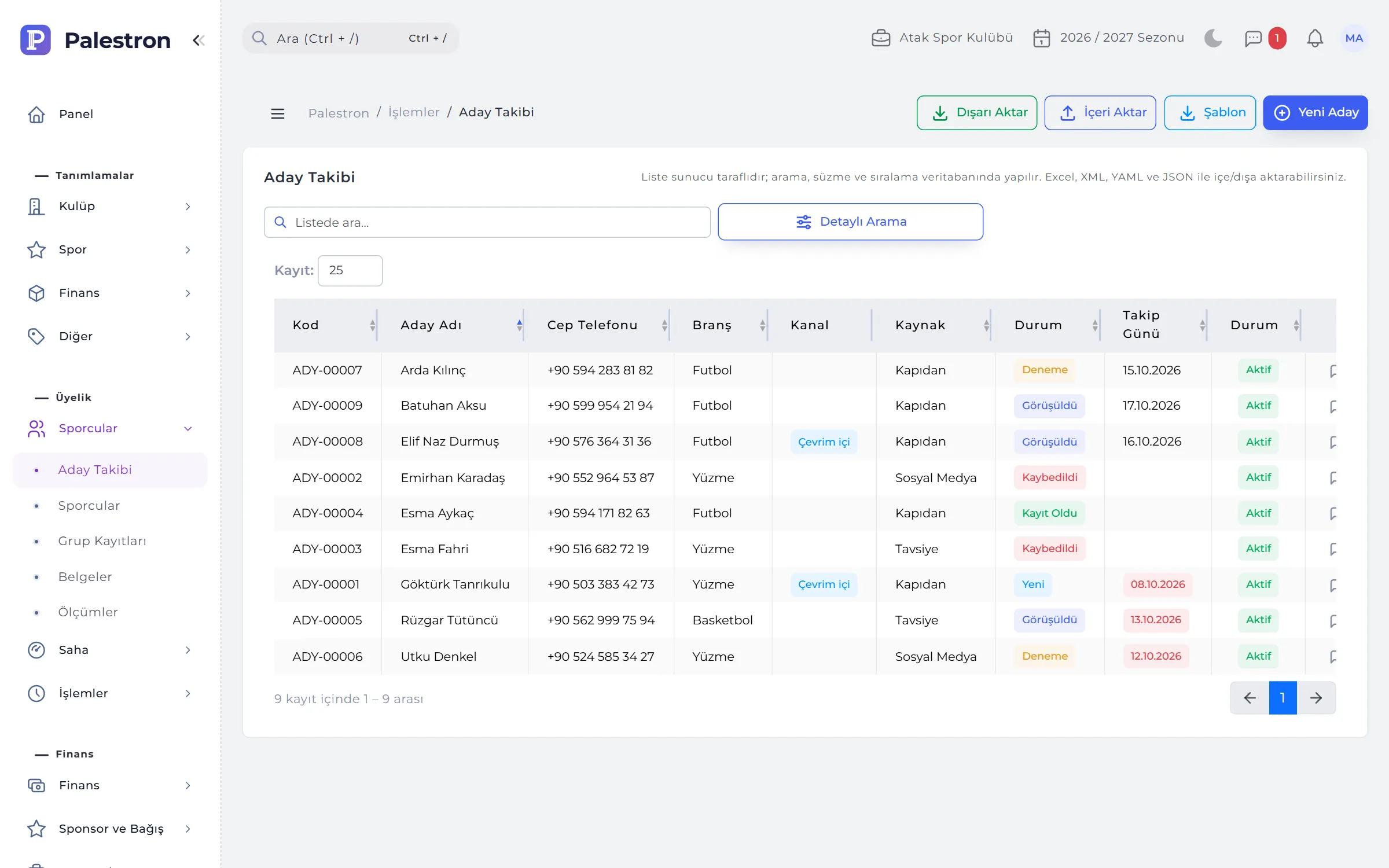
Everyone who calls, walks in or applies through the club’s pre-registration address is opened as a prospect. The prospect form mirrors the athlete form: identity, parents, school, sport and optional health details.
- Online pre-registration: a club-specific address and a QR code for posters; the parent fills in the form and gives consent, and the application arrives marked “Online”.
- Statuses: New → Contacted → Trial → Enrolled or Lost; a reason is recorded for lost prospects.
- Contacts: phone, SMS, e-mail, in person or WhatsApp; on the follow-up date the prospect appears on the dashboard and in the bell.
- Convert to athlete: one click opens the athlete and parents and carries over pre-registration consents; the ID number is checked across all branches.
02ATHLETES AND PARENTS
An athlete’s whole club life on one profile.
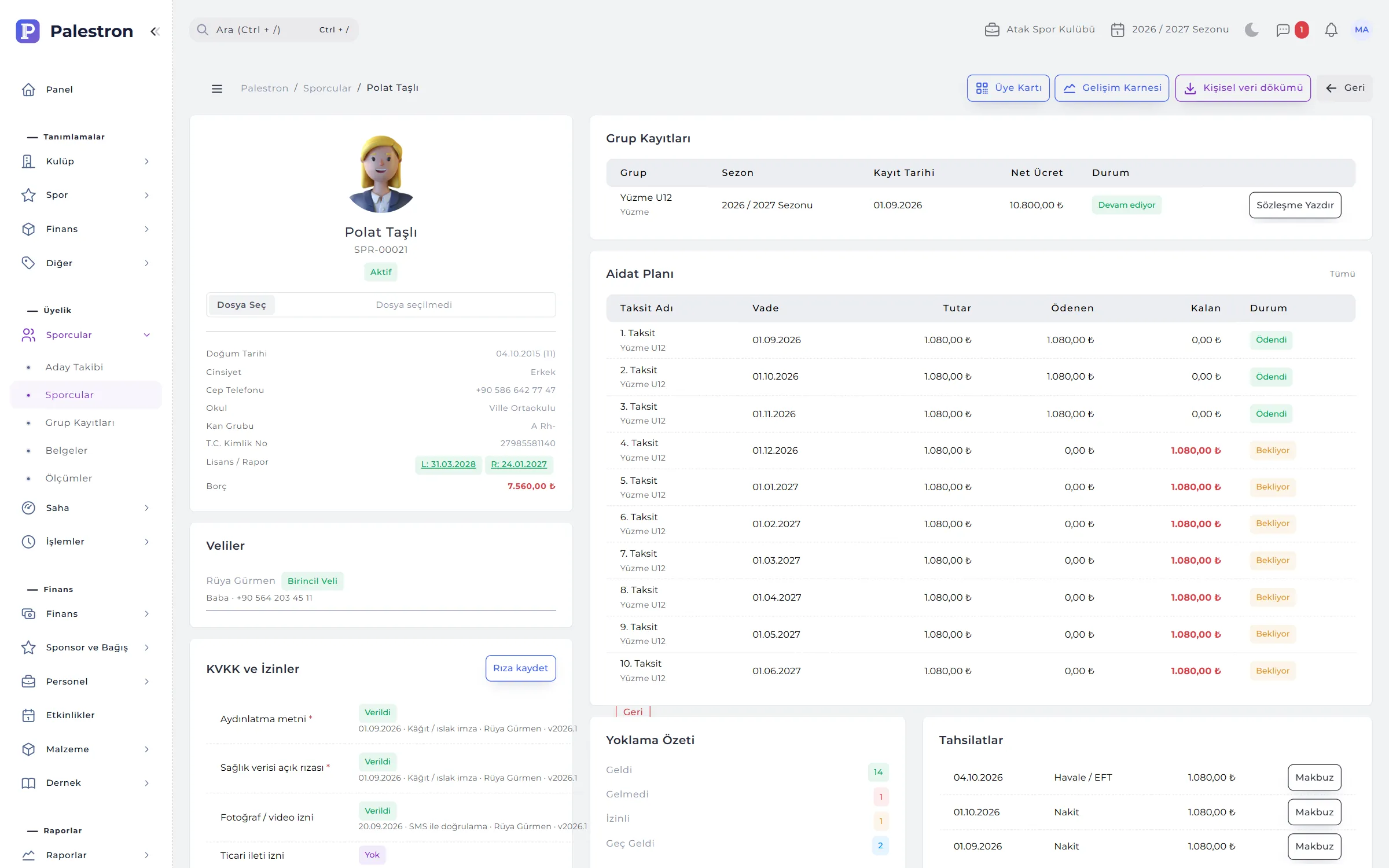
The athlete record keeps identity, contact, school and sport details, health and parents tab by tab. The profile brings enrolments, fee plan, collections, attendance summary, measurement chart, documents, levels and achievements and consents onto one page.
- Parents: at least one parent is required under 18; the first row is the primary parent, who gets SMS and notifications first.
- Siblings on one account: a parent with the same e-mail links to several athletes and sees all their children in the mobile app.
- Multi-branch athletes: an athlete can belong to several centres and enrols only in groups of those centres.
- Membership card: a printable card; scanning its QR code opens the athlete’s profile for authorised users.

03GROUP ENROLMENT
Enrolment, discount and contract on one form.
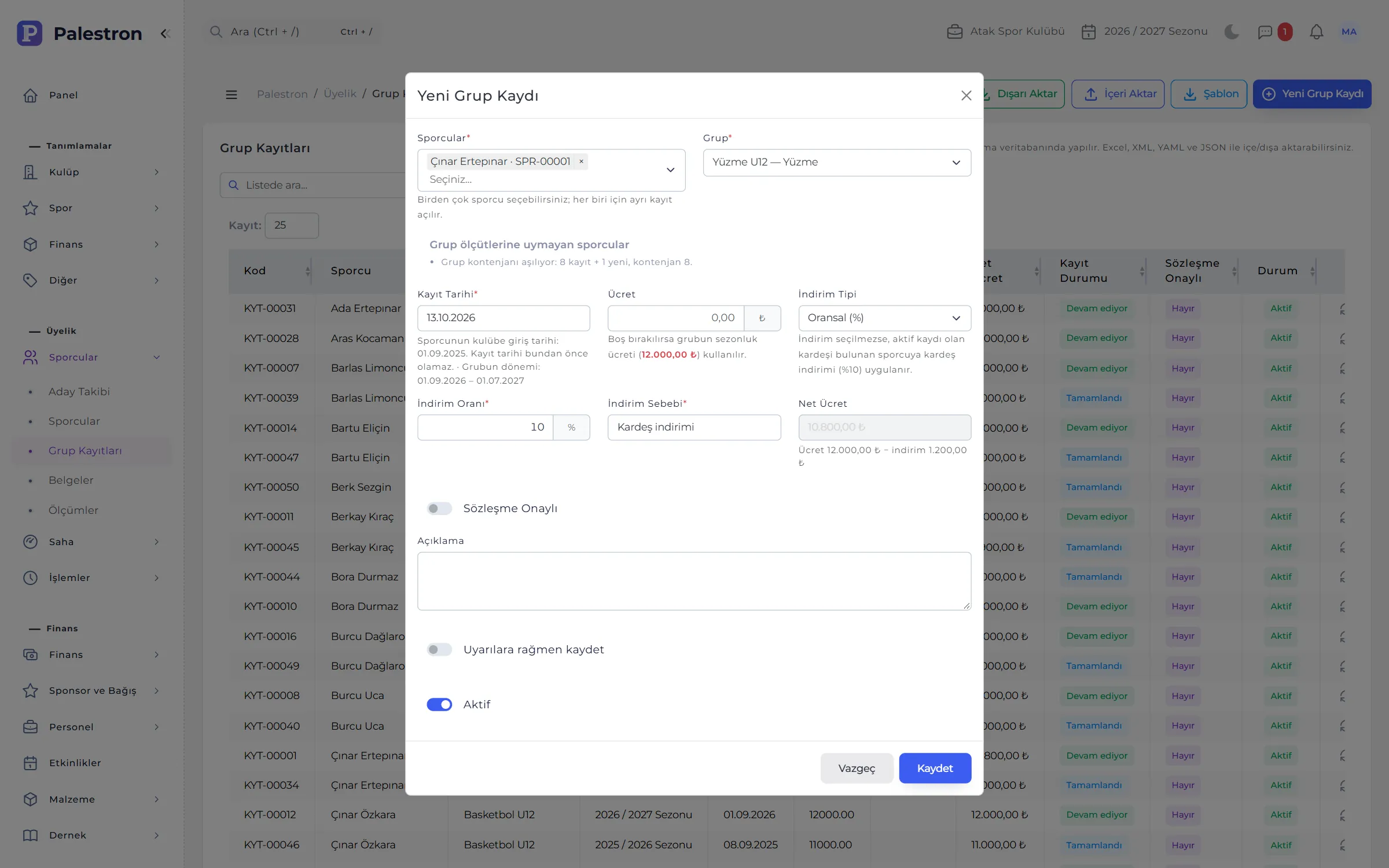
One or several athletes are enrolled in a group at once; sport, category and season come from the group. Leave the fee empty and the group’s season fee applies; the net fee is calculated live on the form.
- Discount: percentage or fixed amount with a reason; with an actively enrolled sibling the club’s sibling discount applies automatically.
- Warnings and blocks: a warning for age, gender or capacity mismatches; no enrolment in another centre’s group or twice in the same group.
- Contract approval: an approved enrolment locks its group and fee; the contract prints from the profile.
- Freezing: freezing an enrolment pushes later unpaid instalments back by the freeze length; when the group’s term ends the enrolment completes automatically.
04DOCUMENTS, LICENCE AND HEALTH
No athlete on the pitch with an expired licence or medical.
Licences, medical certificates, contracts, IDs and signed consent forms are kept in Documents. The licence and medical expiry on the athlete record come from the latest-expiring document of that type; adding or deleting a document refreshes the record automatically.
- 30-day warning: expired or expiring documents on the dashboard and in the bell; an older document is ignored once a newer one of the same type is uploaded.
- Eligibility everywhere: the attendance flag, official match squads and the mobile app all look at the same date.
- Undocumented date: a manually entered date shows a “no document” badge.
- Privacy: only users who can edit documents open a medical certificate file.
05DATA PROTECTION AND CONSENT
Is there consent, to which text, and where is the proof?
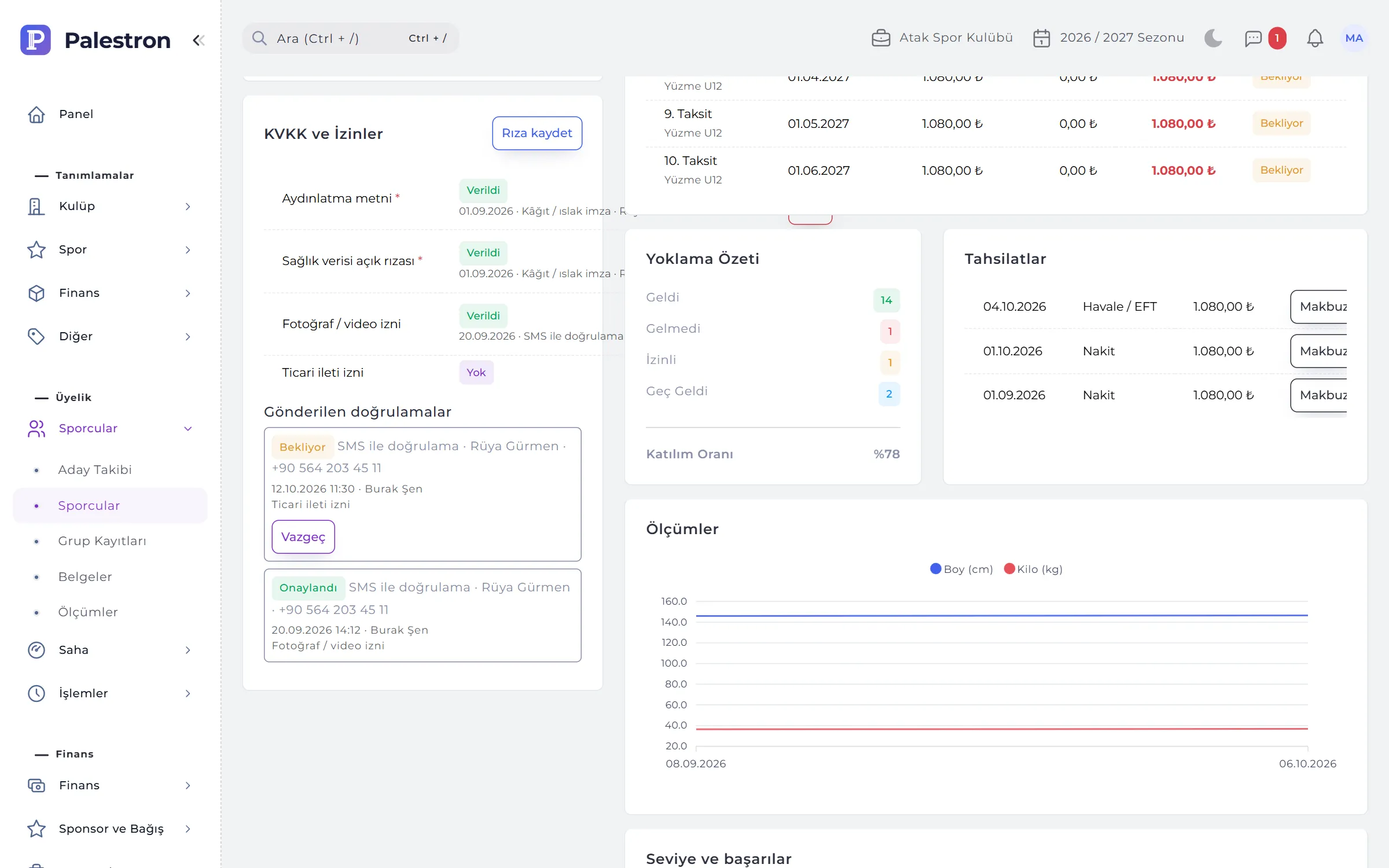
Palestron keeps consents with versioned texts and proof: privacy notice, health data consent, photo / video permission and marketing consent. They are managed from the Consents section of the athlete profile.
- Three channels: a signed paper form (print, sign, scan), SMS verification (72 hours) or an in-person SMS code (30 minutes).
- Withdrawal: a withdrawn consent is never deleted; it is kept with date and reason, and parents can withdraw from the mobile app.
- Old version: when a new version of a text is published, consents given to the old one are flagged for renewal.
- Retention and anonymisation: former athletes past retention are flagged; personal data exports on request, and anonymisation keeps fee records anonymous.
06MEASUREMENTS
Height, weight and body fat, season by season.
Measurements are recorded with the athlete, date and the coach who took them; body-mass index is calculated automatically. All measurements show as a chart on the profile and as a height and weight chart in the development report.
- Coach scope: coaches measure only athletes in their sports and groups.
- Substitute: a coach on leave that day shows their substitute.
- List: filter by athlete or date range and export to Excel.
- A meaningful report: measuring at the start and end of the season makes the growth chart meaningful.
RULES
Enrolment rules
To keep athlete data single and consistent, the system deliberately blocks some actions.
One ID, one athlete
A second athlete with the same national ID or passport number cannot be opened; the check covers all branches.
Parent required
An athlete under 18 cannot be saved without at least one parent; an athlete’s only parent cannot be deleted.
One enrolment
An athlete cannot be enrolled twice in the same group in the same season; the date must fit the group’s term and the club joining date.
Leave, don’t delete
Enrolments with collections and athletes with enrolments are never deleted; “Left” is written to the status history.
See it with your own club.
Leave a demo request and try Palestron with your own branches, sports and groups.