

Athlete and parent app, showcase and pre-registrationThe club, in the parent’s pocket.
Athletes and parents follow schedules, fees and card payment, attendance history, development reports, match calls, consents and support tickets in the mobile app. The club’s public showcase page and QR pre-registration form bring new athletes straight into the prospect list.
01PARENT HOME
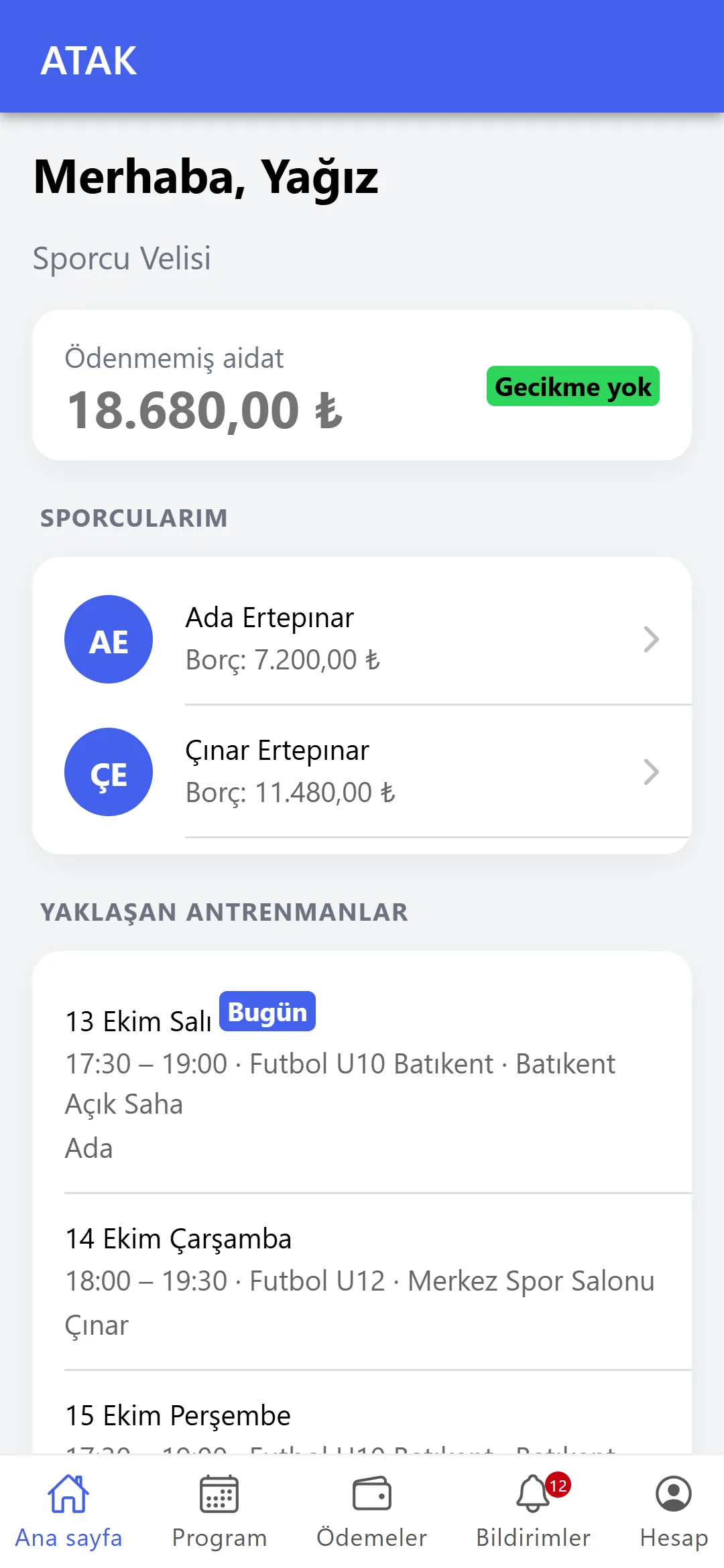
Several children, one parent account.
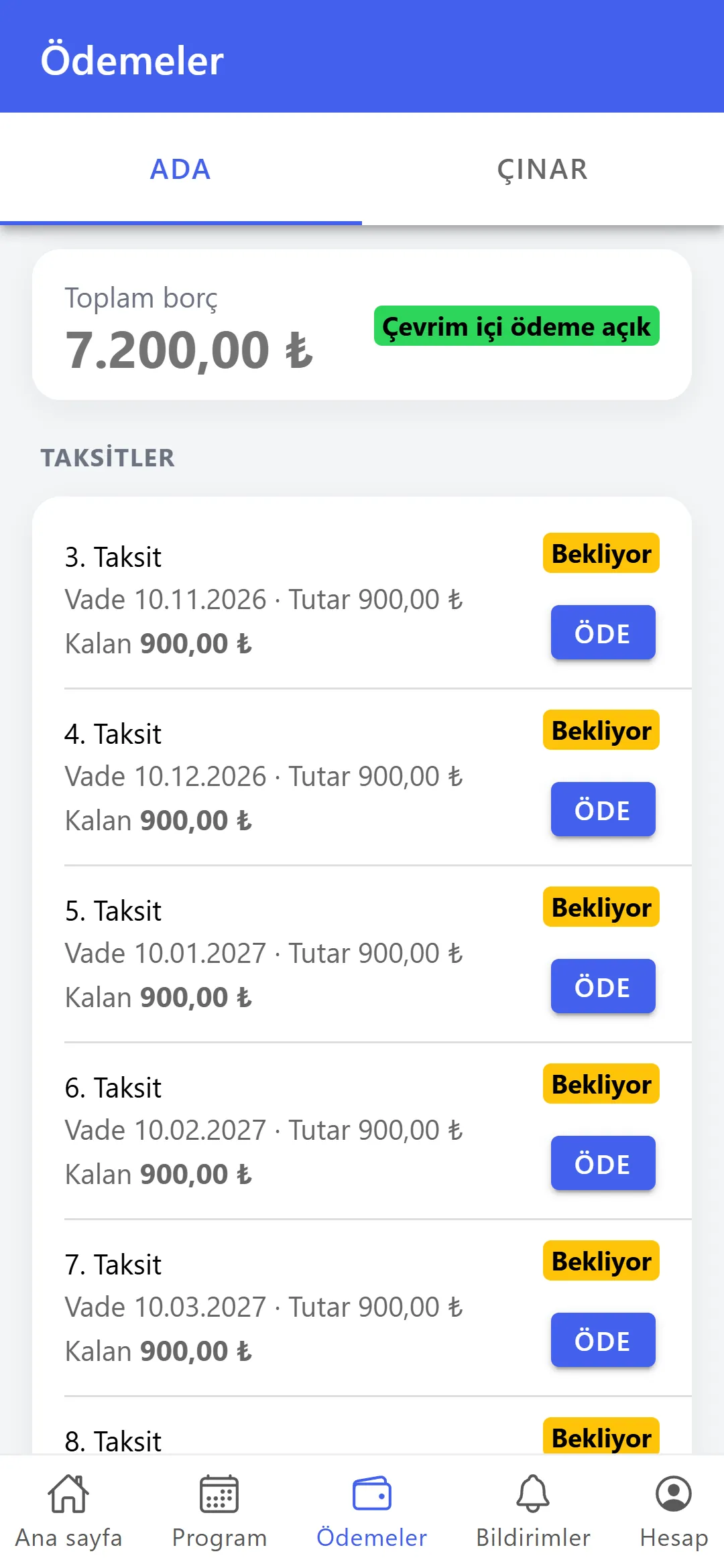
A parent registered with the same e-mail sees all their children on one account: enrolments, schedule, fees and payments, attendance history. Club announcements and notifications arrive in the app’s inbox and on the phone.
- Card payment: if the club has online payment, instalments are paid by card and recorded in the club’s till automatically.
- Reminders: upcoming and overdue fees, absences and session cancellations.
- Two-step sign-in: if enabled for the account, the app asks for a code too.
02MATCHES AND DEVELOPMENT
Reply to the call-up; get the report at season’s end.
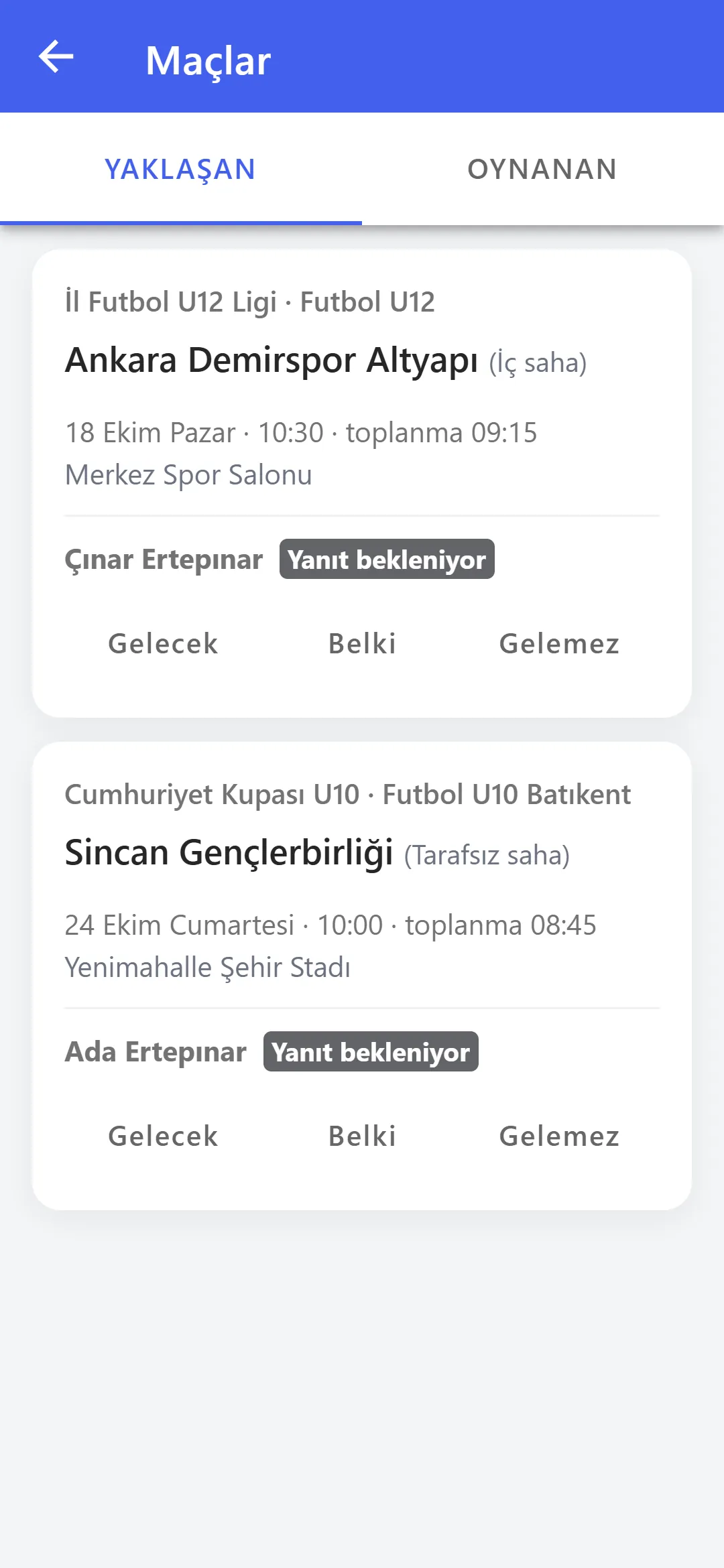
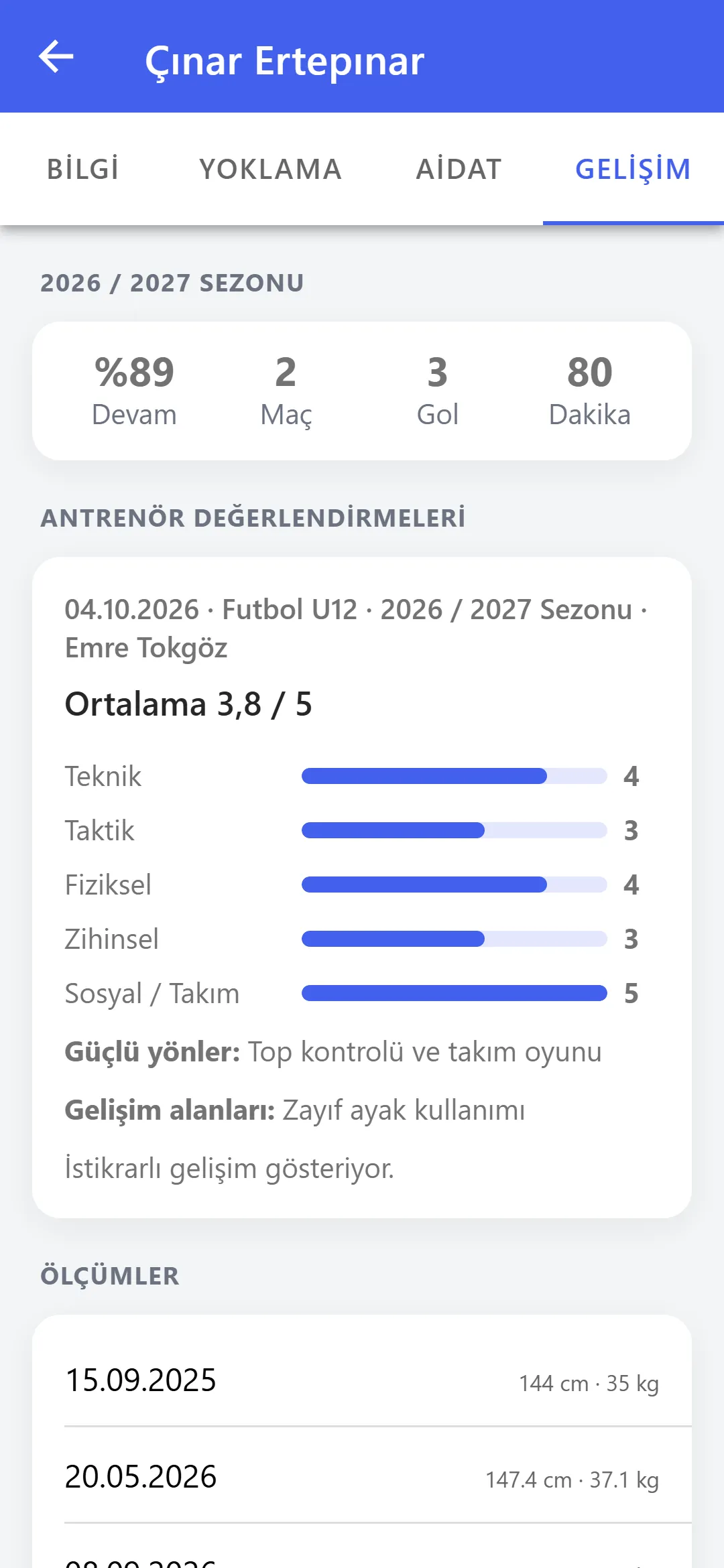
Parents of called-up athletes receive the match details and meeting time and reply from the app. Evaluations and the development report shared by the coach appear on the parent screen.
- Attendance reply: Coming, Can’t come or Maybe; a reason is required for “Can’t come”.
- Report: scores in five areas, strengths, areas to develop and the coach’s comment.
- Schedule: the group’s weekly training schedule.

03ONLINE PRE-REGISTRATION
From the QR code on the poster to the prospect list.
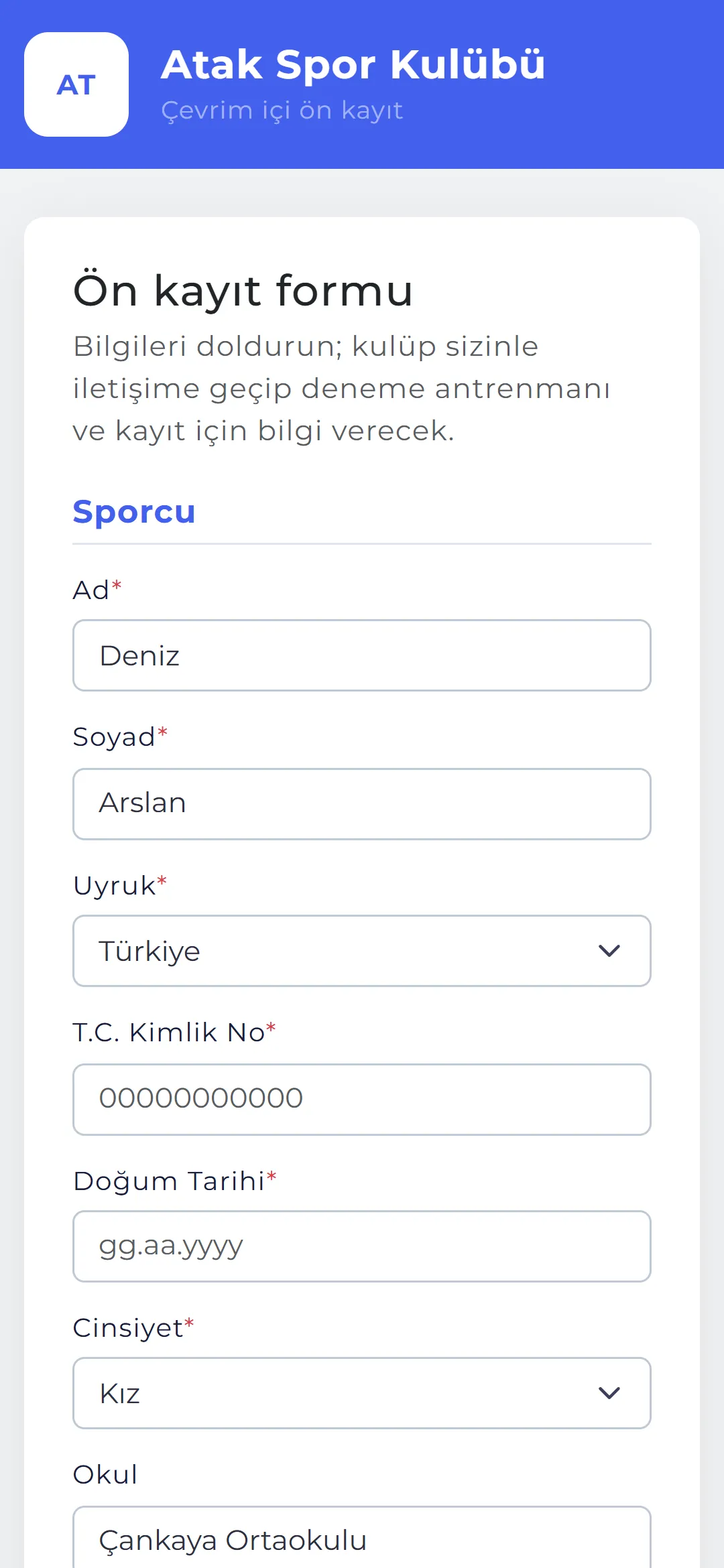
A club-specific pre-registration address and a QR code for posters are switched on in Club Details. The parent fills in the form on their phone and gives consent; the application lands in Prospects marked “Online”.
- Centre and sport: the form only offers sports open at the selected centre.
- Health consent: the club decides whether health data consent is mandatory at pre-registration.
- Renew address: renewing the address disables the old one and printed QR codes; pre-registration opens and closes in one click.
04SHOWCASE PAGE
Your club’s public face.
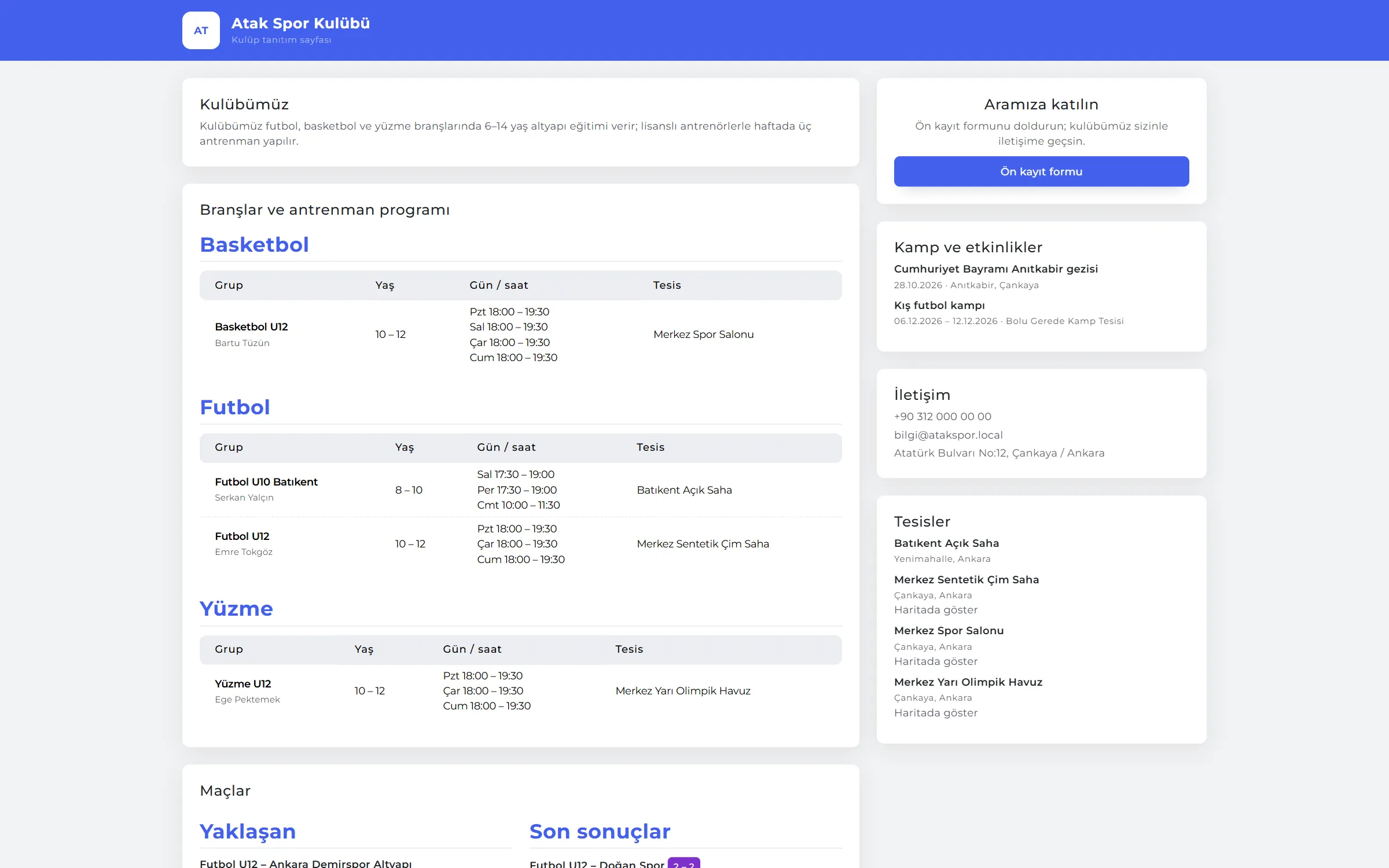
The showcase page shows sports and schedule, facilities, matches, achievements marked for display and contact details — and, if you wish, group fees. Achievements are added with a “show on showcase” tick.
- Always current: the showcase reads the schedule and achievements from the panel; nothing is typed twice.
- Privacy: athlete names are shortened on the showcase.
- Fees optional: showing group fees is the club’s choice.
05SUPPORT TICKETS AND CONSENT
Parents’ questions don’t drown in group chats.
Parents or athletes open a ticket in the app: subject, category (payment, training, document, complaint, request, other), priority and description. A parent with several children picks which child it’s about and is notified when an answer arrives.
- Consent management: parents can withdraw consents in the app; withdrawals are kept with their date.
- Writing again: a reply from the requester reopens the ticket; closed tickets need a new one.
- Internal notes: the club’s internal notes are never sent to parents.
RULES
Who sees what?
Athlete and parent accounts are closed to club data:
Athlete
Only their own record, schedule, fees, attendance history, development report, match replies, consents and support tickets.
Parent
Their linked athletes; siblings on one account. No access to any club-wide data.
Marketing messages
Campaigns and promotions go only to parents who gave marketing consent.
Account
A parent account opens from the parent row on the athlete record using their e-mail; if e-mail is set up, sign-in details are e-mailed to the parent.
See it with your own club.
Leave a demo request and try Palestron with your own branches, sports and groups.