

Club operations, coach payroll and association recordsFrom branches to staff, from camps to the resolution book.
Branches, facilities and coaches; coach sessions, leave and substitutes, advances and payroll; parent communication by SMS, WhatsApp and e-mail, support tickets; events, equipment and fixed assets; the association’s member register, boards, meetings and resolution book.
01BRANCHES, FACILITIES AND COACHES
Leases, visas and contracts never reach the last day.
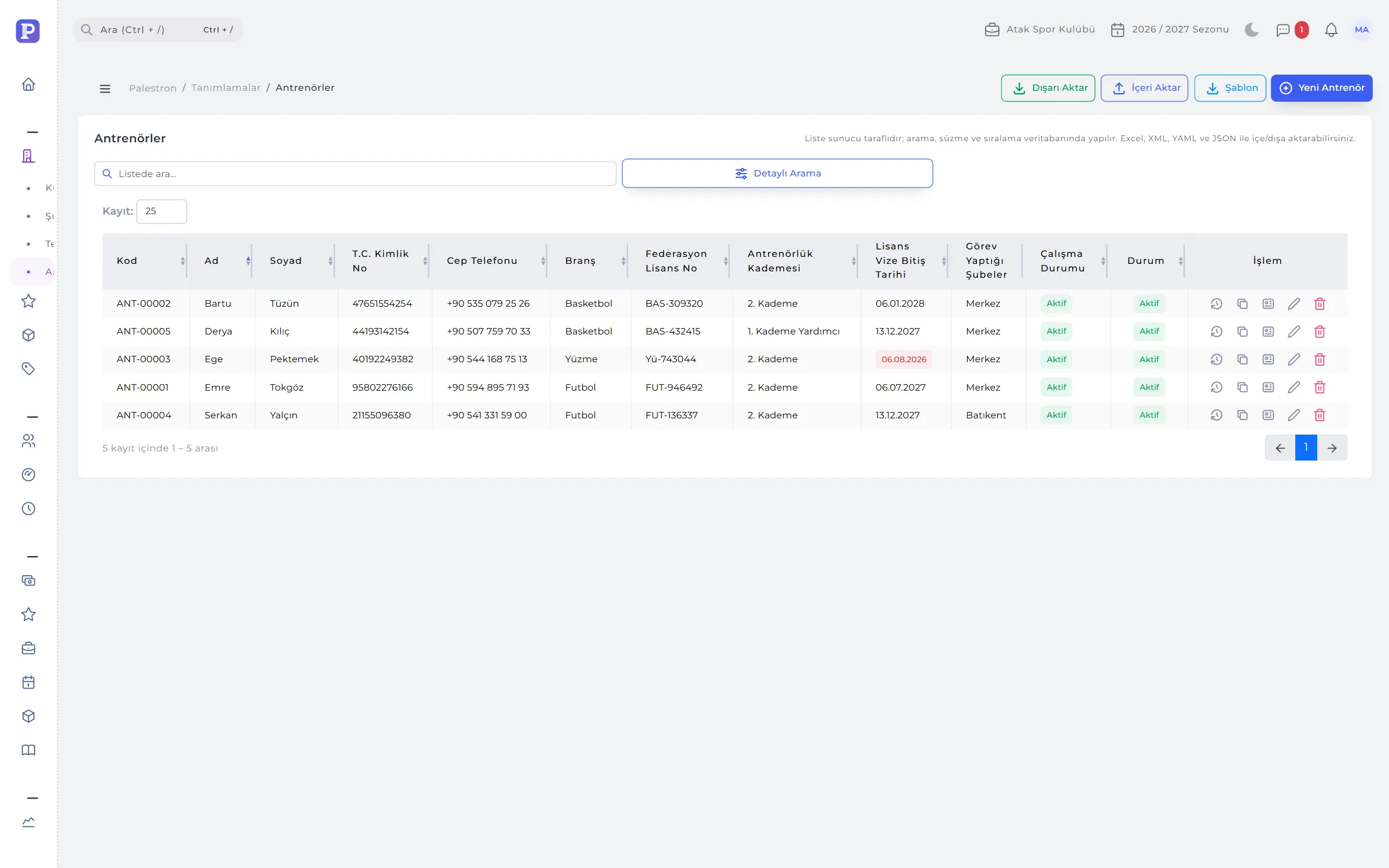
Each branch works with its own facilities, coaches, groups and users. Facilities keep type, surface, capacity, ownership and lease end; coaches keep licence, grade, visa expiry, duty lines and contract.
- Alerts: 90 days before a lease ends, 60 days before a coach’s visa or contract, on the dashboard.
- Duty lines: which branch, category and role a coach works in; the coach list on the group form is filtered by them.
- Every coach has an account: a user account opens with the coach record and is deactivated when they leave.
- Employment history: started, suspended, left; the order is checked.
02SESSIONS, LEAVE AND PAYROLL
Payroll isn’t typed in; it is calculated from attendance.
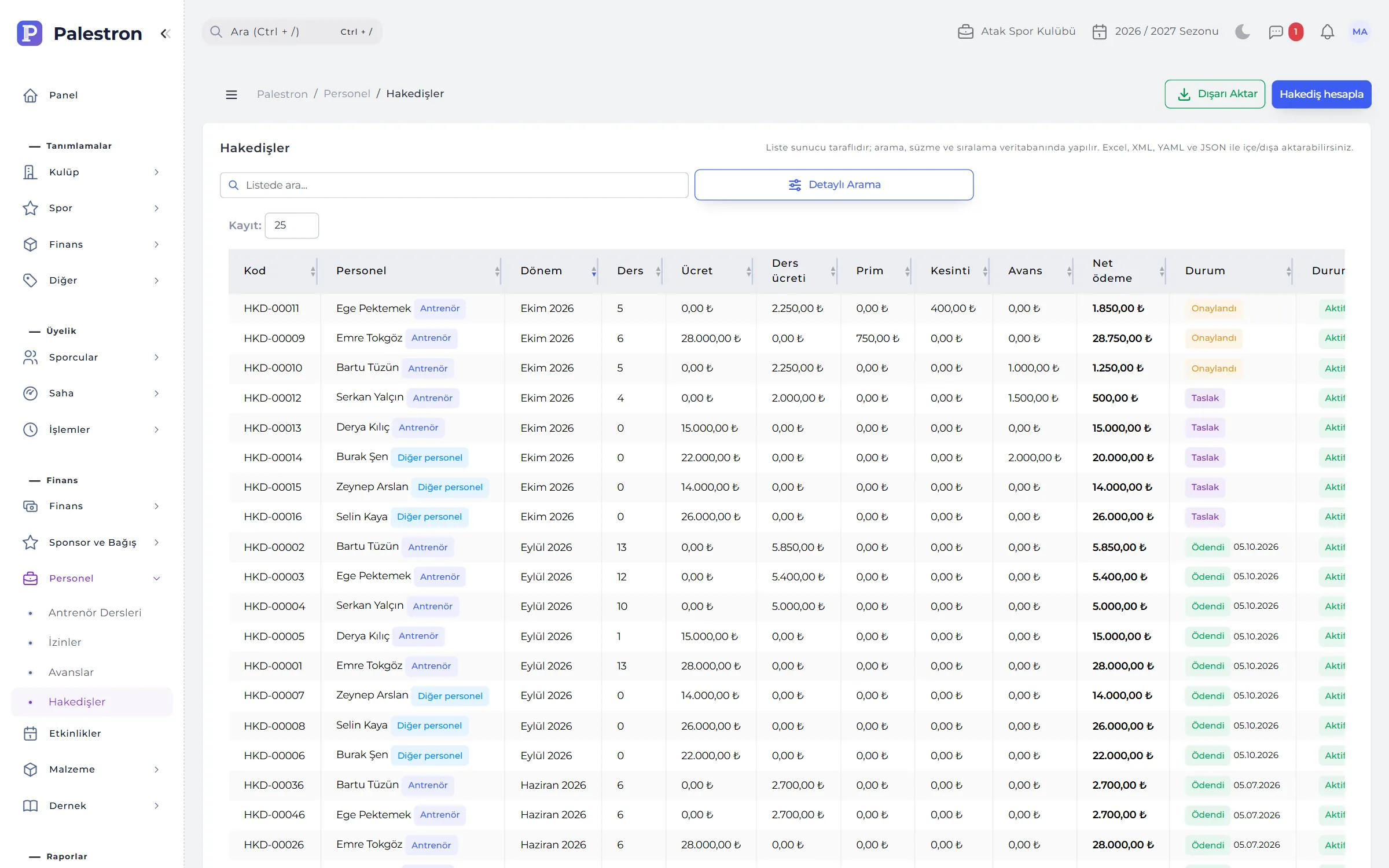
Saving attendance opens the coach’s session; make-up sessions and camps are entered by hand. Payroll is generated per period: monthly pay for full-time coaches, sessions × rate for hourly, both for part-time; monthly salary for other staff.
- Check column: “Attendance in”, “No attendance” or “Not on schedule” for every session, to review before payroll.
- Leave and substitutes: on approved leave days the session goes to the substitute and screens show “(substitute: …)”.
- Advance offset: unpaid advances are deducted from payroll; any excess carries to the next period.
- Draft → approve → pay: add bonuses and deductions; payment is posted as an expense from the chosen account and can be reversed.

03MESSAGING AND SUPPORT TICKETS
Parents’ questions don’t get lost, and answers stay on record.
Parents and athletes open tickets from the mobile app about payment, training, documents, complaints or requests. The ticket reaches the assigned person as a notification and the conversation continues on one page; internal notes are never shown to parents.
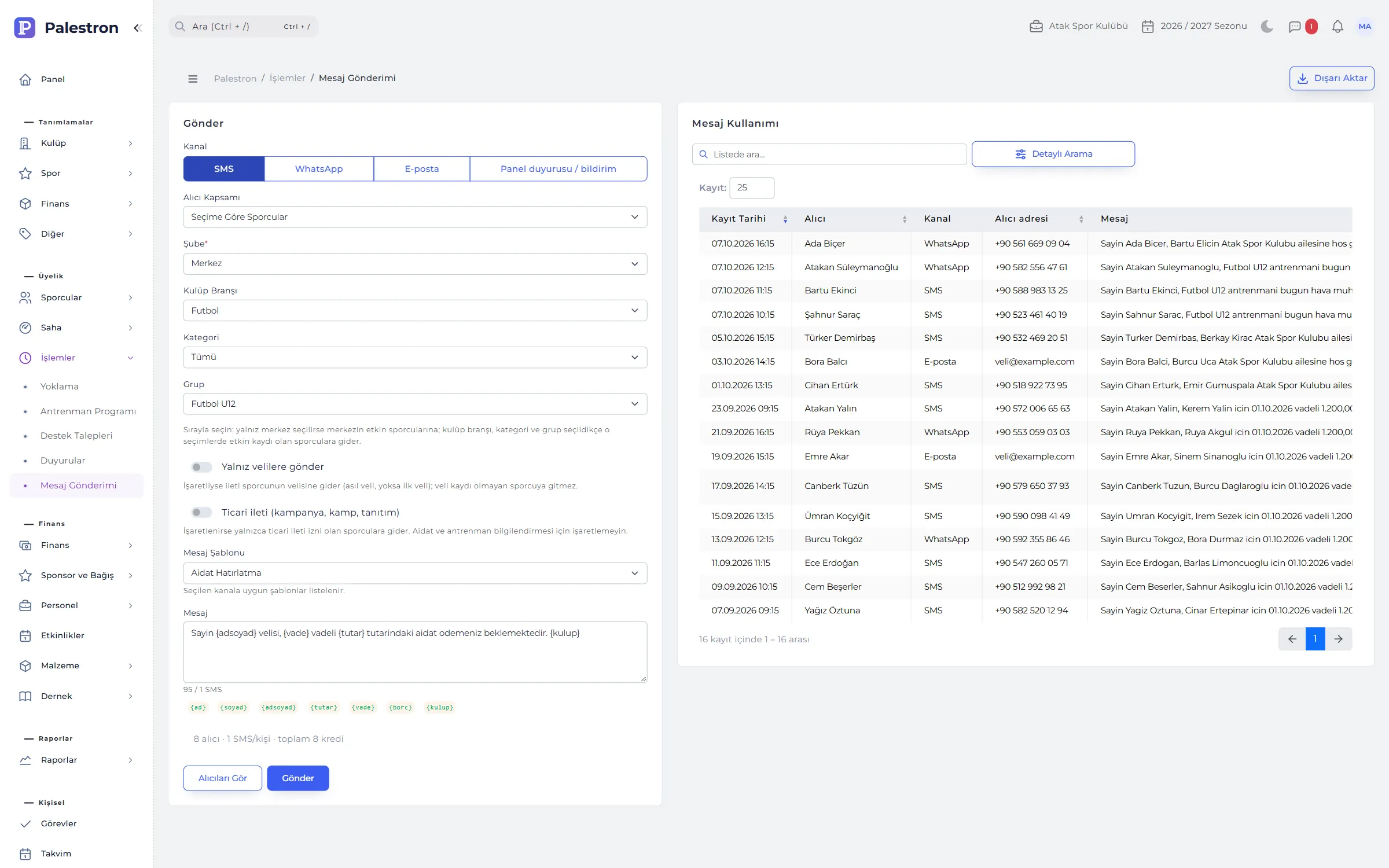
- Bulk messaging: SMS, WhatsApp, e-mail or panel announcement, chosen by branch, sport, category or group.
- Cost preview: people, SMS and credits before sending, and who will be skipped and why.
- Announcements: with start and end dates; important ones pinned to the top.
- Priority and status: Open, In progress, Answered, Closed; four priorities from low to urgent.
04EVENTS
Camps, trips and tournaments — from participants to the coach bill.
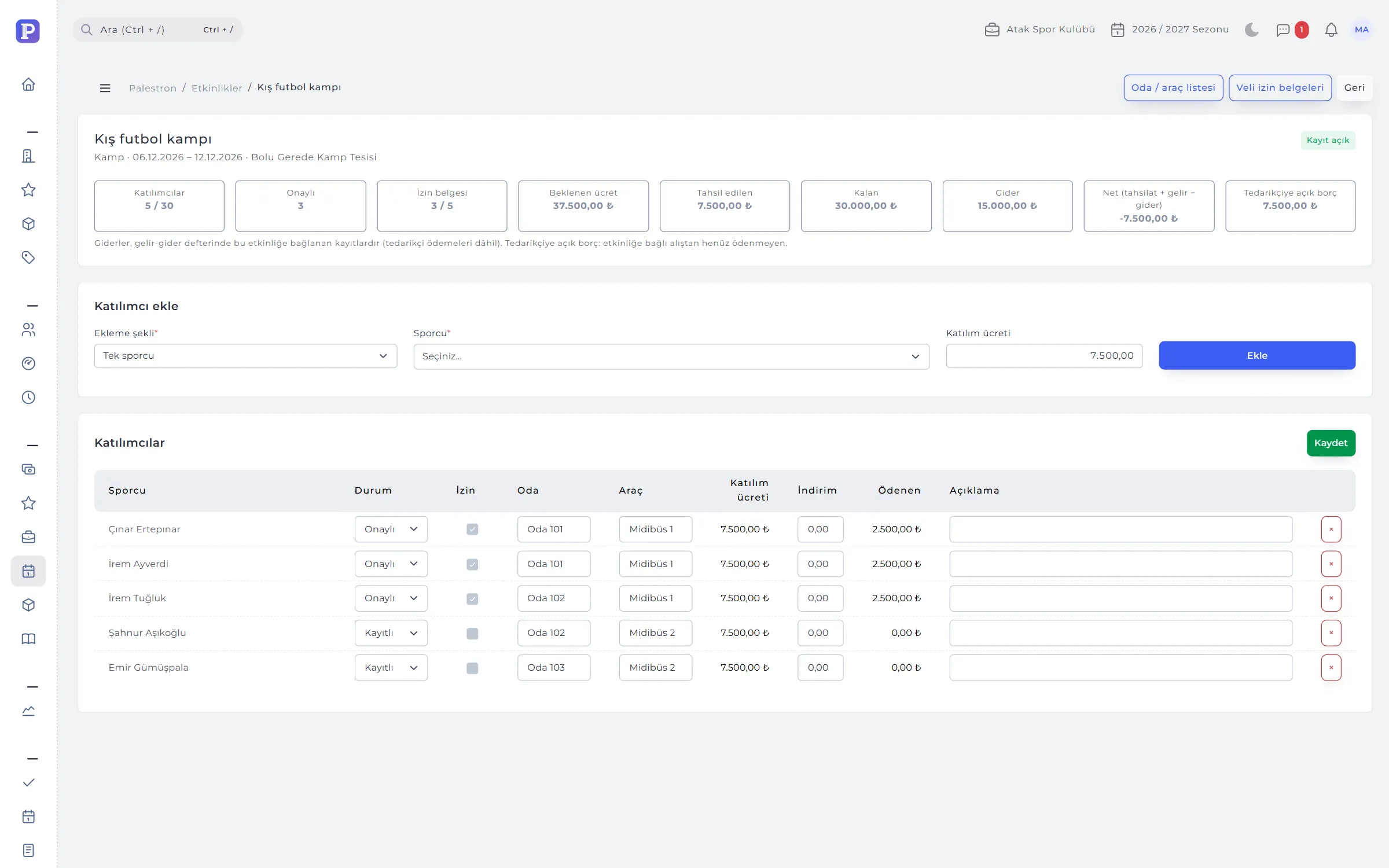
An event opens with capacity, registration deadline, parental permission and, if paid, instalments. Participants are added one by one or a whole group at once; room, vehicle, discount and permission slip are kept row by row.
- Outputs: a room / vehicle list and a signature-ready parental permission slip for each participant, as PDF.
- Event finance: expected fees, collected, expenses, net and open supplier debt in one summary.
- Cancellation: cancelling a participant deletes unpaid instalments; paid amounts are refunded or transferred.
05EQUIPMENT AND FIXED ASSETS
Who has the shirt, is the ball in stock, when is the goal due for service?
Stock items are defined with sizes or numbers; purchases, issue to athletes, sales, returns and loss / write-off are recorded. Fixed assets are tracked with facility, serial number, condition and service interval.
- Minimum stock: the bell warns when stock drops below the minimum.
- Sales reach the till: sales to athletes are recorded as “Kit and Equipment Sales” income.
- Issued kit on profile: equipment an athlete holds shows on their profile.
- Service alerts: fixed assets due or overdue for service appear in the bell.
06ASSOCIATION RECORDS
Member register, boards and resolution book, digital.
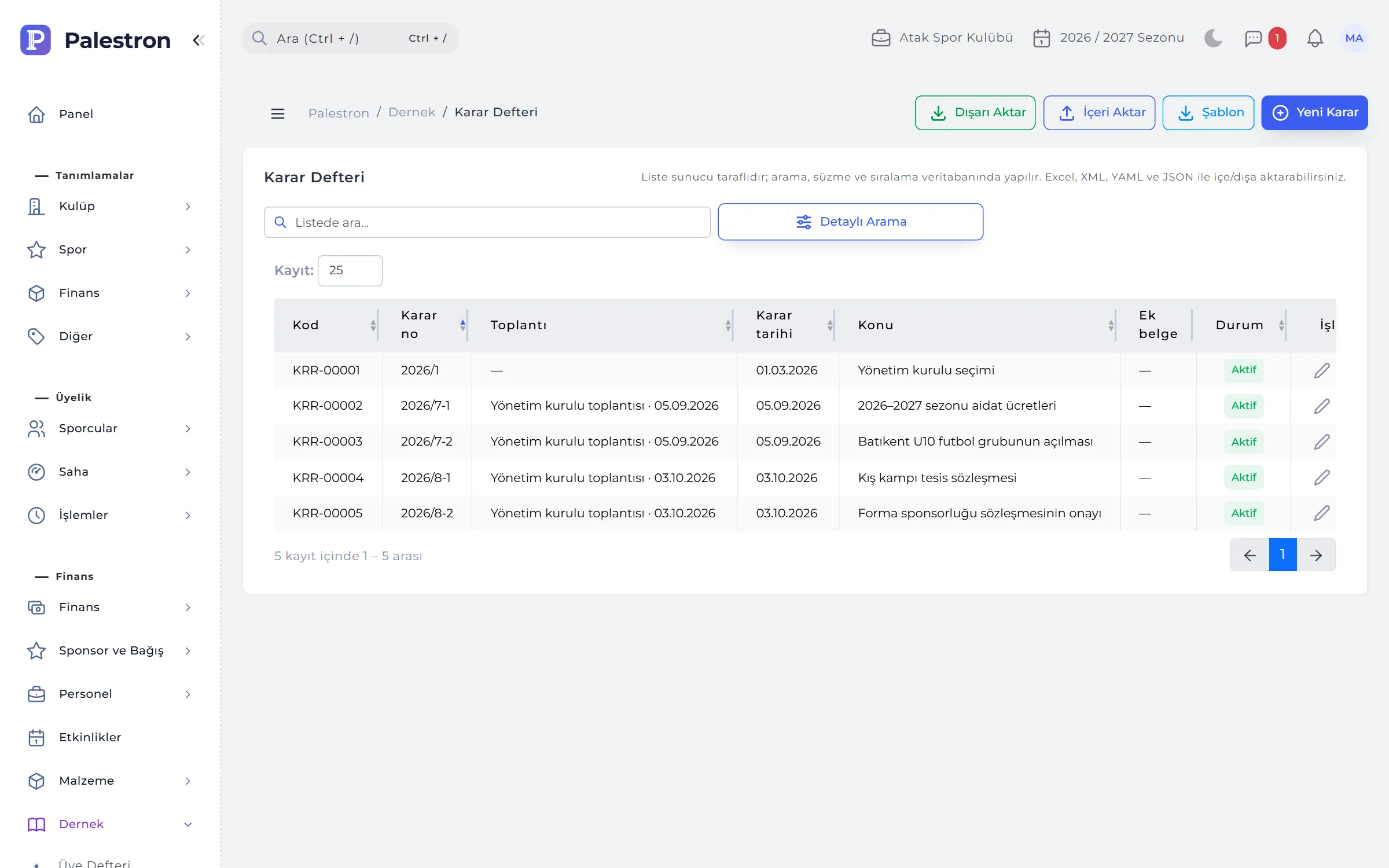
Association members are kept apart from athletes: founding, full and honorary members, joining date and resolution number, reason for leaving. Executive, audit and disciplinary board terms, general assembly and board meetings, a YEAR/NUMBER resolution book and annual member dues sit in one place.
- Single roles: a board can’t have two chairs in the same period; the message says who holds the role.
- Resolution no.: suggested automatically, e.g. 2026/14; the year must match the resolution date.
- Member dues: the year’s dues accrue in one click, none for honorary members; payments are written to income automatically.
07TASKS, CALENDAR AND NOTES
Work tracking inside the club.
Tasks are assigned to people, who get a notification and start and finish them from My Tasks on the dashboard. The calendar shows personal events, the training schedule, matches, club events and staff leave as layers.
- Notes: categorised, starred and shareable; deleted notes come back from the bin.
- Messages: one-to-one chat inside the club; unread count in the top bar.
- Calendar views: month, week, day and list.
RULES
Club level and branch level
It’s clear who can change what:
Club-level definitions
Club details, branches, seasons, sports, categories, association records, users and permission templates are changed by the club administrator; branch managers only view them.
Branch scope
A branch user can’t write to another branch; club-wide cash accounts are available to every branch.
Paid payroll is locked
Once a coach’s month is paid, its sessions don’t change and attendance can’t be reset; reverse the payment first.
In use, never deleted
Branches with groups, seasons with enrolments, equipment and accounts with movements aren’t deleted; they are deactivated.
See it with your own club.
Leave a demo request and try Palestron with your own branches, sports and groups.