

Training schedule, attendance and match squadsFrom schedule to pitch, from pitch to report.
Groups and weekly schedules, clash checks, attendance, the drill bank and training plans, matches and squads, athlete development tracking, injuries, grading exams and achievements. Coaches see only their own groups.
01GROUPS AND SCHEDULE
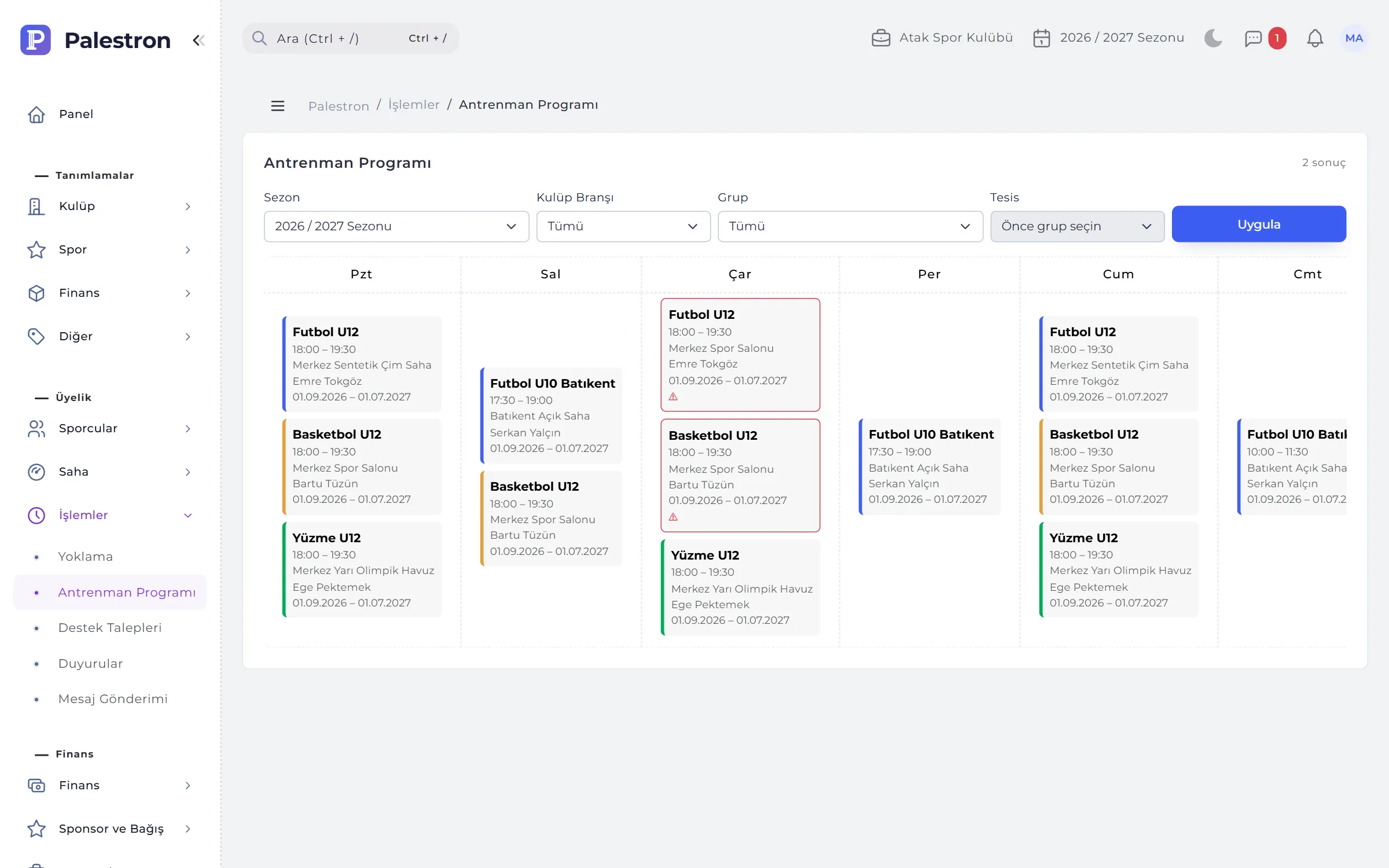
A coach can’t be in two groups at the same time.
A group is athletes training together in one season, one centre and one category. A group with the same name opens afresh each season, leaving history intact. The weekly schedule runs at the group’s facility; the Training Schedule screen shows every group on a calendar.
- Clash check: overlapping times on the same day, or a coach already scheduled with another group, cannot be saved; the message names the clashing group.
- Facility clashes: groups whose times and terms overlap at the same facility show with a red frame on the calendar.
- Federation-style categories: age is the season’s end year minus birth year; the range shifts by itself every season.
- Lead coach: the first coach chosen is the basis for payroll, calendar and reports; assistants also see the group as theirs.
02ATTENDANCE
Take attendance — the coach’s session is recorded for you.
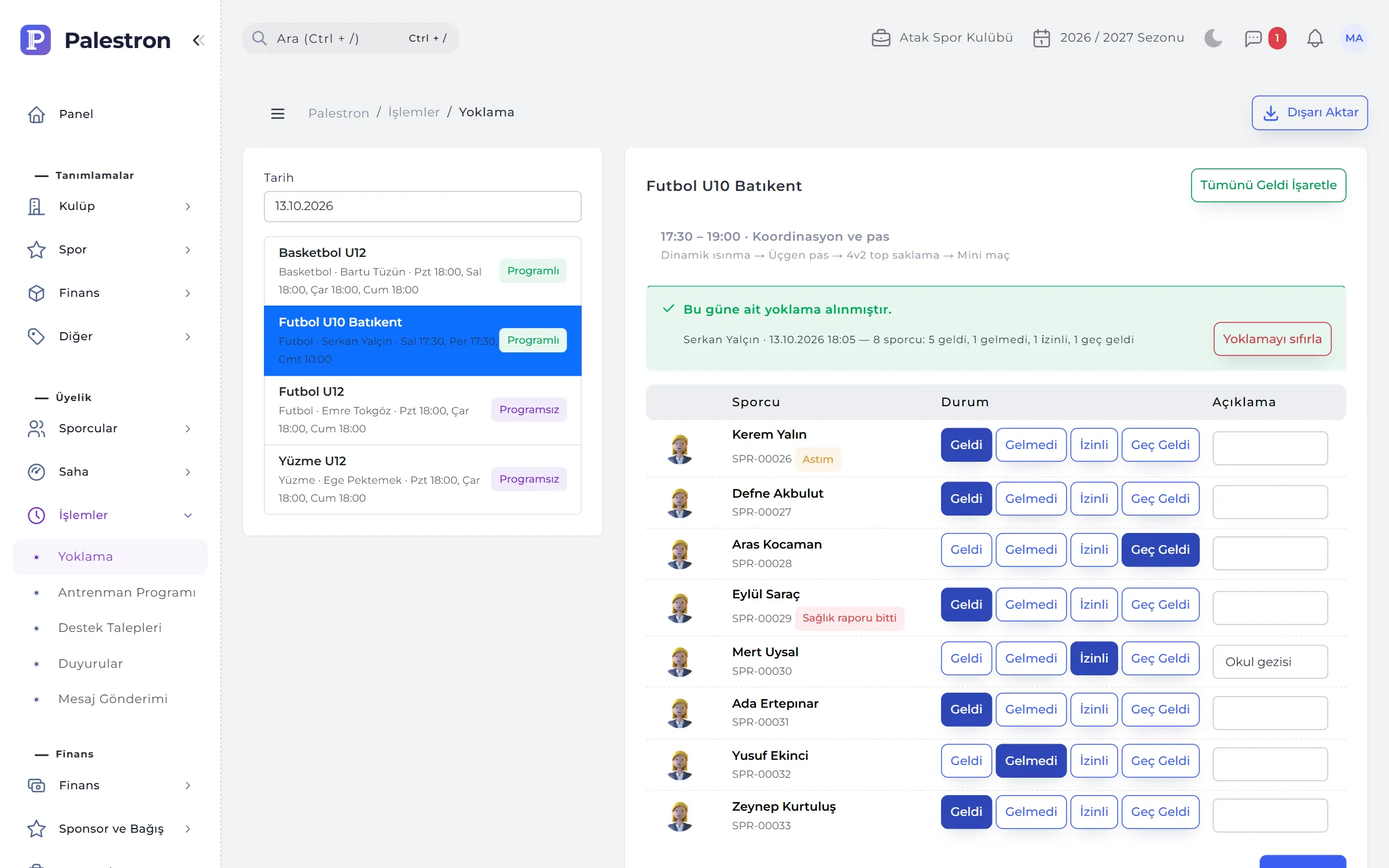
Pick a date and groups scheduled that day come first; athletes arrive marked “Present”, and you change the absent, excused and late. On saving the coach’s session for the day opens; payroll is calculated from these sessions.
- Parent notification: parents of absent athletes get an event message; never twice for the same day.
- Health flag: a flag when there is no medical certificate or the certificate or licence visa has expired; the coach sees health notes.
- From the dashboard: tapping “Attendance pending” under today’s sessions opens this screen.
- Reset: attendance entered for the wrong group is deleted with the session it opened; not possible once payroll is paid.

03TRAINING PLAN
The club’s drill bank, the coach’s plan.
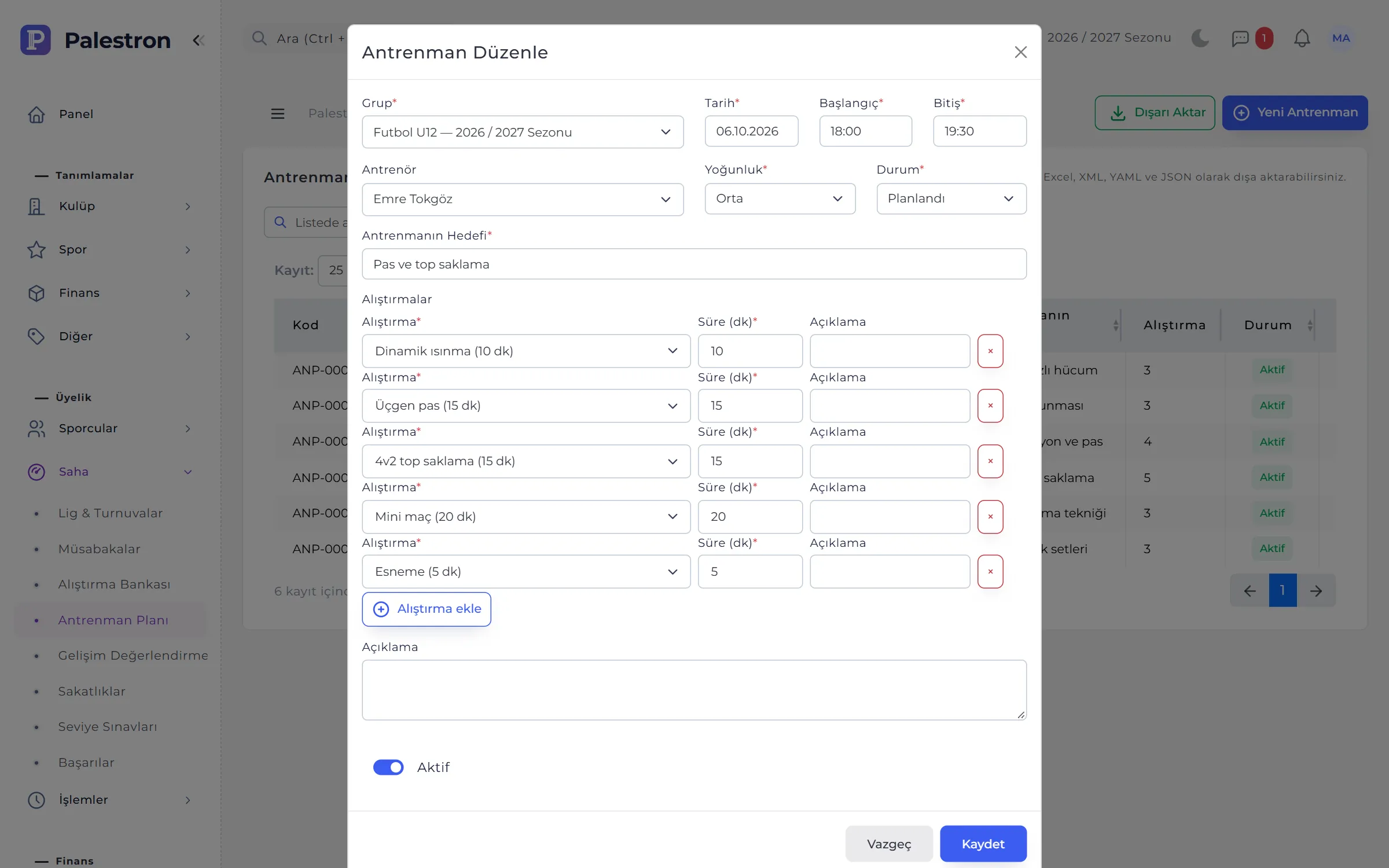
The Drill Bank is the club’s training library: focus (warm-up, technique, tactics, conditioning, goalkeeping, game, mental, cool-down), age group, duration, equipment, description, coaching points and a video link. A training plan holds one group’s goal, intensity and ordered drills for a day.
- Duration ready: a drill’s defined duration is suggested in the plan.
- By sport: plans are built from the group’s sport and general drills.
- Status: Planned, Done or Cancelled; intensity low, medium or high.
04MATCHES AND SQUADS
Only athletes who can play make the squad.
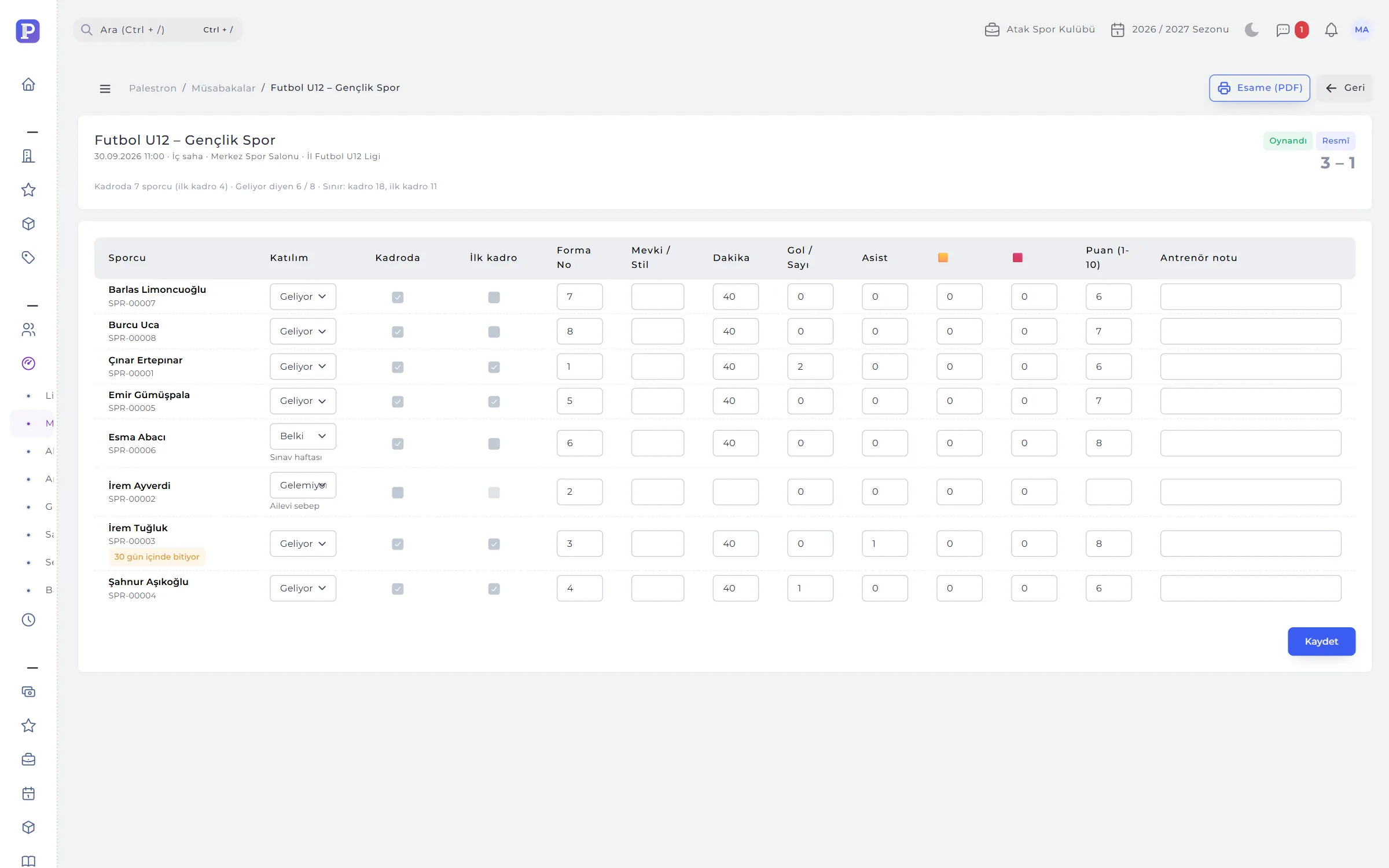
Leagues, tournaments, cups and friendly series are defined as competitions; a match belongs to a competition and a team to a group. The squad is built on its own page; after the match, minutes, goals / points, assists, cards, ratings and coach notes are recorded.
- Official matches: athletes with an invalid licence or medical can’t be selected; injured athletes can’t join any squad.
- Parent replies: Coming, Can’t come or Maybe; “Can’t come” needs a reason.
- Call-up: once the squad is saved, called-up athletes and their parents get a message.
- Squad sheet (PDF): the official squad list prints in one click; two athletes can’t share a shirt number.
05DEVELOPMENT REPORT
Everything to tell a parent at season’s end, on one page.
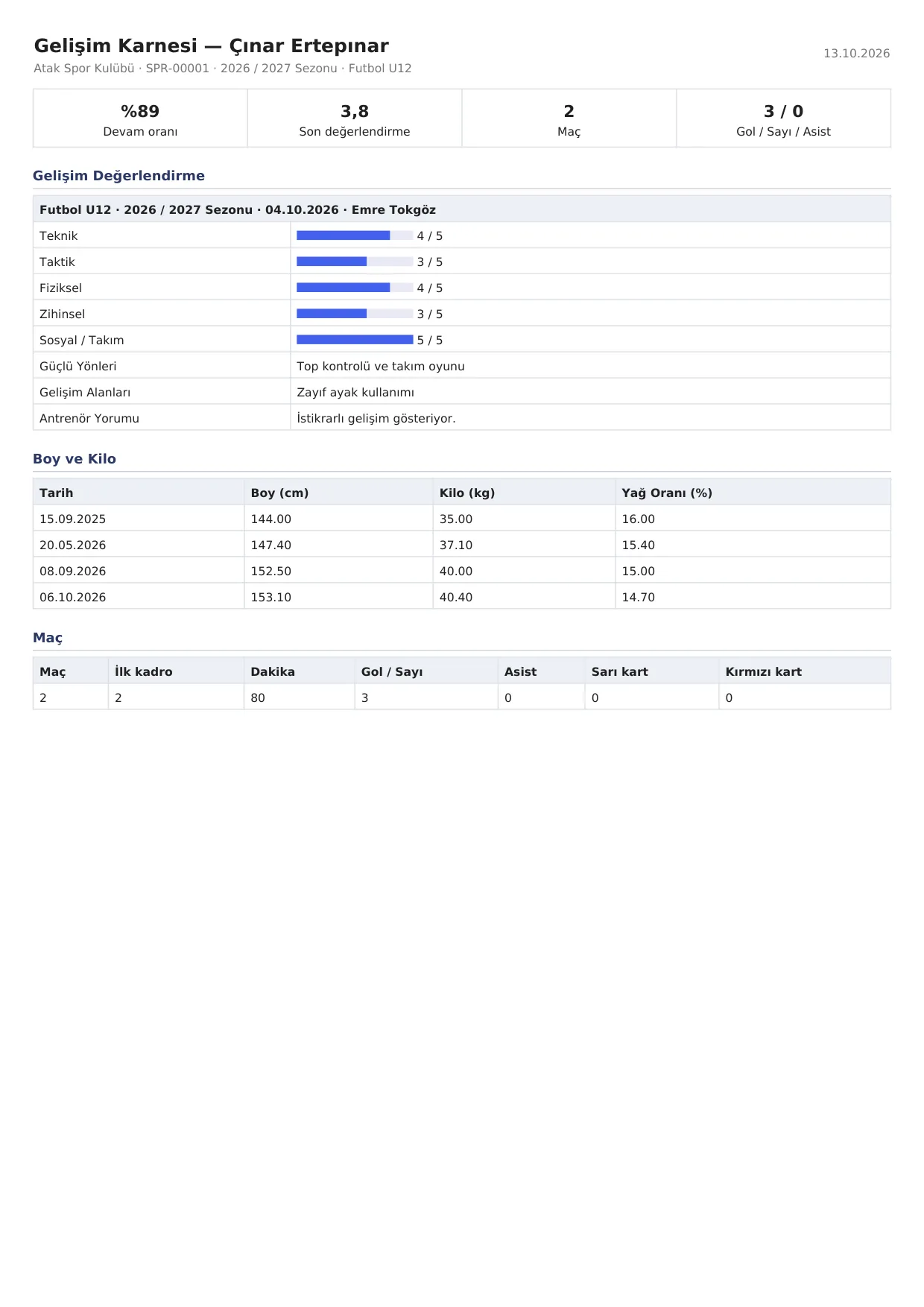
Evaluations score technique, tactics, physical, mental and social / team from 1 to 5, with strengths, areas to develop and the coach’s comment. The development report combines evaluations, height and weight chart, attendance rate and match stats as a PDF.
- Share with parent: an evaluation marked for sharing appears on the parent screen and in the mobile app.
- Coach report card: a coach’s groups this season, number of athletes and weekly training hours also export as a PDF.
06INJURY, GRADING AND ACHIEVEMENT
Return to play, belt exams and the podium.
Injuries are recorded in training or a match with body area, type, severity, first aid and a doctor’s report. Until a return date and clearance are entered the athlete counts as “Injured”. Grading exams follow progressive levels such as belts, stars or swimming levels; achievements go into the activity report and, if you wish, the showcase page.
- Doctor’s report: stored confidentially; only authorised users open it.
- Minimum wait: an exam can’t be recorded before the waiting time after the previous level; the message gives the earliest date.
- Certificate: with result, score, examiner and the certificate file.
- Achievements: individual or team; five levels from club to international; athlete names are shortened on the showcase.
RULES
Field rules
Squad, schedule and exam rules catch mistakes at the moment of entry:
Coach clash
A coach can’t be in two groups’ schedules at the same time; an inactive group can’t be reopened in that case either.
Squad eligibility
Athletes with an invalid licence or medical stay out of official squads, and injured athletes without a return date stay out of any squad.
Stay in the term
No attendance outside the group’s term and no match outside the competition dates; a future match can’t be “Played”.
Level order
A passed level must be higher than the current one, and the minimum wait must have passed.
See it with your own club.
Leave a demo request and try Palestron with your own branches, sports and groups.